

If you’re in the market for a new automotive scanner, you’ve probably noticed the Thinkcar 689 BT Pro and wondered what makes it different from the base 689 BT. Here’s a breakdown of what actually changed — and whether those changes justify the price difference for your shop.
What Stayed the Same
Let’s start with what didn’t change, because it matters when you’re weighing the upgrade. The hardware is essentially identical: same 8-inch screen, same resolution, same battery, and the same 4 GB of RAM and 64 GB of storage. The operating system hasn’t changed either, and the maintenance functions and diagnostic database are practically the same. Thinkcar still follows its lifetime free update model, with the brand promising free updates until 2031 — likely due to hardware limitations. All vehicle software, maintenance, and application updates remain completely free of charge.
The Three Major Changes
1. The New VCI with J2534 Compatibility
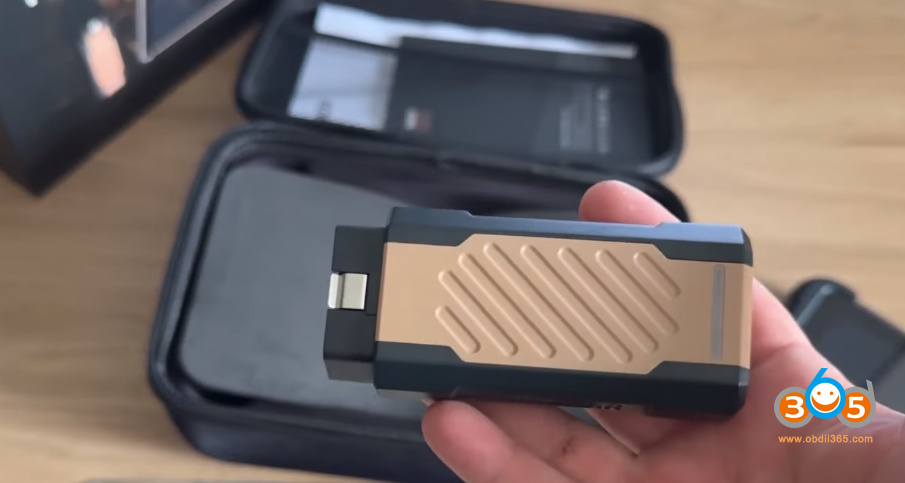
The biggest hardware change is the vehicle communication interface (VCI). It’s noticeably larger than the base model’s interface, and it now features a USB-C connection on the bottom that is characteristic of a J2534 device.
Why does that matter? A J2534 interface opens the door to online programming and reprogramming work. For shops that want to expand beyond diagnostics into programming, this alone could justify the upgrade.
2. Network Topology Mapping
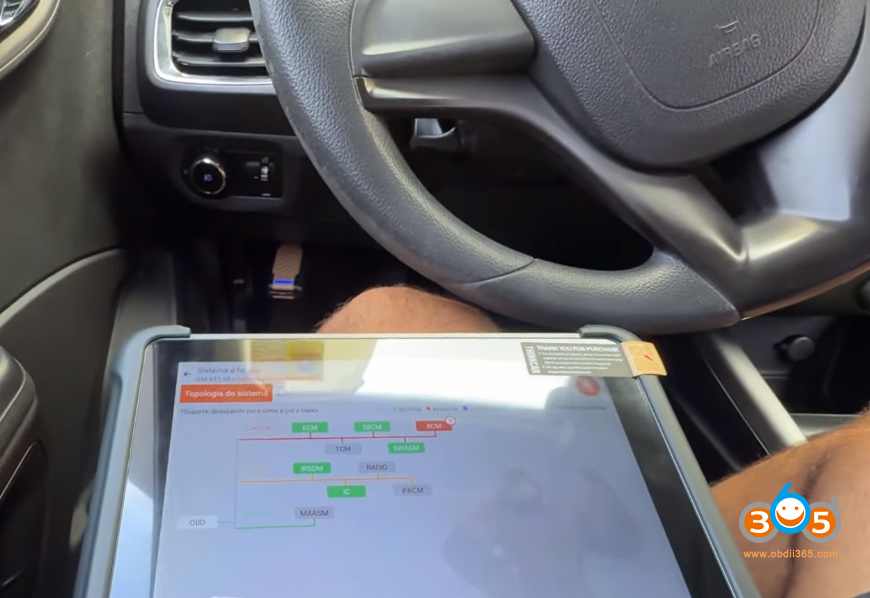
The second major change is the addition of network topology — a visual mapping of the vehicle’s modules. Instead of just a list of systems, you get an interactive diagram showing how modules are connected. You can select everything and run an intelligent scan, or interact with individual modules directly. The base 689 BT only offers the list-based interaction; the Pro adds this visual layer that makes it easier to understand the vehicle’s network at a glance.
3. Improved ThinkAI Artificial Intelligence
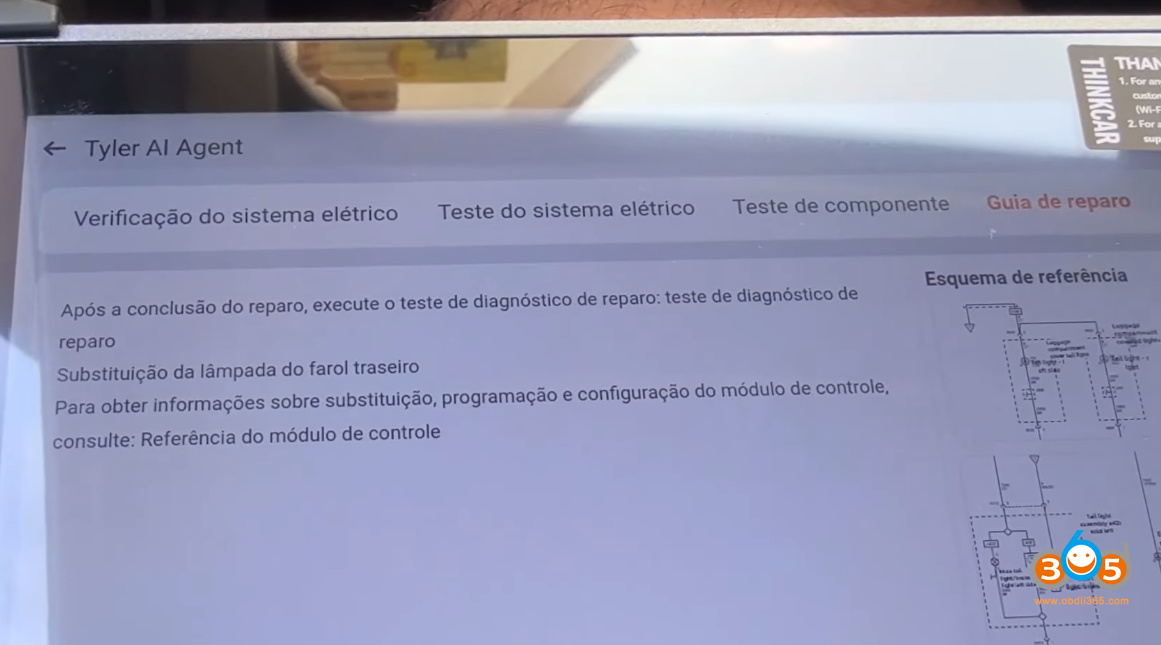
The third change is the enhanced artificial intelligence, branded as ThinkAI. When you click on a fault code while connected to the internet, the AI agent provides:
- The fault definitionThe fault level (moderate or high)
- Fault symptoms
- An electrical system check and test
- Component testing
- A repair guide
- A reference scheme on the side
It’s essentially the same AI that existed before, but improved. The integration with fault codes is seamless — you click on a code and get a guided diagnostic path. For technicians who need help interpreting fault codes and planning repairs, this is a genuinely useful feature.
What About SGW?
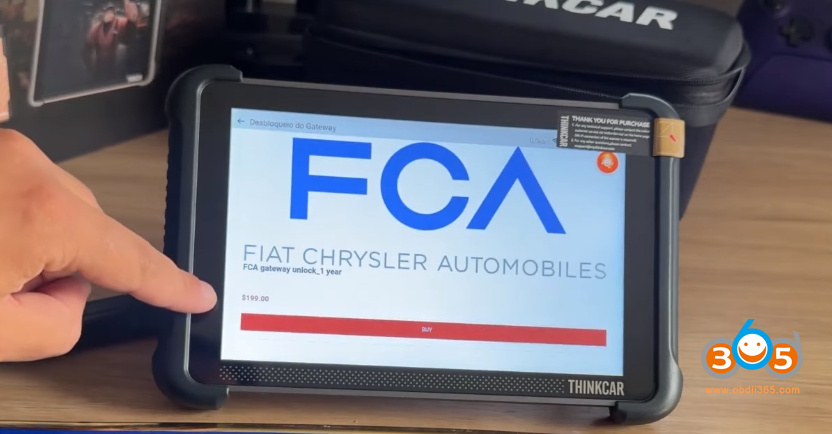
One thing to be aware of: the cost of SGW unlocking within the scanner has gone up. Thinkcar now charges $2 for a one-year SGW unlock. If you purchase the unlock directly inside the scanner, it costs 199 for a one-year release. For shops working on Stellantis group vehicles, buying from a dealer that includes the first year of SGW unlock can save you money.
So, Is It Worth It?
It depends on your goals. If you just want a scanner for diagnostics — reading and clearing fault codes and performing bidirectional tests — the base 689 BT will handle the job just fine. The Pro version doesn’t change the core diagnostic experience much.
But if you want more capabilities, the Thinkcar 689BT Pro delivers. The J2534 interface opens up programming work that can generate real revenue. The network topology makes diagnostics more intuitive. And the improved AI helps technicians work through fault codes faster. For shops that want a scanner with a wider range of possibilities, the Pro is a solid investment.
Thinkcar’s Thinkscan line has always been about diagnostics, and the Pro version stays true to that while adding meaningful upgrades. If you’re considering one, weigh the price difference against the extra earning potential from J2534 programming and the time savings from topology and AI. For many shops, the math will work out in favor of the Pro.















