

The new Yanhua Smart Key Reader supports copying NXP NCF29XX smart keys for Kia, Hyundai, Ford, Chevrolet, Jeep, Cadillac, Dodge, Renault, Fiat, Citroën, Peugeot, GM, Buick, JLR, BYD, Chery, etc and motorcycle key types.
Here we will show how to copy an NXP smart key using the device. You can copy an NXP universal key (i.e Keydiy C29AX71 NXP copy remote ) or an original key.
Benefits of the Yanhua nxp key device compared with other NXP devices:
1. Broader NXP key coverage
2. One adapter for all types. No need to buy different adapters.
3. without soldering wires
Procedure:
Insert original key/working key into LF adapter.
It will read key ID and NXP chip type. It will show whether the key can be copied or not.
If it says copy is not supported, quit the operation and use OBD programming instead.
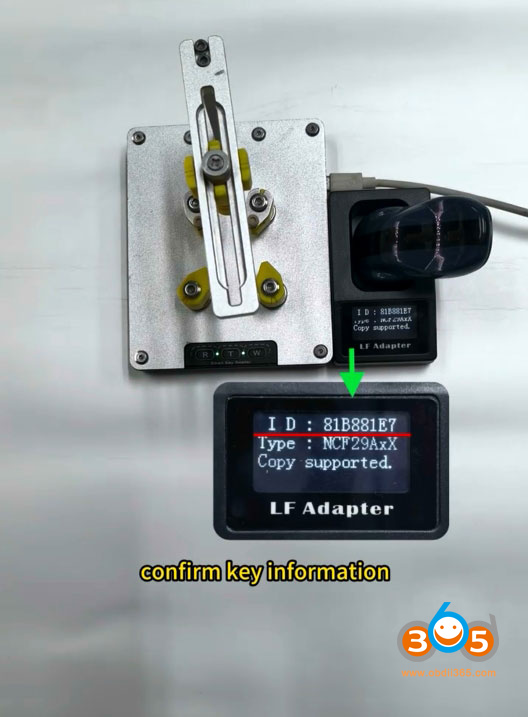
If Yanhua smart key reader says copy is supported, remove the original key shell.
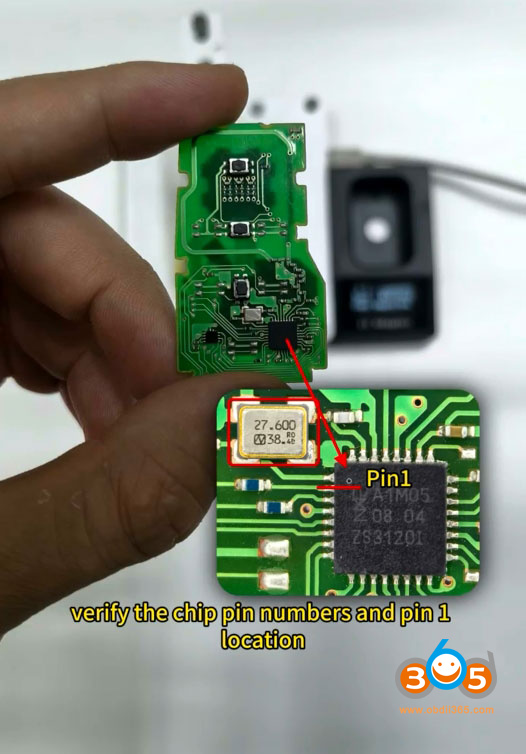
Verify the chip pin numbers and pin 1 location.
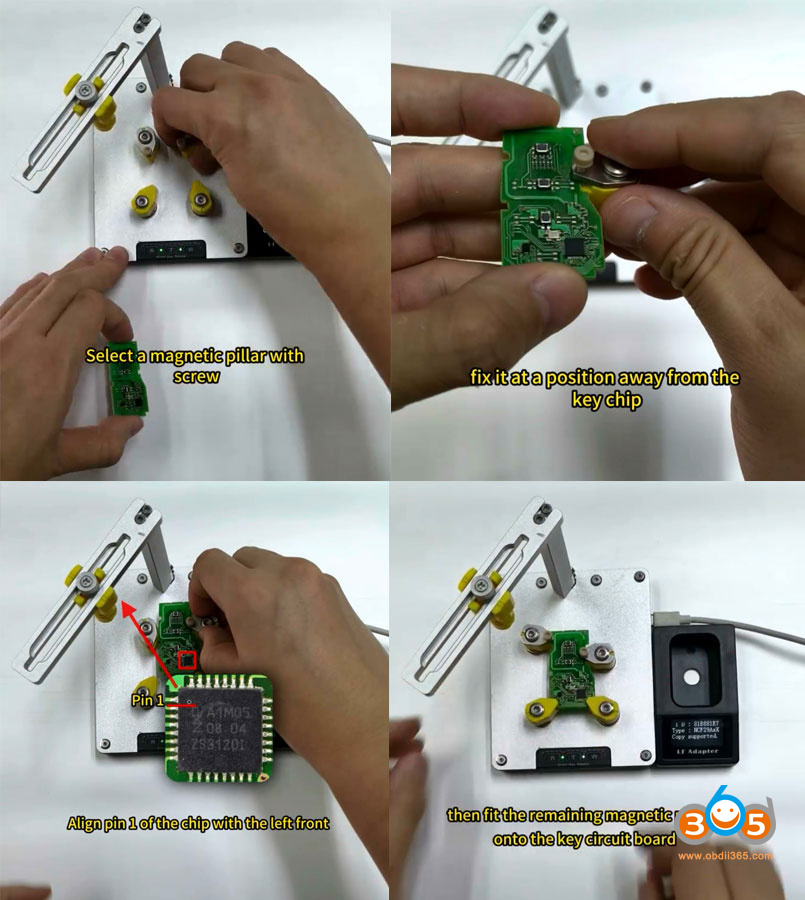
Select a magnetic pillar with screw.
Fix it at a position away from the key chip.
Place it on the smart reader after tightening the screw.
Align pin 1 of the chip with the left front.
Then fit the remaining magnetic pillars onto the key circuit board.
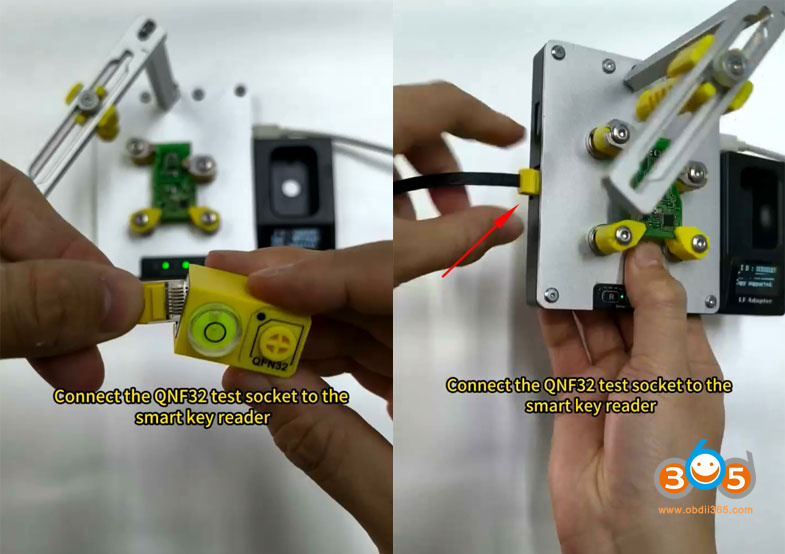
Connect the QNF32 test socket to the smart key reader.
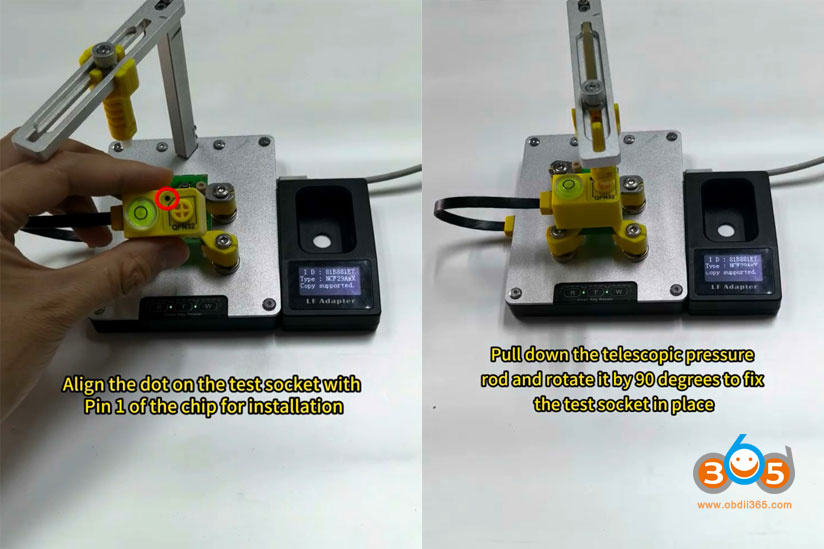
Align the dot on the test socket with Pin 1 of the chip for installation.
Adjust the telescopic pressure rod to align with QFN32 button on the test socket
Pull down the telescopic pressure rod and rotate it by 90 degrees to fix the test socket in place.
Check whether the level bubble is centered; if not, fine-tune until it reaches a horizontal position.
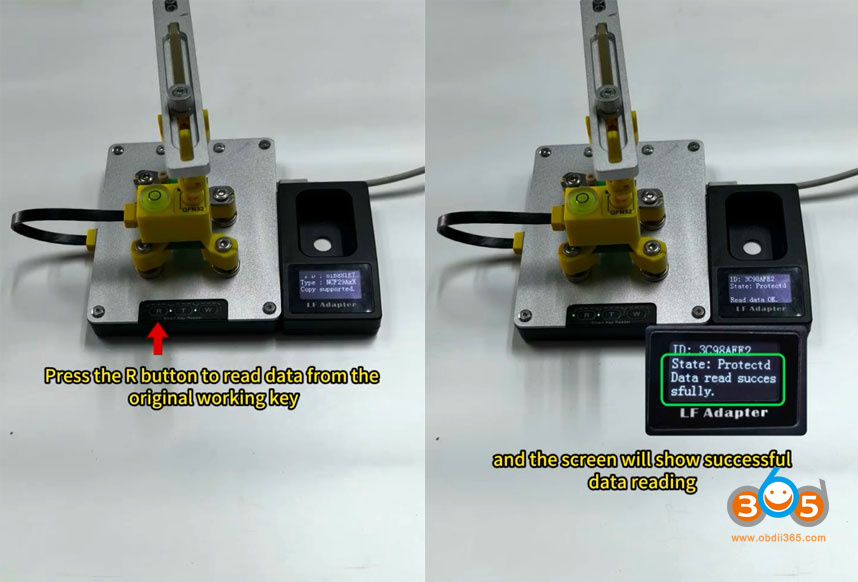
Press the R button to read data from the original working key.
Read key data successfully.
Then remove the original key pcb.
Switch to a universal key or an original key for data writing.
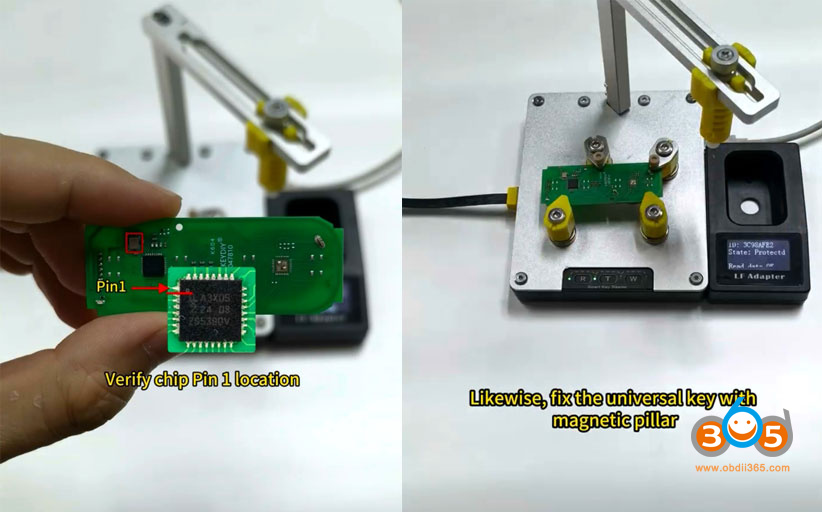
Verify chip pin 1 location on new key.
Fix the universal key with a magnetic pillar.
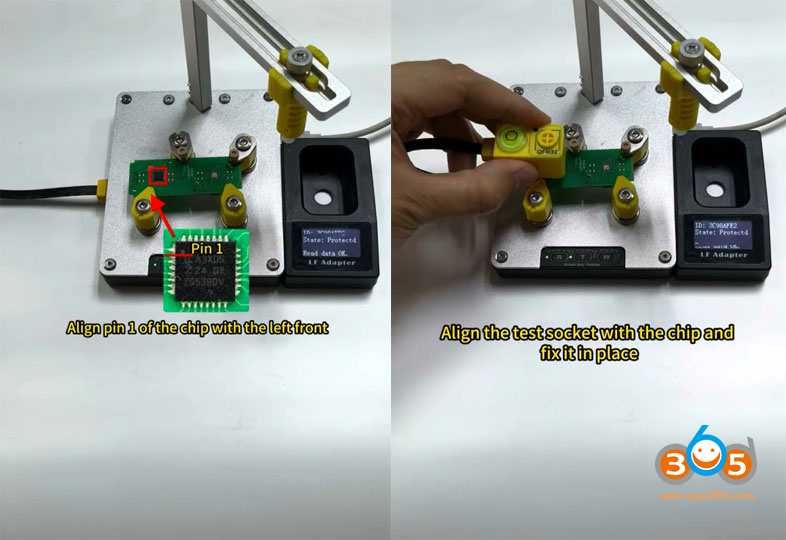
Align pin 1 of the chip with the left front.
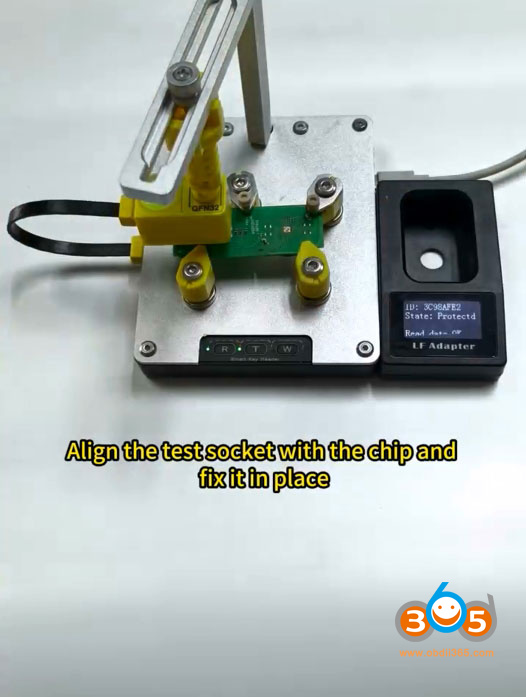
Align the test socket with the chip and fix it in place.
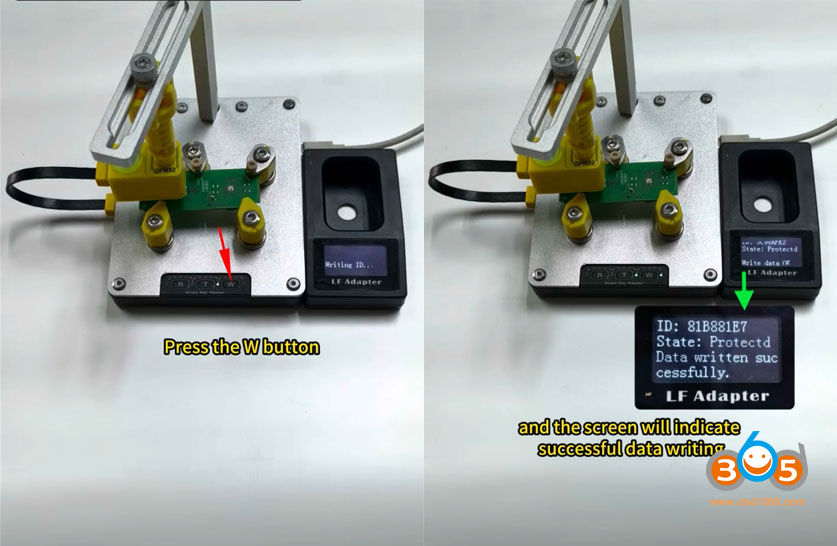
Press Write button.
Write data to new key successfully.
Place the copied key into the LF adapter.
Press T button and check if the new copied key ID is the same as the original working key ID.
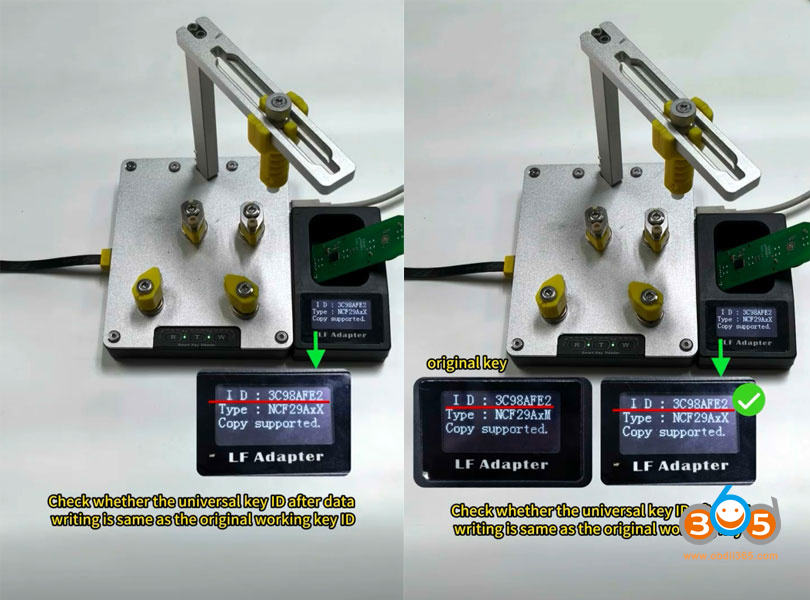
Now we have copy a new NXP key with Yanhua smart key reader successfully.