

Motor TruSpeed Repair is an online repair database for the United States and Canada, integrated into the “Vehicle Data” menu of certain Autel tablets. The content includes parts locations, fault codes, repair procedures, technical specifications, TSBs, and wiring diagrams, etc.
Motor TruSpeed Repair is a Software as a Service (SaaS) solution developed by MOTOR Information Systems, designed to provide automotive technicians with rapid access to original equipment manufacturer (OEM) service and repair information for light-duty vehicles (covering domestic and import models from 1985 onward, with a focus on the US and Canadian markets).
It delivers up-to-date content—including component locations, diagnostic trouble codes (DTCs), maintenance schedules, step-by-step repair procedures, technical specifications, technical service bulletins (TSBs), wiring diagrams, and ADAS-related details—often within days of OEM publication, to streamline diagnostics and repairs.
What’s Included
- Supports 1985+ domestic and import light-duty vehicles for the US Market
- Data directly from the Original Equipment Manufacturers (OEM)
- Near-time OEM revision updates
- Vehicle lookup by VIN, YMME and ACES parameters
How Does Autel Motor TruSpeed Repair Work?
In a busy shop environment, efficiency is everything. Autel devices integrated with MOTOR TruSpeed Repair transform traditional, time-consuming data searching into a seamless, three-step workflow:
- Scan and Diagnose: When a vehicle enters the bay with a Check Engine light on, the technician plugs in the Autel scanner (such as the MaxiSYS Ultra or MS909). The scanner runs a full-system diagnostics and pulls the specific Diagnostic Trouble Codes (DTCs).
- One-Click Data Retrieval: Instead of walking over to a shop computer to look up the codes, the technician can access MOTOR TruSpeed Repair directly on the Autel screen. With just one click on the active DTC or maintenance menu, the scanner pulls up-to-date, OEM-level repair information from the cloud in seconds.
- Execute the Fix with Precision: The integration provides the technician with the exact tools needed for the repair: component locations, color-coded wiring diagrams, technical service bulletins (TSBs), and step-by-step removal and installation instructions.
Real-World Impact: By eliminating the need to switch between the scan tool and a separate repair database, this feature bridges the gap between finding the problem and fixing the problem, cutting diagnostic time by up to 30%.
How to buy/activate Motor TruSpeed Repair database for Autel diagnostic scanners?
Compatible devices:
Ultra Lite/S, Maxisys Elite II Pro, 909CV, MS909 series, MS919 series, Ultra series, Ultra S2 series.
The Motor TruSpeed Repair service is a premium paid feature, and not all Autel scanners support it. Currently, only select high-end models support this feature. The following is a list of supported models:
| Model | Screen | ECU Programming | Motor TruSpeed Repair |
| MaxiSys Ultra S2 | 13.7″ | Yes | Yes |
| MaxiSys Ultra | 12.9″ | Yes | Yes |
| Ultra Lite S | 12.9″ | Yes | Yes |
| MS919 | 9.7″ | Yes | Yes |
| MS909 | 9.7″ | Yes | Yes |
| MS Elite II | 9.7″ | Yes | Yes |
Note: Motor TruSpeed Repair is not a free feature; however, these Autel scanners allow you to purchase this feature.
Supported & Unsupported Vehicle Brands
Comprehensive repair information and service information for U.S., Asian, and European vehicles, 1985 and newer, including: Hyundai/KIA, Honda/Acura, Chrysler, RAM, Dodge, Chevy, Buick, Audi/VW, Nissan/Infiniti, Subaru, Volvo, Mazda, BMW, Mercedes-Benz, Fiat, Alpha Romeo, Mitsubishi, and more.
Note: Ford and Toyota brand vehicles currently not supported.
Method 1:
Buy MOTOR TruSpeed Repair service via Quick Link.
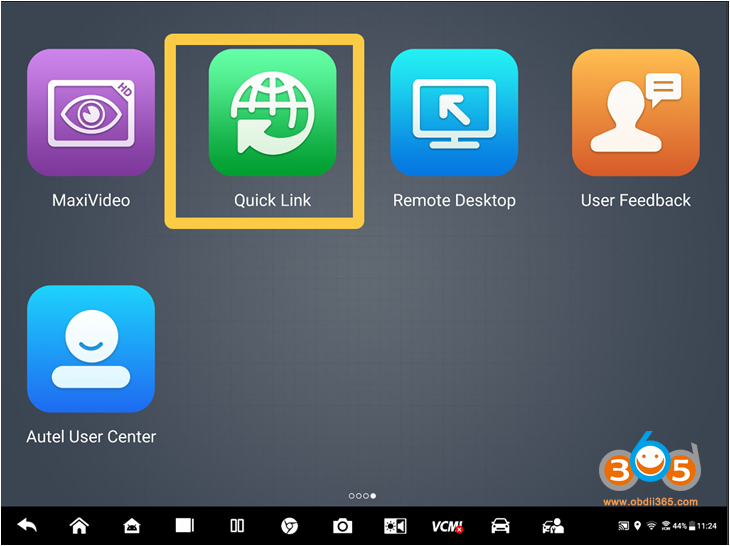
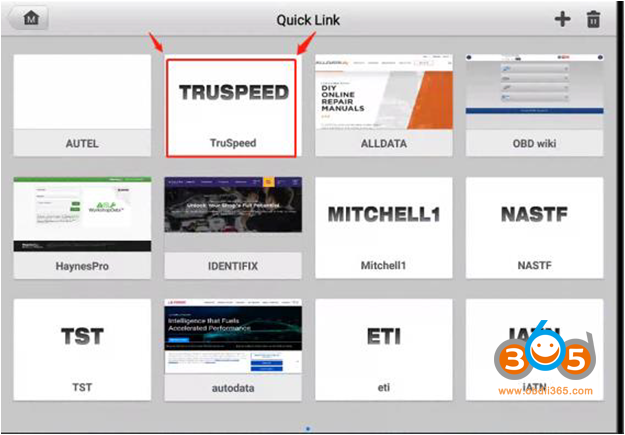
Method 2:
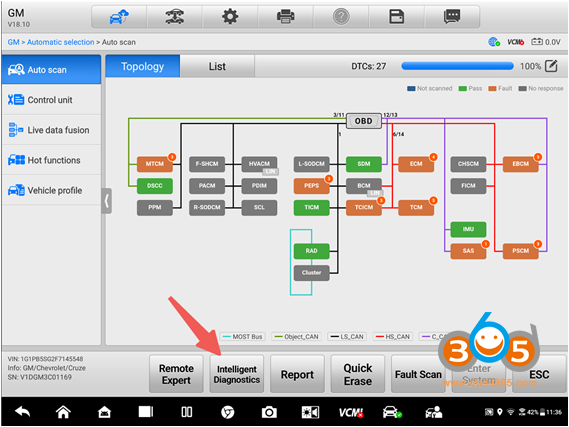
Buy MOTOR TruSpeed Repair license via the diagnostic interface. Hit Intelligent Diagnostics and buy the database.
How to Use Motor TruSpeed Repair with an Autel Scanner?
Step 1: Connect the Vehicle to the Autel Scanner Correctly
Connect the Autel scanner to the vehicle’s OBD-II port using the included main cable, ensuring the connection is secure and tight. This will allow the scanner to communicate with the vehicle’s Electronic Control Unit (ECU) and retrieve the necessary diagnostic information.
Step 2: Diagnose and Automatically Scan
- Select “Diagnostics” from the on-screen menu
- Select “Auto-detect” to identify the car model and other information
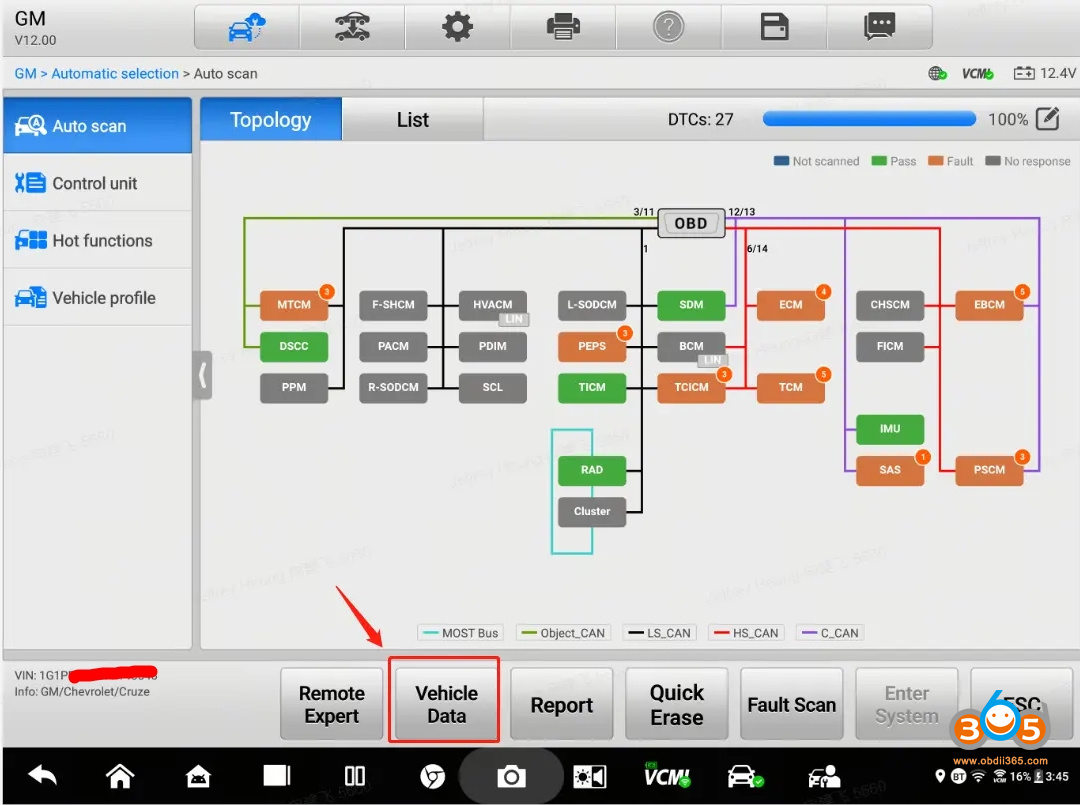
- Select fault scan to diagnose the vehicle
Step 3: Use Motor TruSpeed Repair
- Copy the VIN, select “Vehicle Data”, and proceed
- Enter the VIN in the interface
- Browse categories or use the search bar to find specific resources—including wiring diagrams, torque specifications, ADAS calibration steps, and more.
Advantages of Autel Motor TruSpeed Repair
Expansive OEM Service and Repair Content
Comprehensive content covering component locations, diagnostic trouble codes (DTCs), maintenance schedules, repair procedures, specifications, technical service bulletins (TSBs) and circuit diagrams / connection diagrams. Also includes OEM Position Statements and ADAS-related repair details.
Faster time-to-market and implementation
New content available within days of being published by the OEM
Single Location Repair Details
Associated content (related repair details, required tools, warnings) is presented with service procedures in a single location, ensuring that end users do not waste time looking for the data they need.
Advanced Search Capabilities
Advanced “global search” includes ability to dig deep into content—beyond just the headers–to ensure only the best possible matches are presented based on search criteria provided















