

The “old boot” vs “new boot” on the Mucar BT200 VCI refers to different bootloader/firmware versions of the device (hardware bootloader on the chip inside).This distinction is common in the diagnostic tool community, especially for devices like Mucar BT200, Thinkdiag, and similar rebranded ThinkCar tools.
Key Differences
|
Aspect
|
Old Boot
|
New Boot
|
|---|---|---|
|
Diagzone Pro/Xdiag Compatibility
|
Yes – Can be flashed/activated to work with Diagzone/Xdiag (third-party app with broad coverage, often no ongoing subscription after activation)
|
No (or very difficult) – Locked to official Mucar/Thinkdiag app only
|
|
Official App
|
Works with official Mucar app
|
Works with official Mucar app
|
|
Flashing
|
Easier to flash custom firmware/boot files (e.g., for full Diagzone support)
|
Harder or not possible without advanced tools
|
|
Use Case
|
Preferred by advanced users who want cheap all-car access via Diagzone
|
Standard retail version for official app + lifetime updates
|
|
Availability
|
Often sold specifically as “Old Boot” on marketplaces; sellers highlight it for modding
|
Most new/current BT200/BT200 MAX units
|
Why It Matters
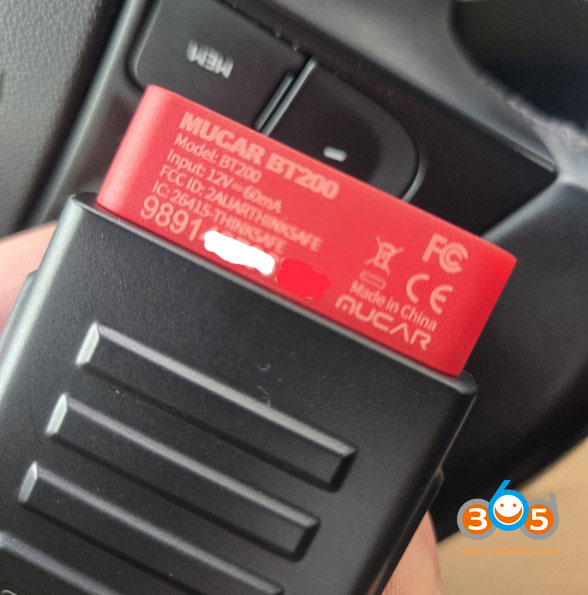
Old Boot — with serial 989140*. Many users flash with firmware for using diagzone or xdiag. Popular in forums (MHH Auto, CarBugs, etc.) because you can flash it to unlock Diagzone Pro, which gives very wide vehicle coverage similar to higher-end tools. Once activated, many functions continue working even without paying yearly fees.
Basically, it comes covered in black compound; take a printout of the board layout showing the pad locations, heat it with a soldering station’s hot air gun at 250°C for 2–3 minutes, and then it scrapes off like dirt using a toothpick.
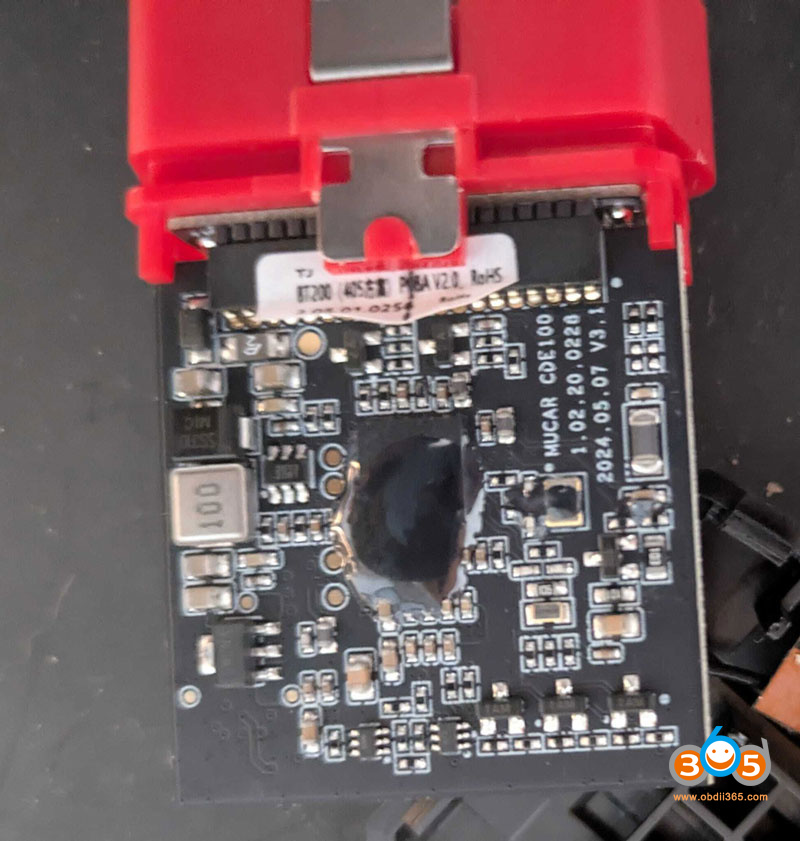
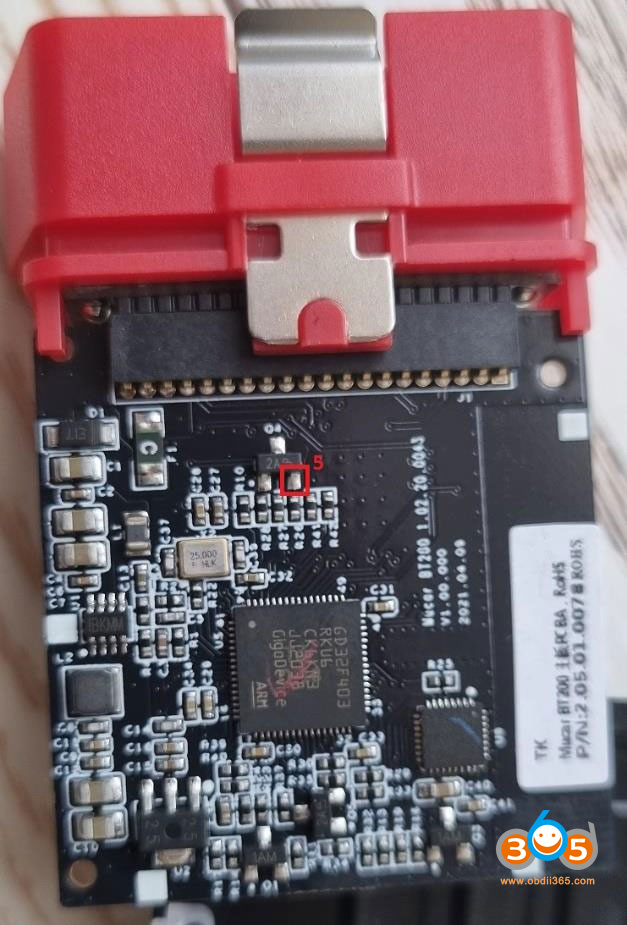
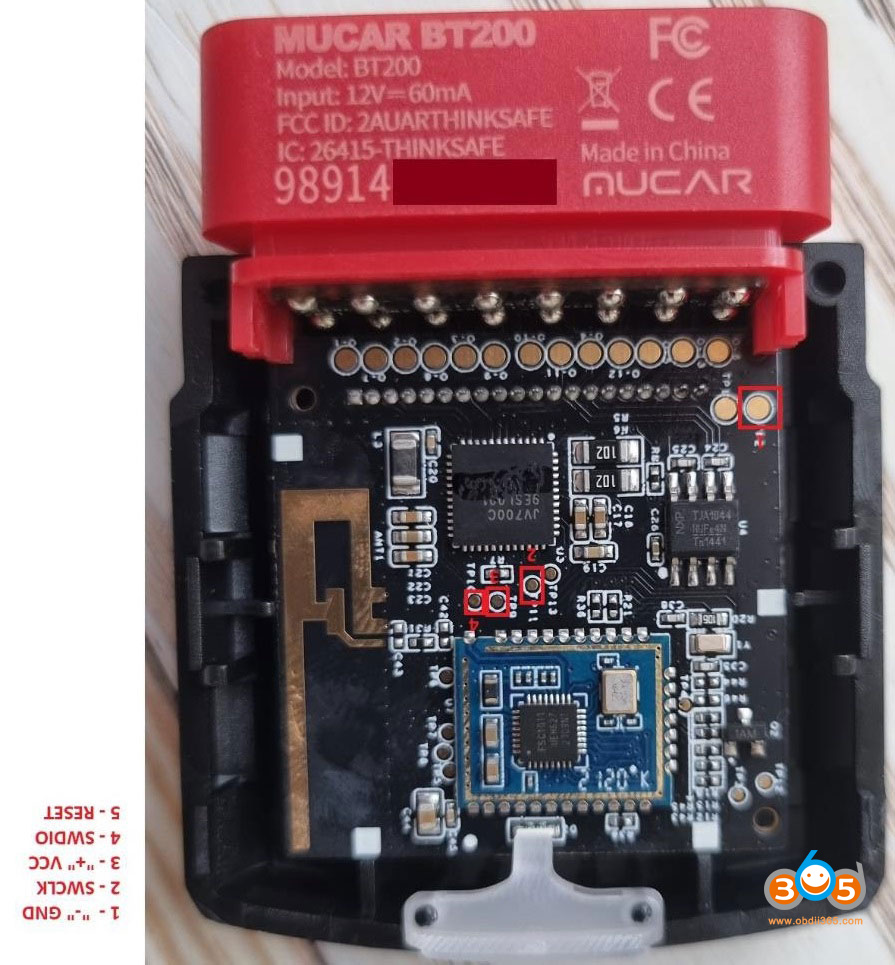
You will probably need to remove the glue work out the connections for SWCLK, GROUND, +VCC, SWDIO, RESET. To dump the firmware. And then to see if the other servers firmware will work reflashing it.
Mucar BT200 old boot firmware flash pinout
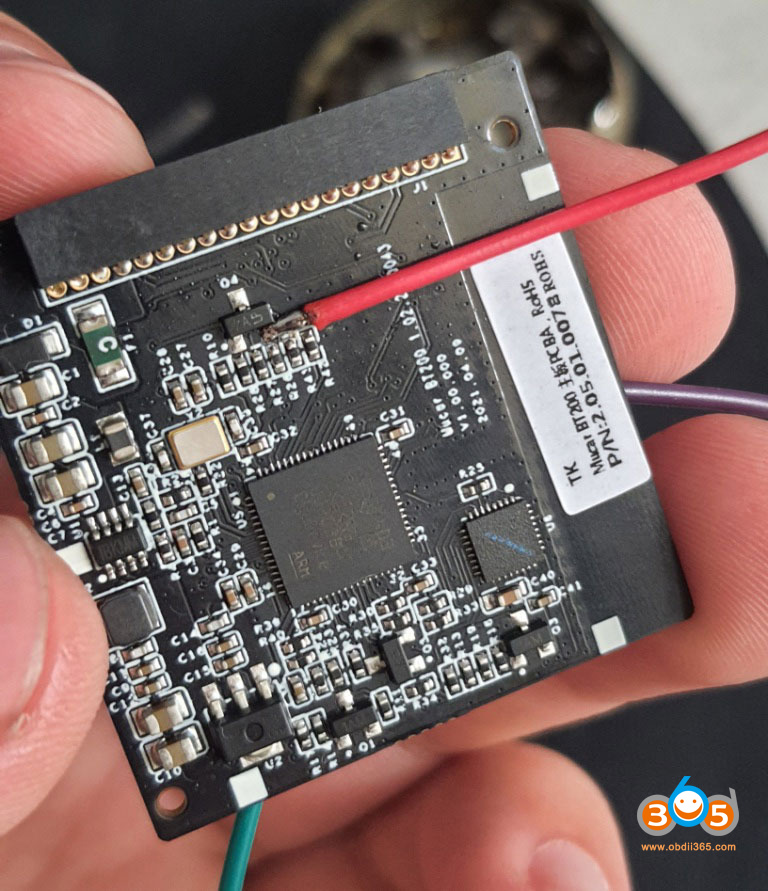
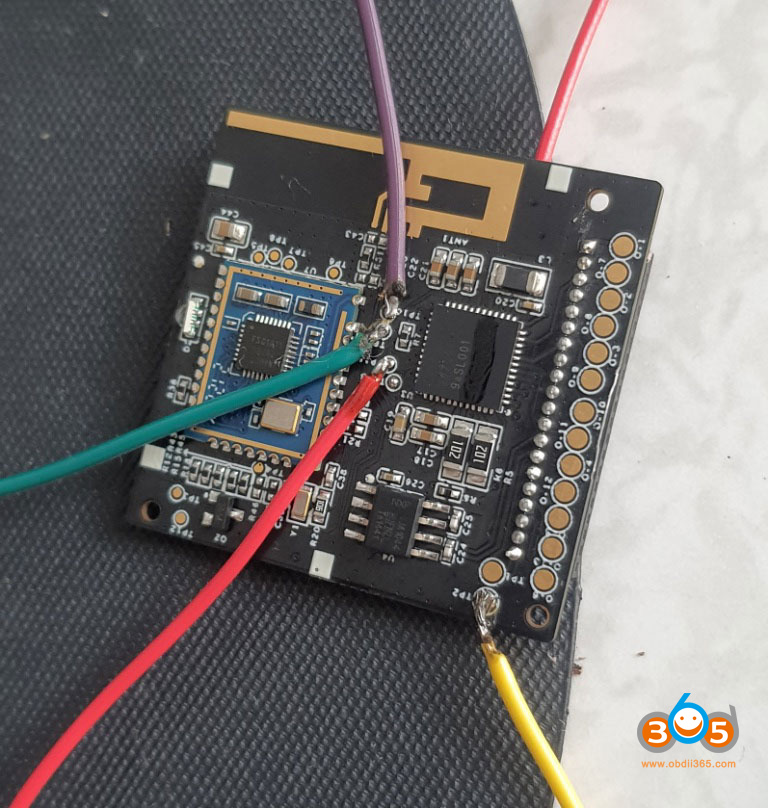
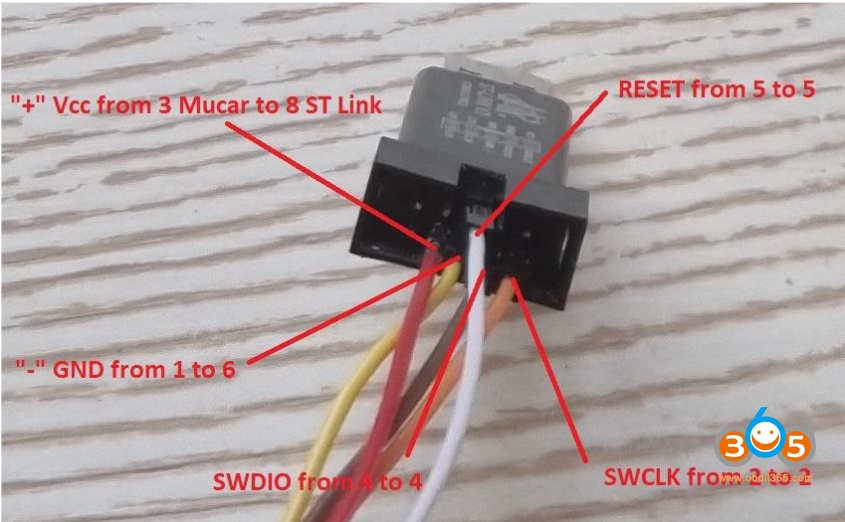
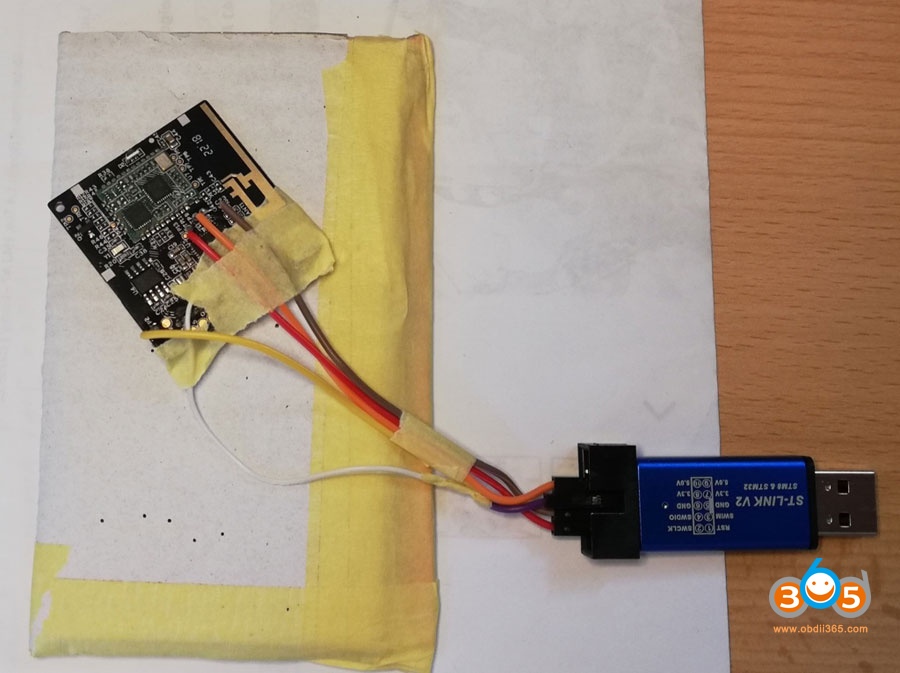
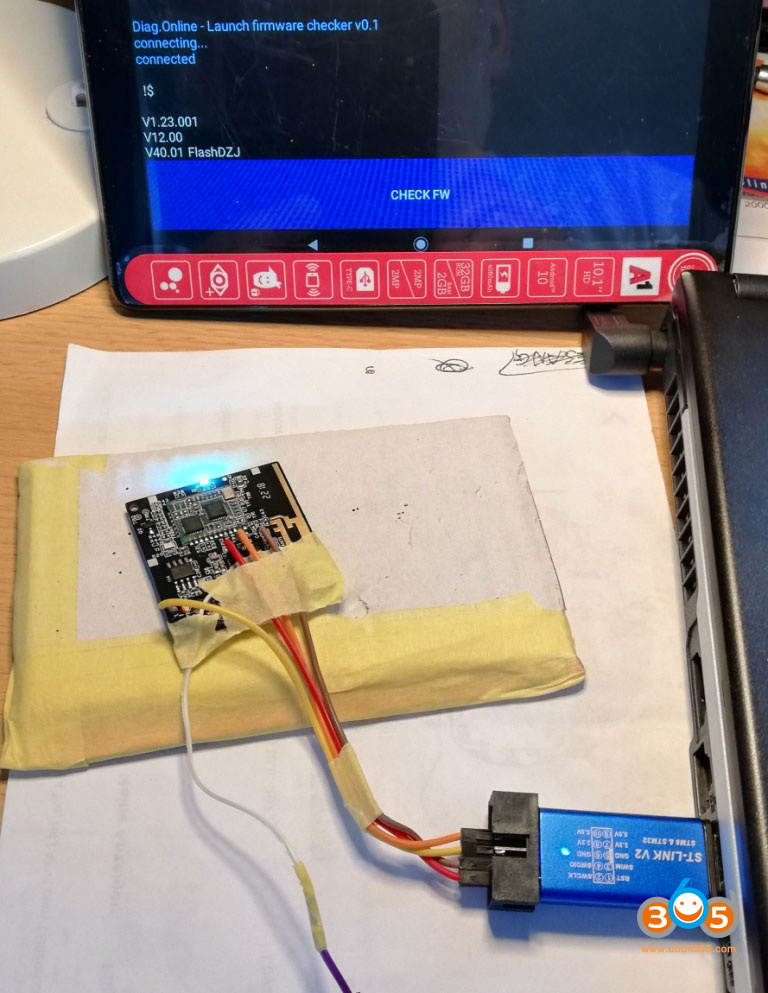
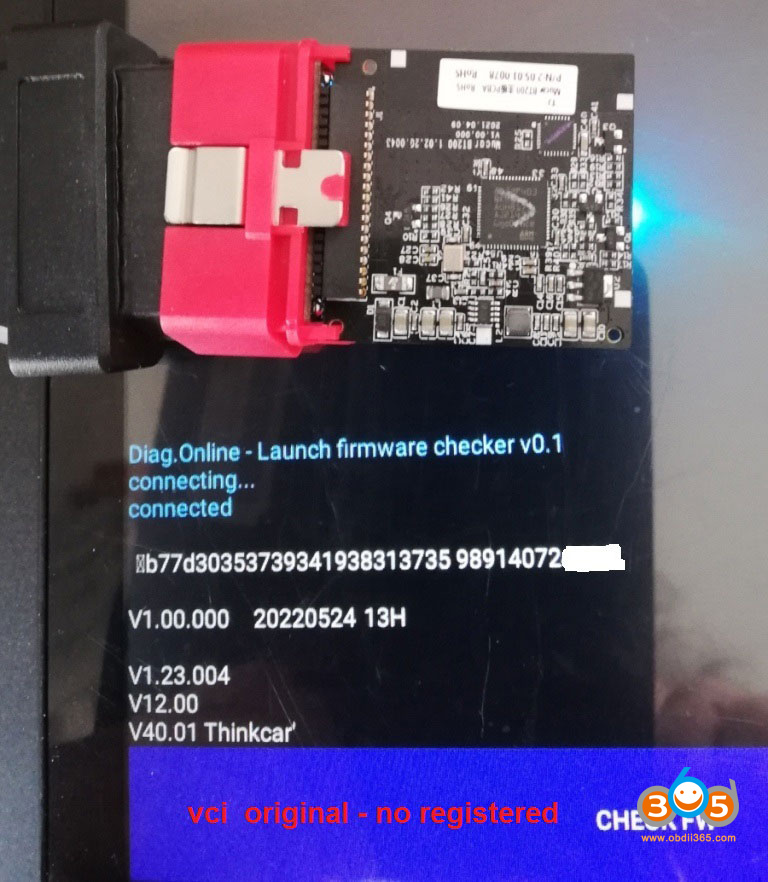
NOTE: After flashing the BT200 firmware it cannot return original Mucar firmware!!!
New Boot — with serial 9TF*. More “locked down” for the official ecosystem (Mucar app with lifetime free updates on the BT200 series). Better for users who just want plug-and-play with the official software and don’t plan to mod it. The new one with black hard glue.
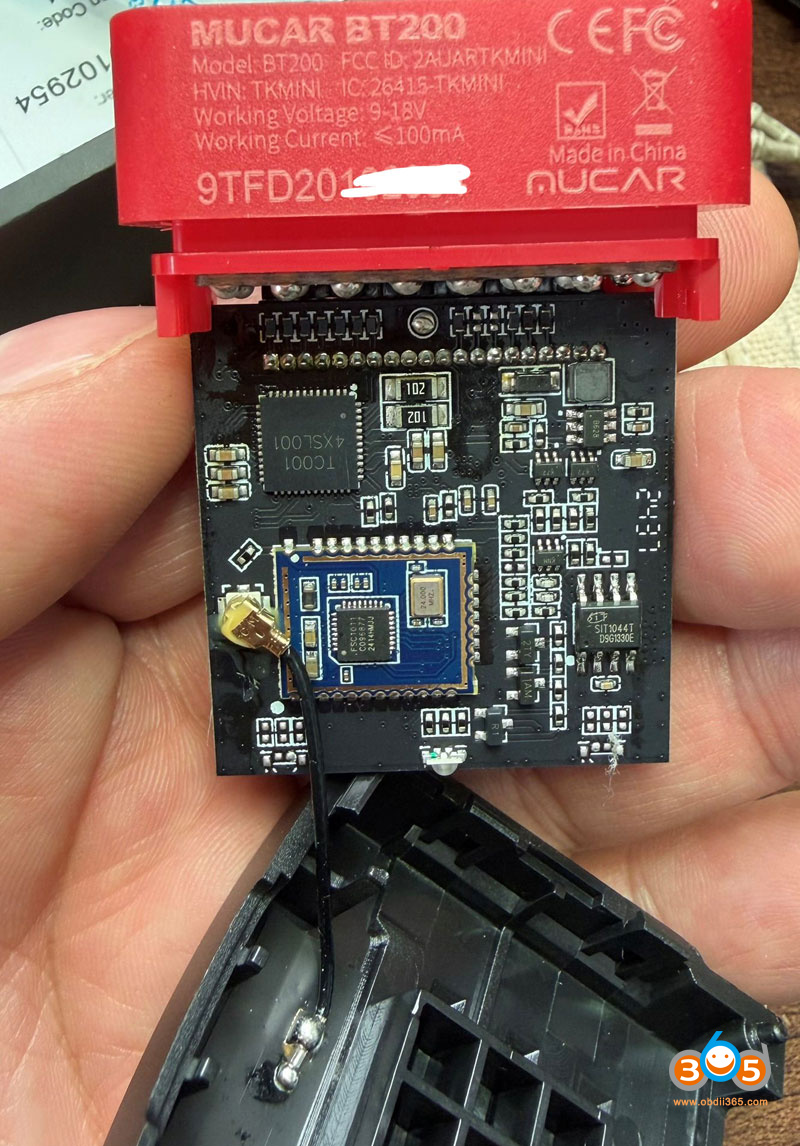
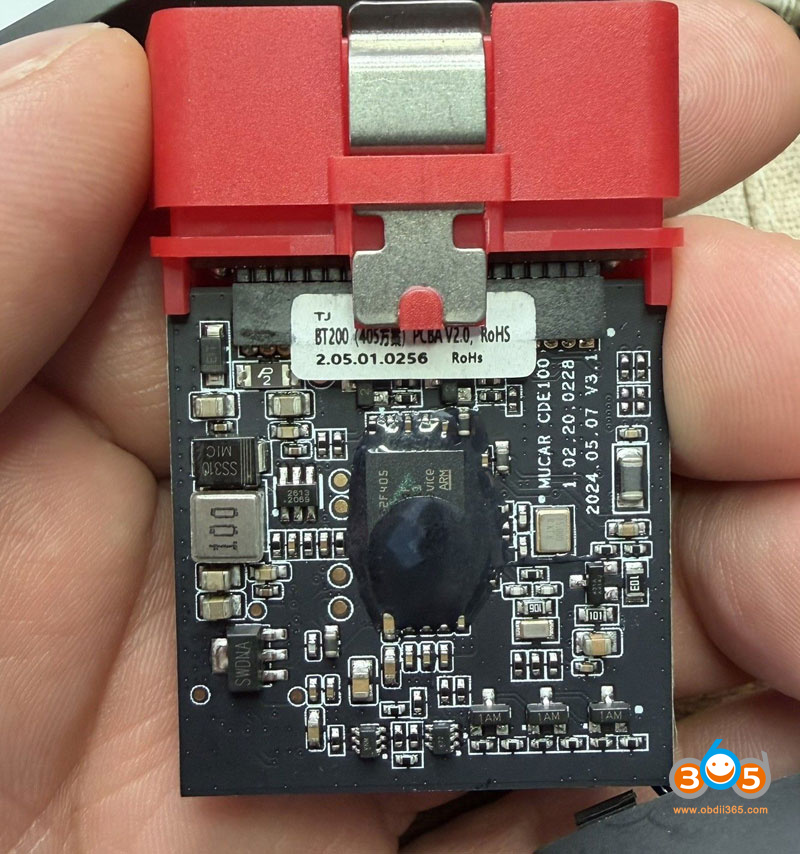
Practical Advice
If you already have one → You can sometimes check the hardware version or try entering boot mode (usually involves shorting specific pins on the board) to see if it responds to flashing tools like ST-Link.
BT200 MAX (newer model) is generally the updated hardware and likely comes as “new boot.”
Note: Flashing/bootloader mods carry risks (bricking the device) and are mostly done by enthusiasts. For normal use, the official Mucar app + lifetime updates on the BT200 is reliable and simpler.
The serial number is different as also when they changed the Mucar BT200 Max/Thinkdiag2 to single boards. There may or may not be a solution yet.
Mucar BT200 Lite vs BT200 vs BT200 Pro vs BT200 Max
Quick Overview Table
|
Feature
|
BT200 Lite
|
BT200 (Standard)
|
BT200 Pro
|
BT200 Max (Latest/Flagship)
|
|---|---|---|---|---|
|
Full System Diagnostics
|
Yes
|
Yes
|
Yes
|
Yes (Enhanced)
|
|
Reset / Service Functions
|
Basic / Limited (e.g., Oil + SAS)
|
2 resets (Oil + SAS) standard
|
15 resets (full list)
|
15+ resets + AI integration
|
|
Bidirectional / Active Tests
|
Limited or No
|
Basic / Partial
|
Yes
|
Yes (Improved)
|
|
AI Diagnostics / Guidance
|
No
|
No
|
No
|
Yes (DFAI – intelligent fault analysis)
|
|
Updates
|
Lifetime free
|
Lifetime free
|
Lifetime free
|
Lifetime free + monthly expansions
|
|
CAN-FD & Protocols
|
Basic
|
Basic
|
Good
|
Best (CAN-FD + ELM327 compatible)
|
|
Smart Sleep Mode (no battery drain)
|
No
|
No
|
No
|
Yes
|
|
Firmware / Bootloader
|
Newer locked
|
Standard
|
Standard/Pro
|
Newest hardware/firmware
|
|
Best For
|
Entry-level code reading
|
Budget full-system
|
Value with many resets
|
Best overall (DIY + advanced)
|
Mucar BT200 vs Kingbolen Ediag Mini vs Thinkdiag MINI
Kingbolen Ediag Mini/Thinkdiag Mini is working too. It’s the same MUCAR BT200 Board.
Read also:















