

How to obtain Keydiy KD coins (points) and share coins with others?
1. How to obtain KD coins?
1). Finish user authentication, your account will receive 50 KD coins. (check: how to do Keydiy user authentication)
2). KD coins can be obtained by generating KD new remote keys with KD devices.
a. generate a regular new remote you will get 20 KD coins.
b. generate a new smart remote you will get 30 KD coins.
3). Points gifted by a friend.
NOTE: Coins cannot be purchased directly.
2. How to activate functions in your KD App?
Here is the guide to activate software license in KD App:
How to Activate MQB BCM2 MLB BDC2 BDC3 License in Keydiy Device App?
3. How to activate functions for your friend?
Both users must finish user verification.
If your KD account does not have enough KD coins, you can activate functions with your friend’s KD account.
For example, user A’s KD account has 10000+ coins. He wants to activate functions for user B.
In User A’s KD App, go to More- Activate license on behalf.
Select users and enter user B’s registered phone number.
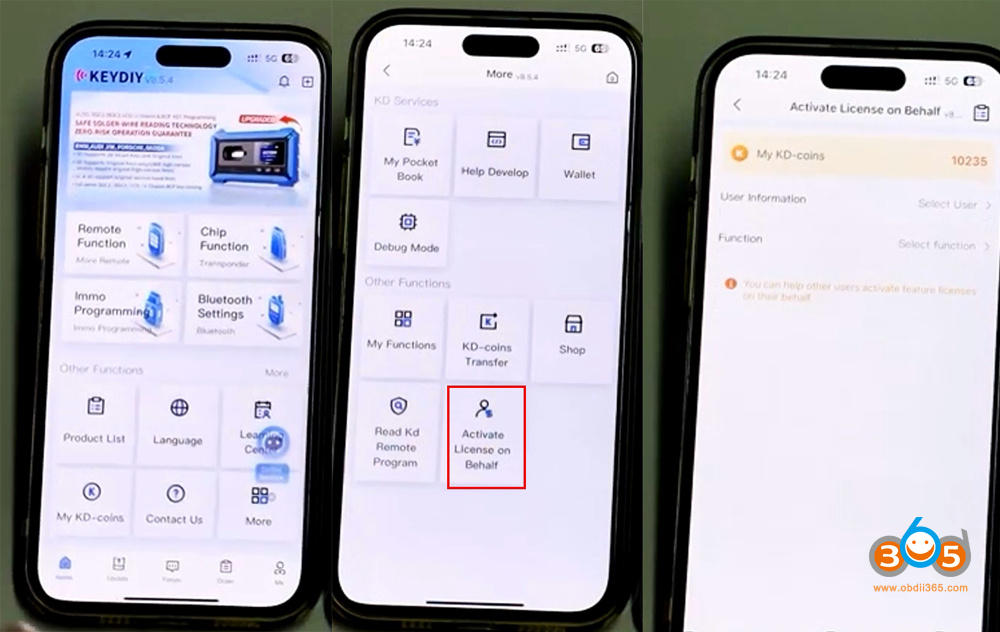
Select the function needed to activate for user B, i.e MQB function.
Select pay via KD coins.
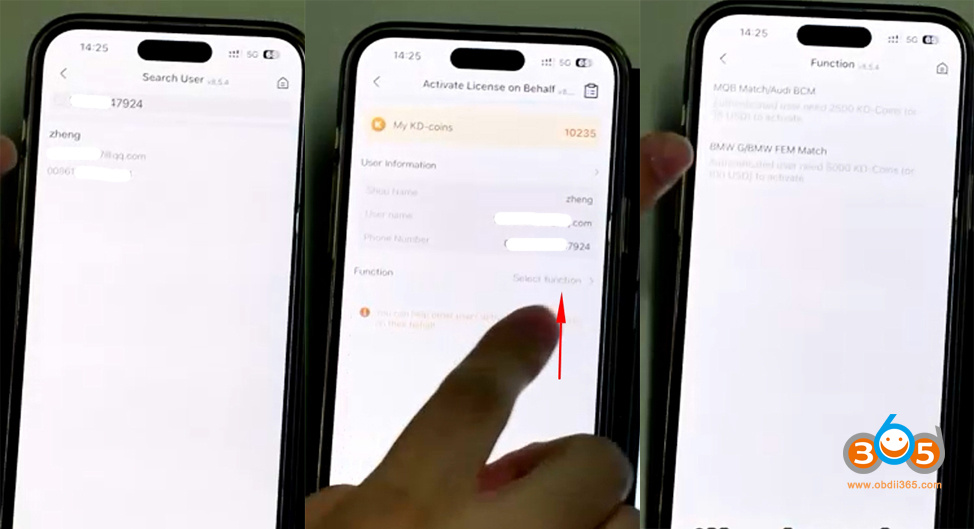

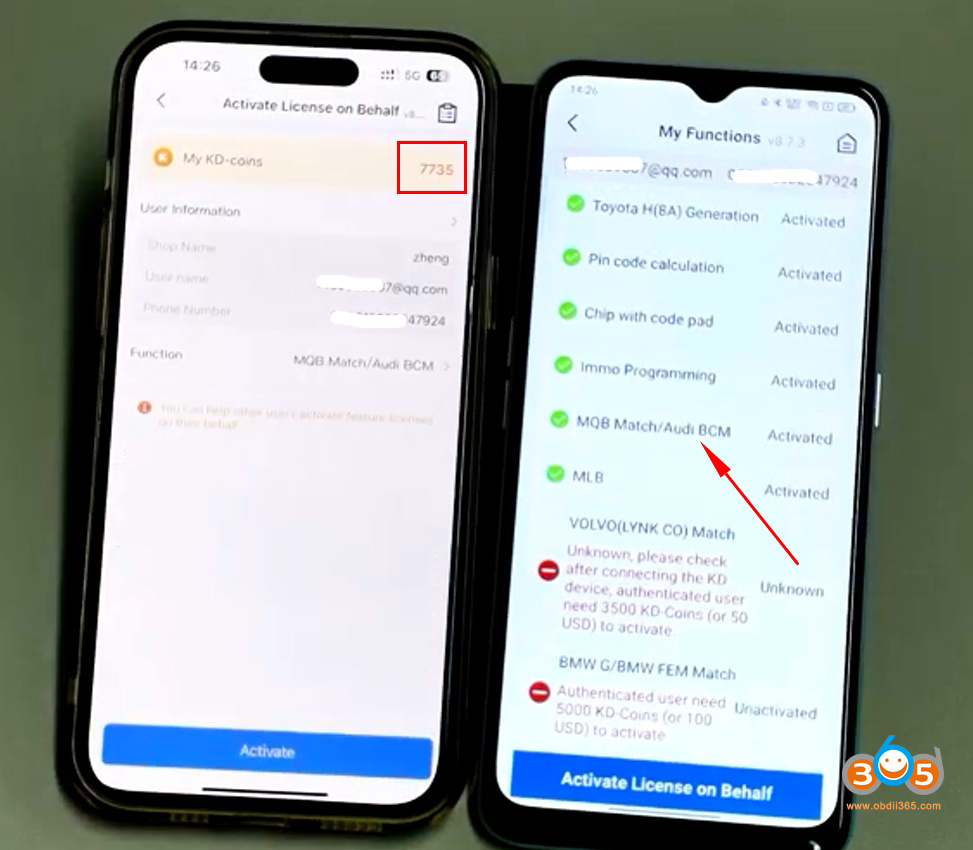
It will deduct coins from user A’s account.
Now you can see user B’s MQB function has been activated.
4. How to share Keydiy KD coins with others?
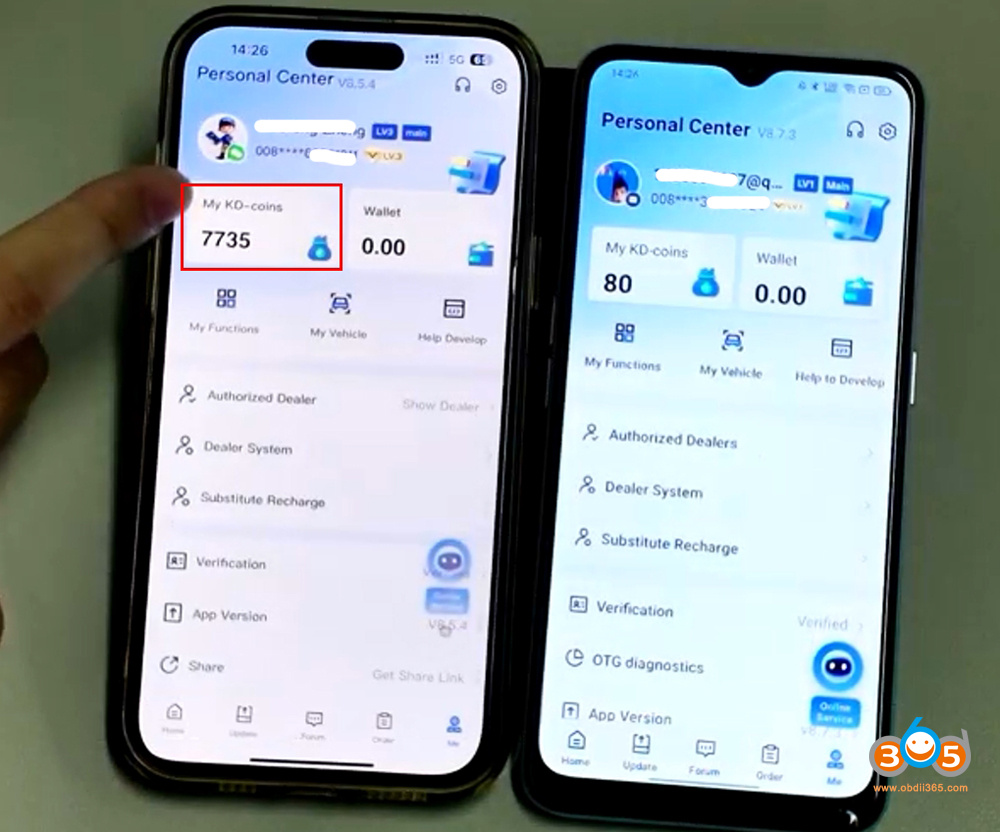
Share user A’s coins with user B.
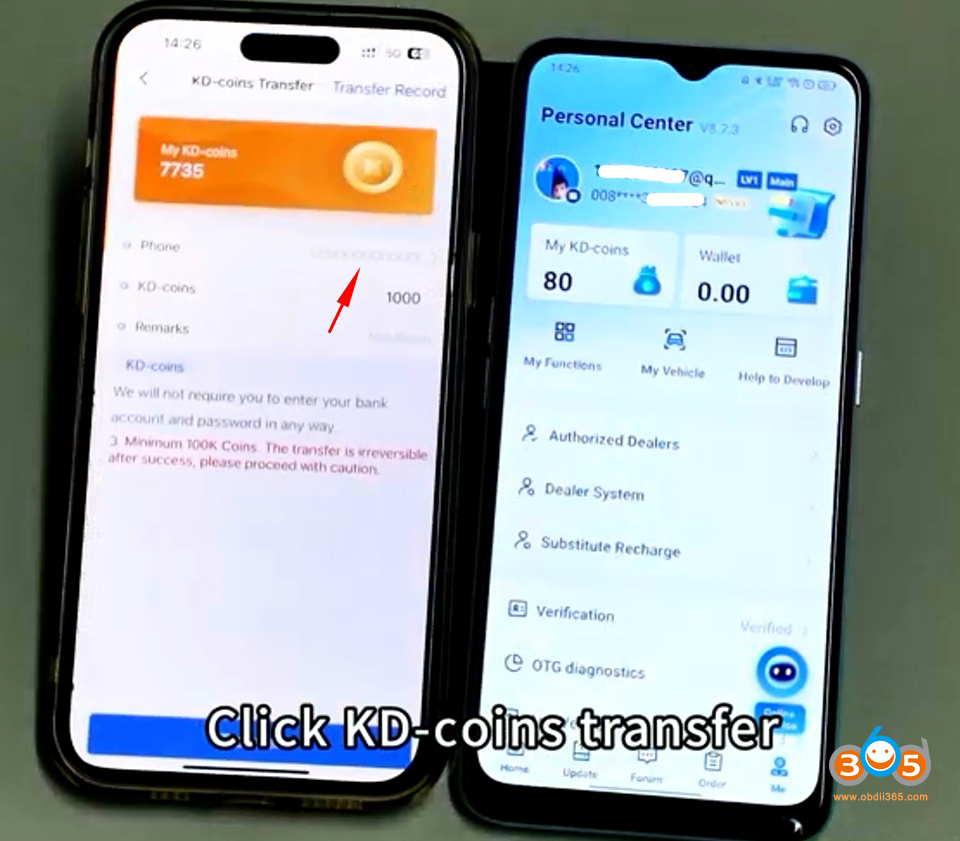
In user A’s app, go to My KD Coins- KD coins Transfer.
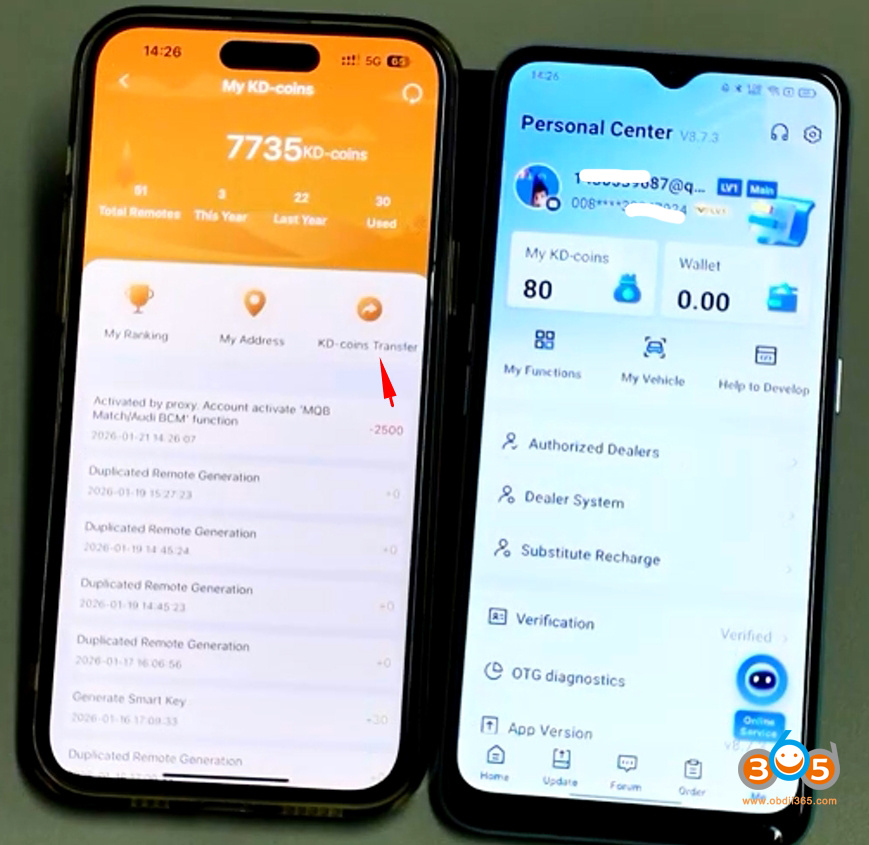
Input user B’s phone number and how many coins you want to transfer.
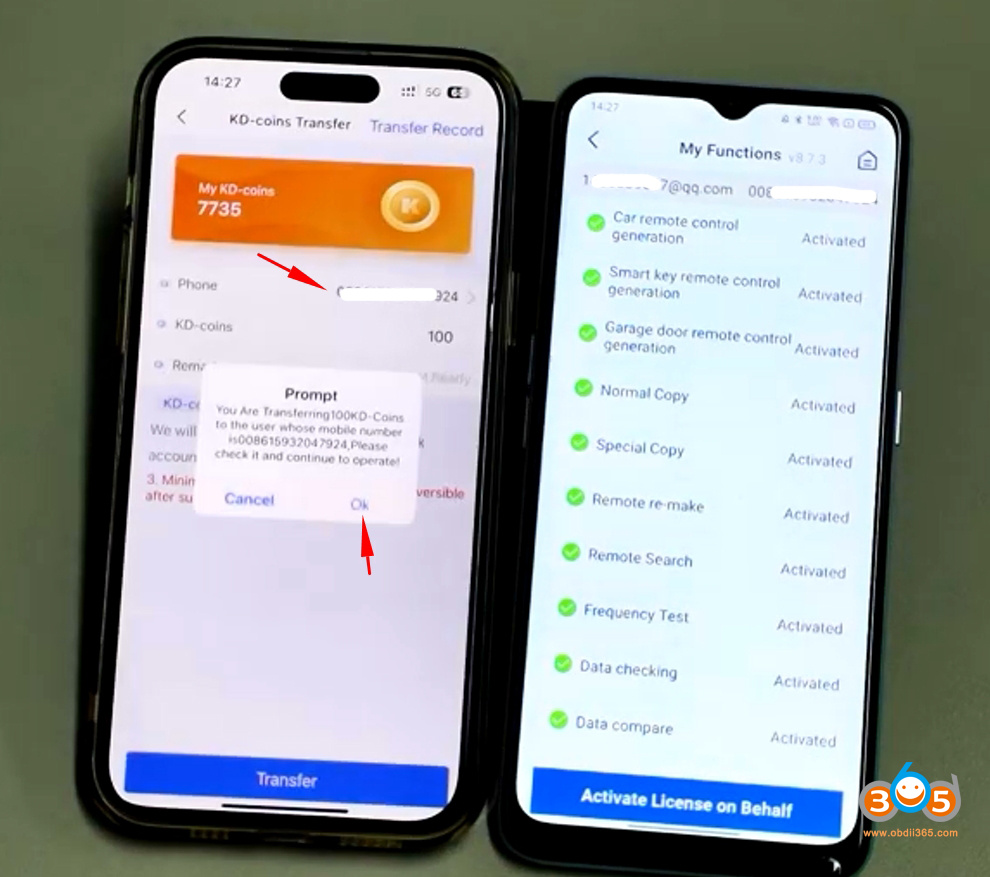
Transfer coins successfully.
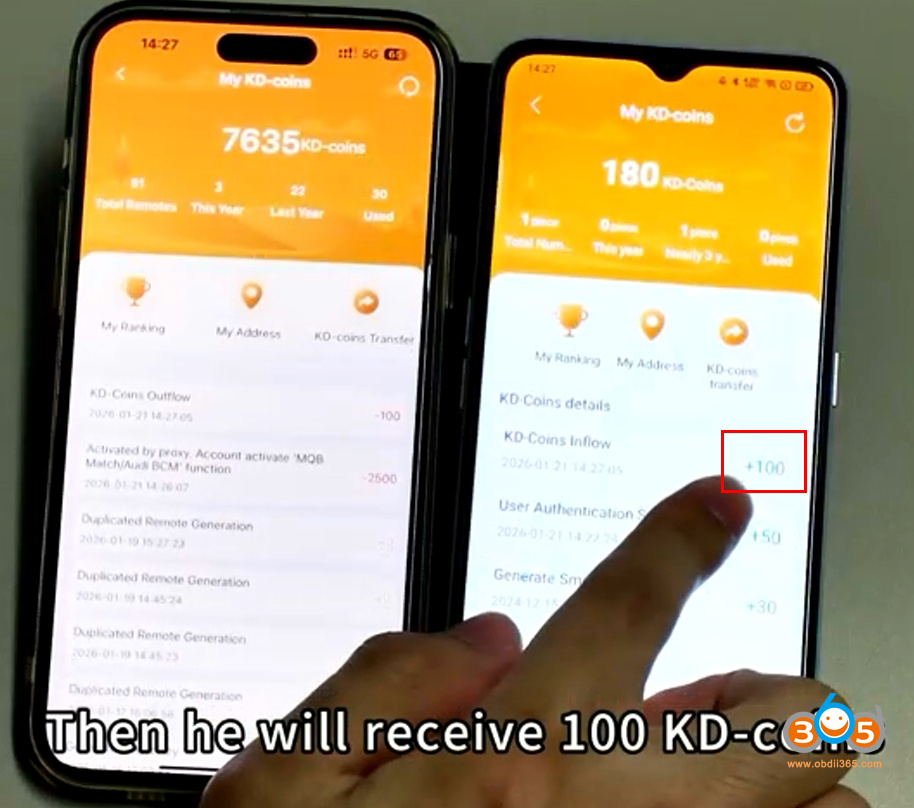
Check user B’s KD app. You can see the coins have been transferred to this account.