

Tutorial: unlock Hyundai/Kia NXP NCF29Ax smart key using EoneBoss HK001 key tool via App.
Example: Unlock Hyundai 4A AES smart key.
Procedure:
Download EoneBoss App.
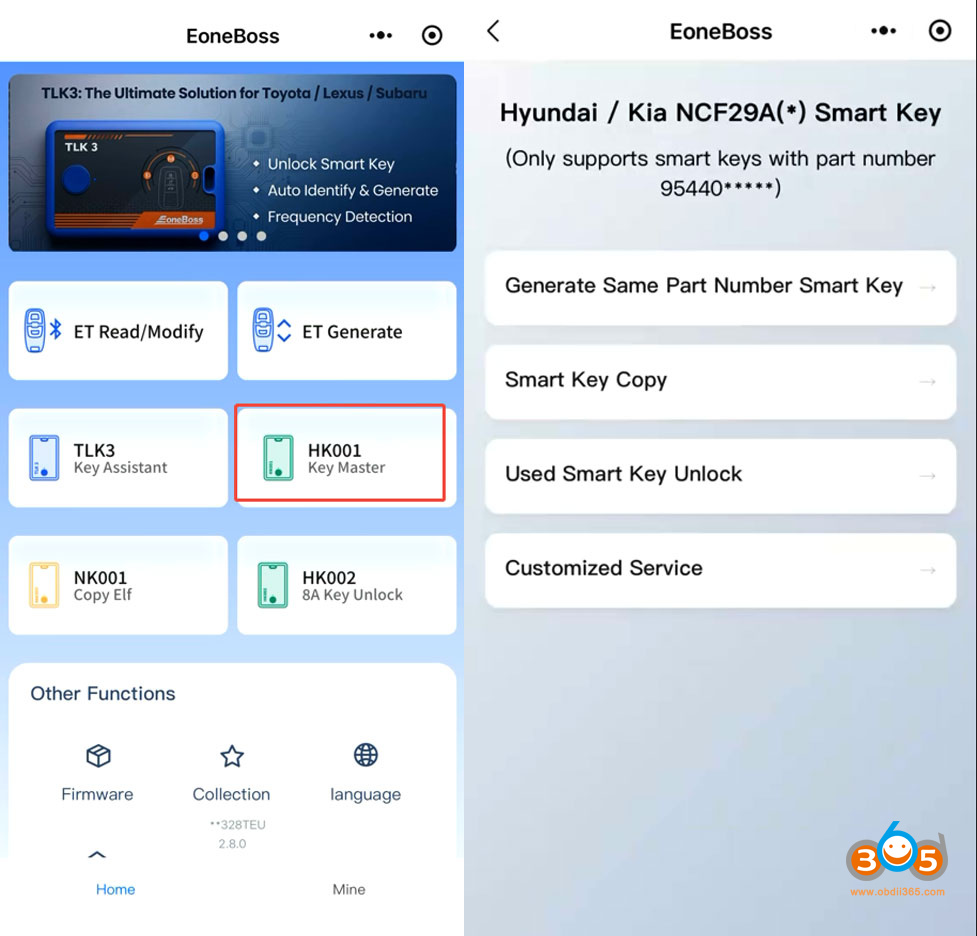
Select HK001 device.
Select ‘Used Smart Key Unlock‘ function.
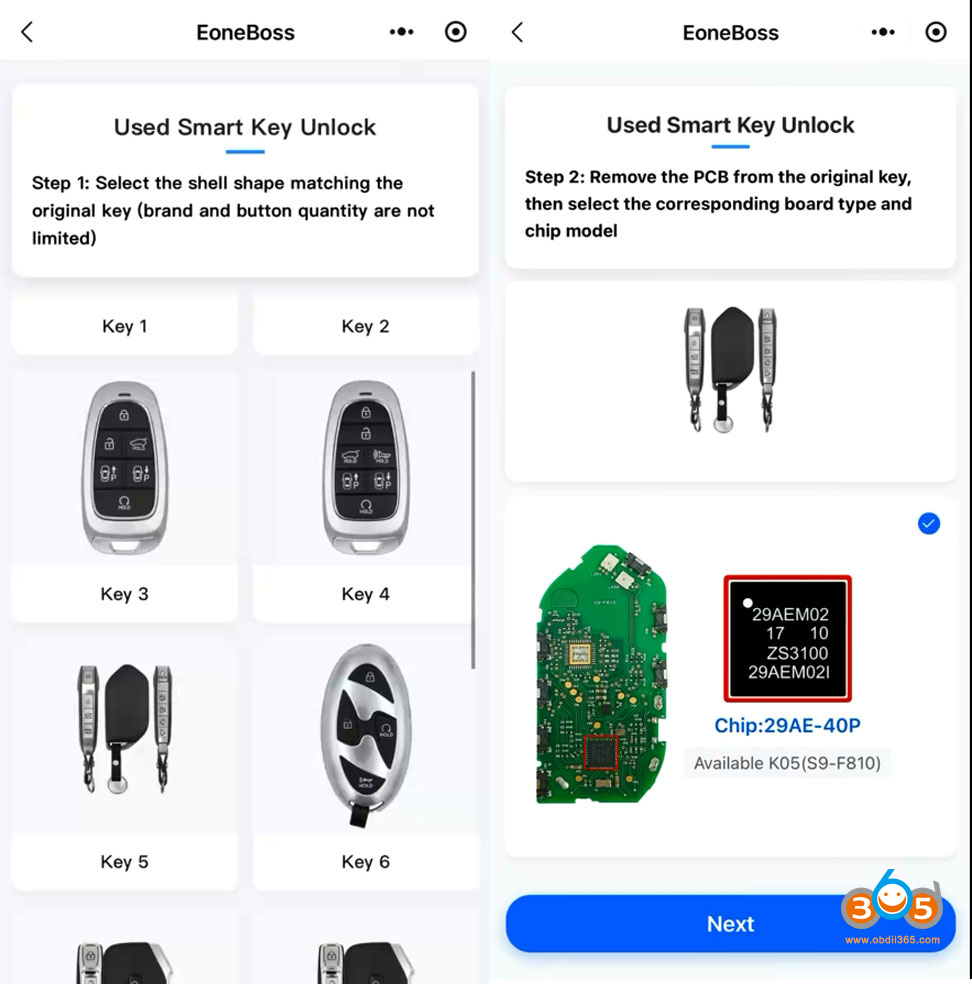
Step 1: Select the key shell that matches the original key (brand and button quantity are not limited).
Step 2: Remove the PCB from the original key, select the corresponding board type and chip model.
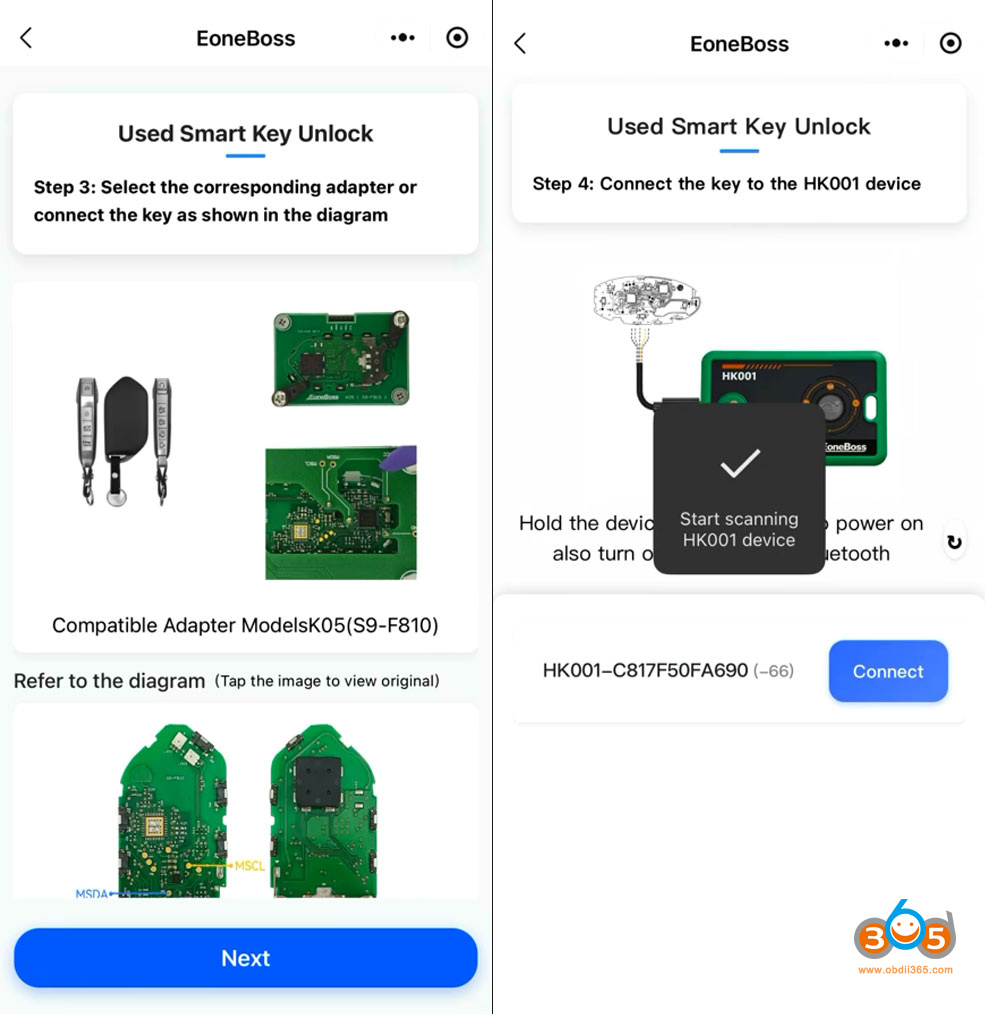
Step 3: Select the corresponding adapter (not available yet) or connect the key as shown in the key diagram.
Step 4: Connect the key board to the HK001 key tool.
Press the power button on the HK001 for 3 seconds and turn on Bluetooth on your phone.
The device will scan the HK001. Hit Connect to connect device with mobile phone via Bluetooth.
Delecting key.
HK001 will read key chip type, key ID and part number.
Hit ‘Unlock‘ button.
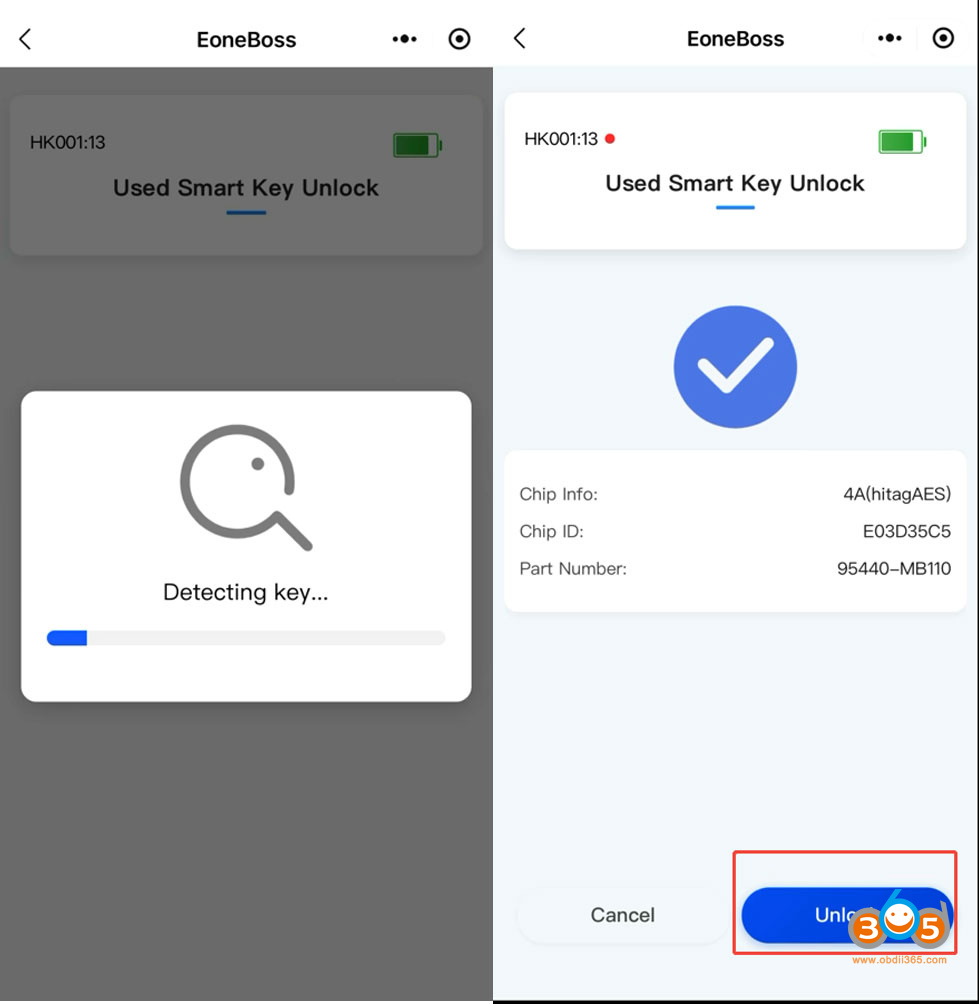
Unlocking key in progress. Do not move the key ot disconnect.
Wait until unlock key completed.
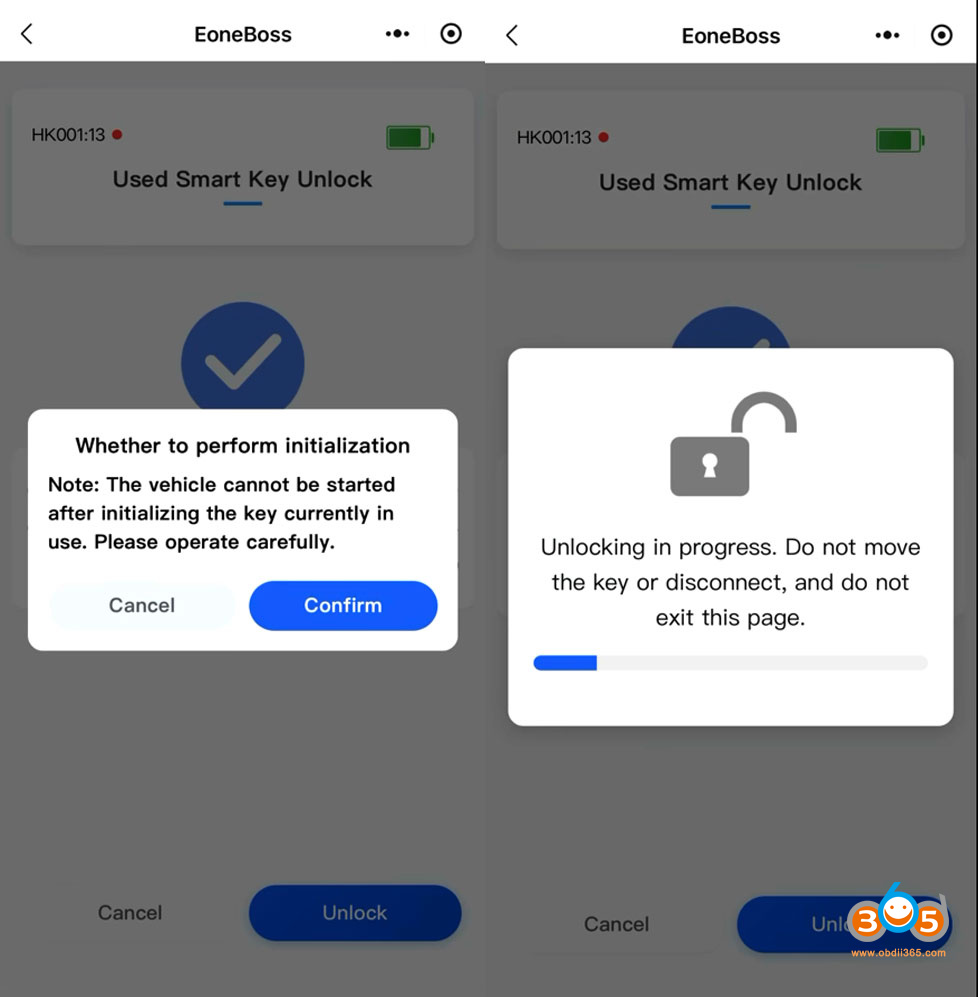
NOTE:
There is no daily limit for unlocking Hyundai/Kia NXP smart keys using the HK001. However, if you are copying non-EoneBoss NXP NCF29Ax keys, the limit is 5 per day. Copying EoneBoss keys has no daily limitation. NCF29AG type is not supported yet.
To unlock Hyundai/Kia 8A smart key (Ti chip), use the EoneBoss KH002 key tool instead. HK001 is for NXP smart key types only.















