

When it comes to Mercedes-Benz key programming, knowing which immobilizer system you are dealing with—FBS3 or FBS4—is critical.
FBS3 and FBS4 are not interchangeable, and your diagnostic or programming tool must support the specific system in the vehicle.
How to know if your Mercedes Benz is FBS3 or FBS4 before programming keys with Autel IM508/IM608?
Step 1: Connect to the Vehicle
To begin, establish a connection between your Autel MaxiIM device and the vehicle.
Connect your Autel IM608 or IM508 to the vehicle’s OBDII port.
Ensure the device is powered on and communication is established.
Step 2: Navigate to the Mercedes-Benz Immobilizer Menu
Once connected:
On the Autel home screen, go to IMMO (Immobilizer functions).
Select Mercedes-Benz from the list of manufacturers.
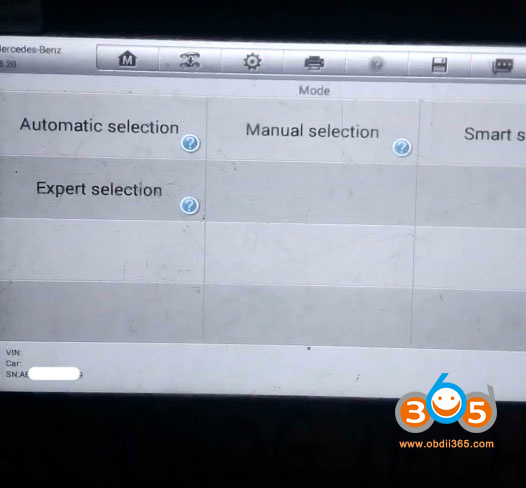
Step 3: Select Automatic Detection (VIN Method)
Instead of diving straight into key programming, we use the VIN to identify the system:
Choose Automatic Selection (or a similar option that allows VIN input).
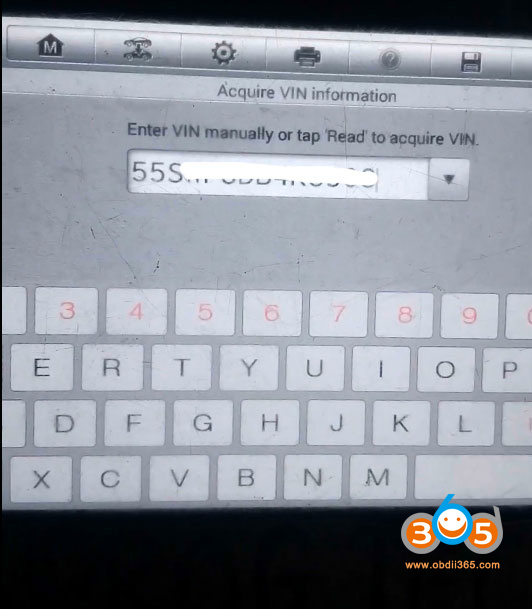
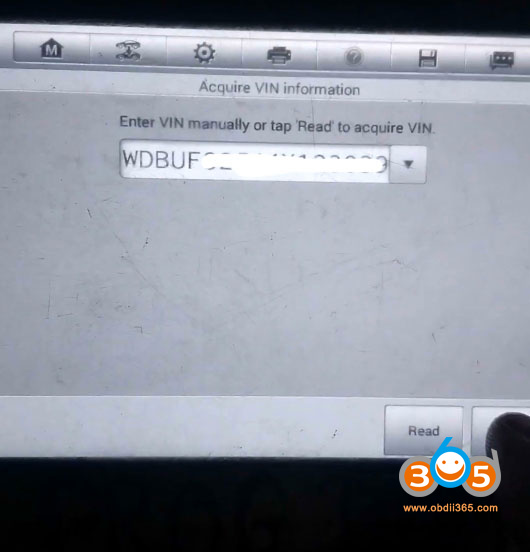
The tool will prompt you to enter the vehicle’s 17-digit VIN.
Step 4: Input the VIN
Enter the VIN carefully using the on-screen keypad. Once entered, confirm and press Enter.
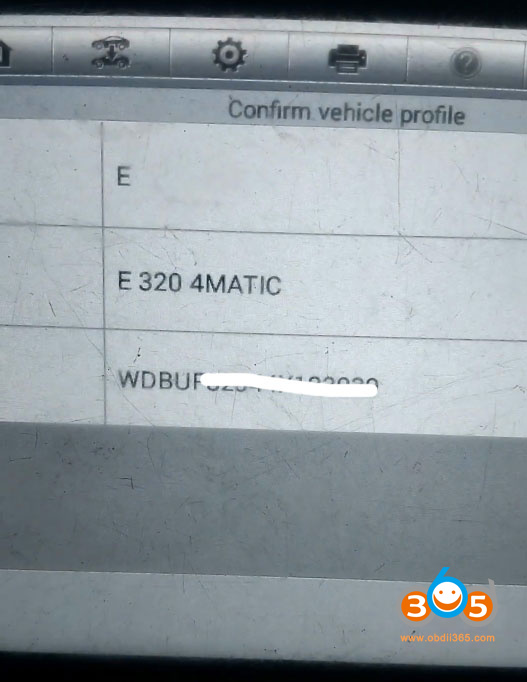
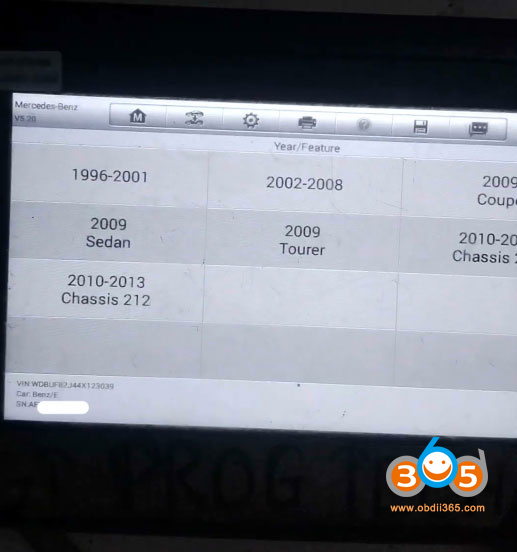
The Autel tool will analyze the VIN and return one of two critical pieces of information:
- Scenario A: FBS3 Detected
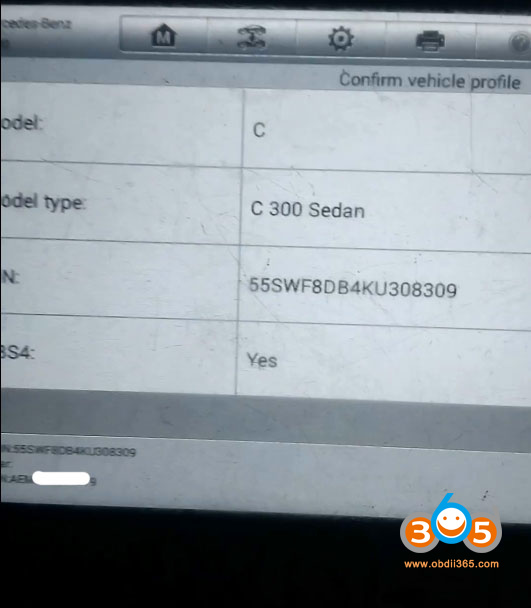
The screen will display information indicating the vehicle is equipped with FBS3.
It may also show the chassis/system number, confirming the generation.
Outcome: You can proceed with key programming using the FBS3 protocol.
- Scenario B: FBS4 Detected
The screen will display the FBS4 status.
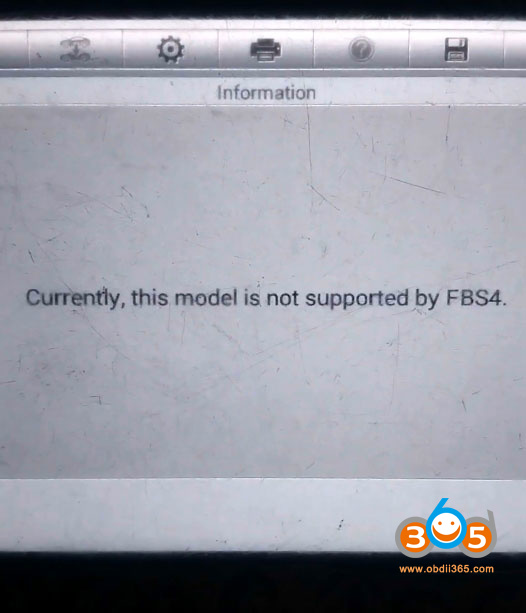
Important: As shown in the demonstration, the tool may explicitly state: “Currently this model is not supported by FBS4.”
Outcome: If the tool indicates the model is not supported for FBS4, there is no way to successfully program a key for that specific vehicle using this method.