


If you work with Ford or Mazda vehicles, you’ve likely encountered two common transponder chip types: the ID83 (4D-DST80) and the ID63 (4D-DST40). Here we will make a comparison between 40-bit and 80 bit transponder chips in Ford PATS systems 2005-2011.
Why Convert Instead of Generating?
Most modern key programming tools allow you to generate a new chip of any type. However, there are situations where you might already have a specific chip on hand — for example, a DST80 — but your vehicle requires a DST40. Instead of discarding the chip or searching for a different blank, you can reconfigure it manually/automatically using the right device.
This is especially useful for locksmiths and auto technicians who buy chips in bulk and want maximum flexibility.
1. QUICK GUIDE
Ford 40-Bit ↔ 80-Bit (When the Key WON’T Program)
For technicians just starting out who get stuck without knowing why
The Problem (More common than it seems)
In certain Ford models between 2005 and 2011 (Especially the Ranger and F-150):
– The key appears to be the correct one
– The procedure is correct
– But it simply won’t program
DIAGNOSTIC SIGNALS
- The key turns but the engine doesn’t start
- Security light flashes rapidly or stays on
- The scanner does not recognize the key as programmed
- Error appears during programming or it doesn’t complete
- Another key works without problems
Often, it is NOT the equipment.
It is NOT the procedure.
It is the transponder’s bit type.
A Key Fact Few People Know:
40-Bit → Reads as 4D (63)
80-Bit → Reads as 4D (83)
Typically, H92 keys or equivalents are used.
However, the system sometimes requires the other bit type.
2. Practical Solution:
Switch from 40-bit to 80-bit.
Or from 80-bit to 40-bit.
There isn’t always a logical explanation, but it works in practice.
- The key won’t program
↓ - Reads the transponder
↓ - Verifies 40 Bit or 80 Bit
↓ - Converts the necessary bit
↓ - Tests and verifies programming
↓ - Solution completed
| 40 BIT 4D (63) |
80 BIT 4D (83) |
|
|---|---|---|
| Identification in Xhorse | 4D (63) | 4D (83) |
| Common Use | Most frequent | Less frequent |
| Compatibility | Not compatible with 80 Bit | Not compatible with 40 Bit |
| Ford Systems (2005–2011) | Some models | Some models |
| Solution | Convert to 80 Bit | Convert to 40 Bit |
Chips Explained
| Chip ID | Common Name | Memory Type | Typical Use |
|---|---|---|---|
| ID83 | 4D-DST80 | 80-bit | Ford, Mazda (older models, some F150s) |
| ID63 | 4D-DST40 | 40-bit | Ford, Mazda (different immobilizer versions) |
BEST PRACTICES BEFORE REPLACING COMPONENTS
- Always verify the bit type (40 or 80).
- Confirm the transponder with a reliable tool.
- Try converting the bit before buying another key.
- Ensure stable batteries and good connection are used.
- Do not install new parts without first ruling out bit incompatibility.
3. STEPS (Using Xhorse Key Tools, i.e Key Tool Max)
Bit Conversion Without Re-reading the Key or Transponder
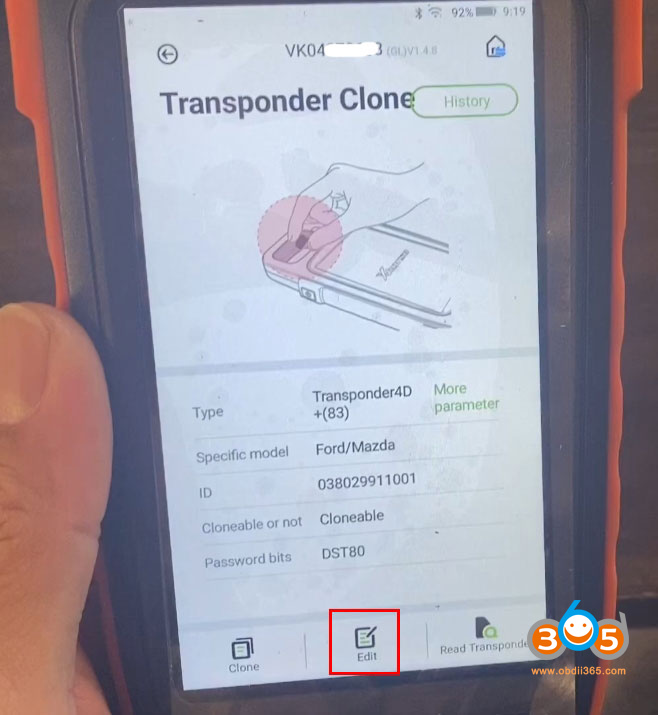
1). Go to “Clone Transponder”
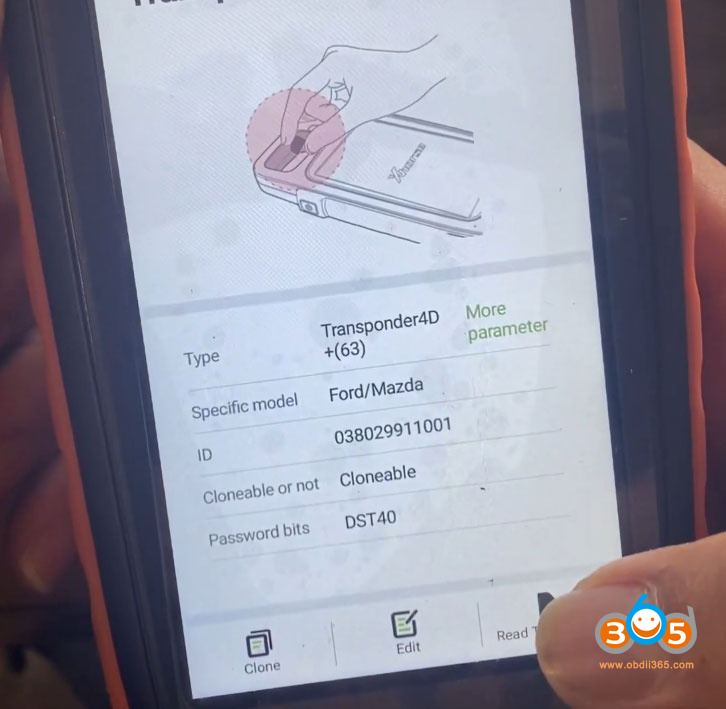
2). Select “Read Transponder”
3). Tap “Edit” (bottom center)
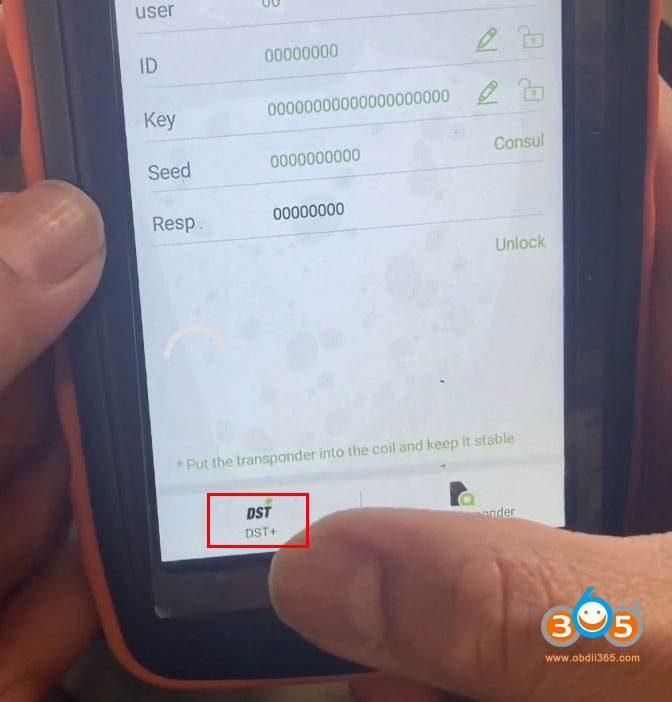
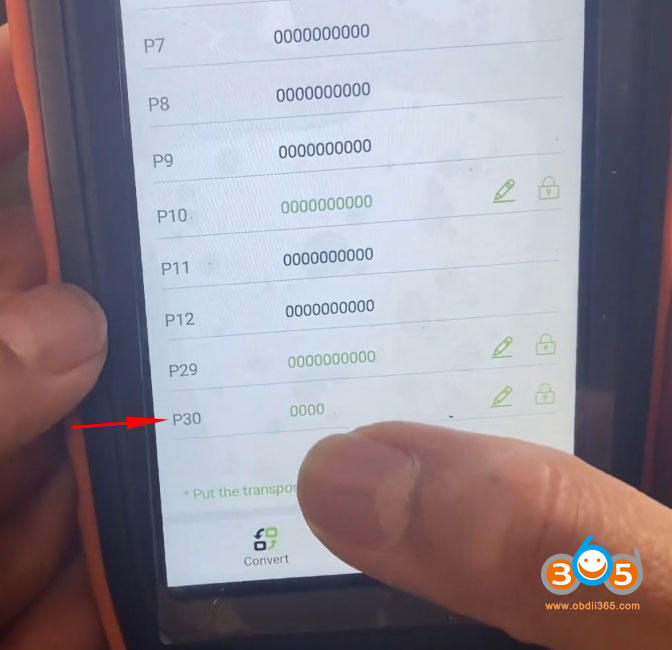
4). Select “DST+”
5). Scroll down to the very bottom
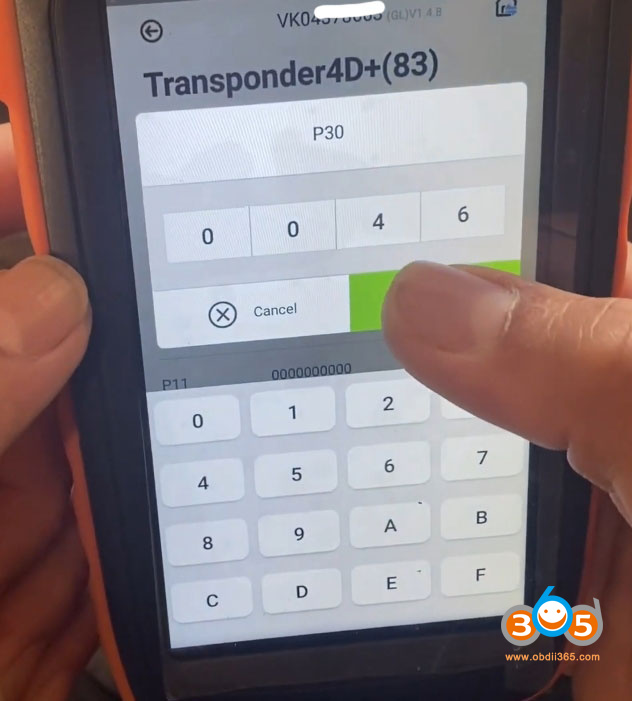
6). P30 must be set to 0000
DO NOT re-scan the key or transponder
7). Tap the zeros and enter:
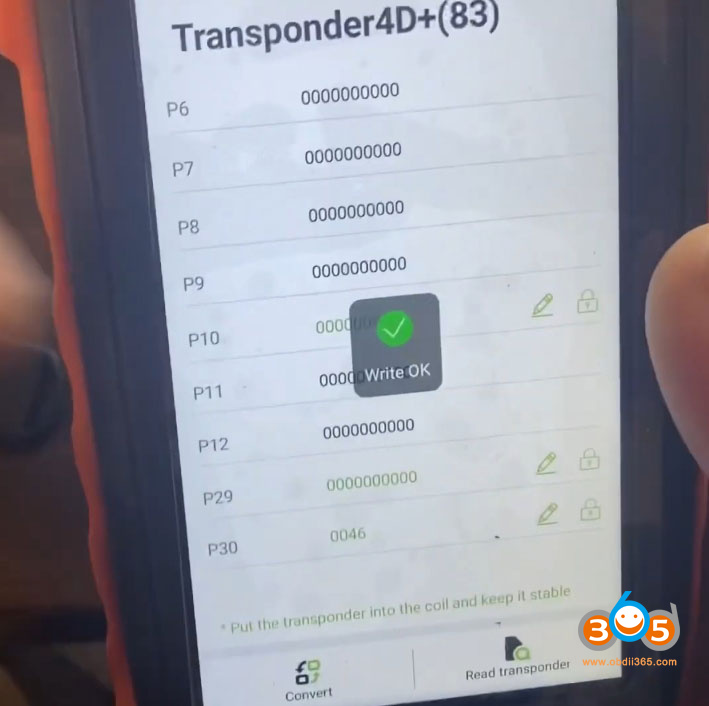
0046 = Convert to 40-Bit
0846 = Convert to 80-Bit
8). Tap “OK”
9). Tap the pencil icon (on the right side)
10). You should see: “Write Complete”.
Can You Convert Back?
Yes. The process works in reverse. If you need to turn a DST40 chip back into a DST80, follow the same steps but change the value from 0046 back to 0846 (or whatever your tool requires for DST80). The Xhorse Key Max allows two-way conversion between these two chip types.
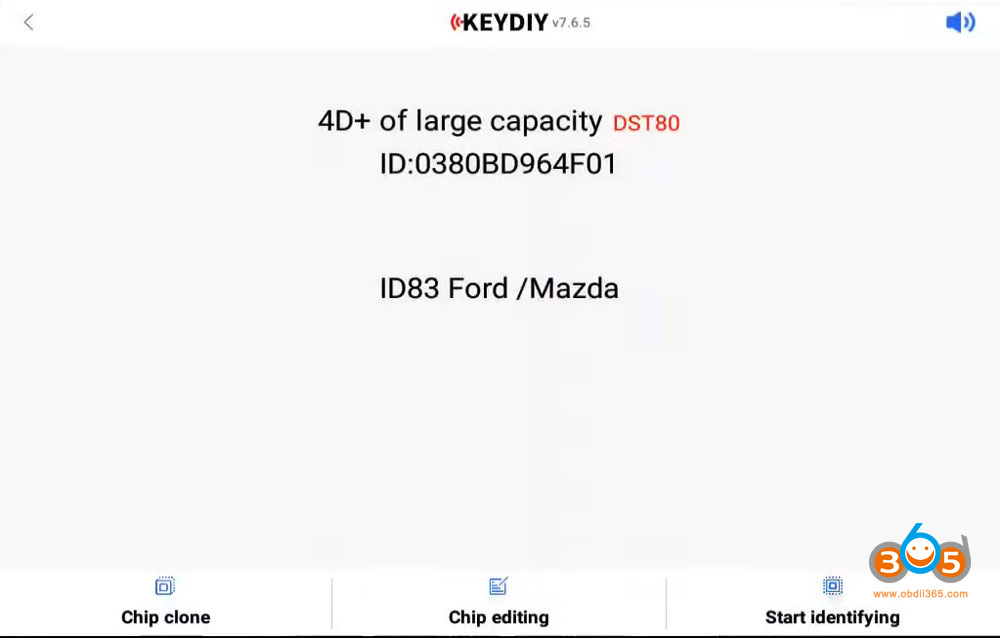
STEPS (Using Keydiy Key Tools, i.e KD-X2/KD-X4)
1). Read Transponder
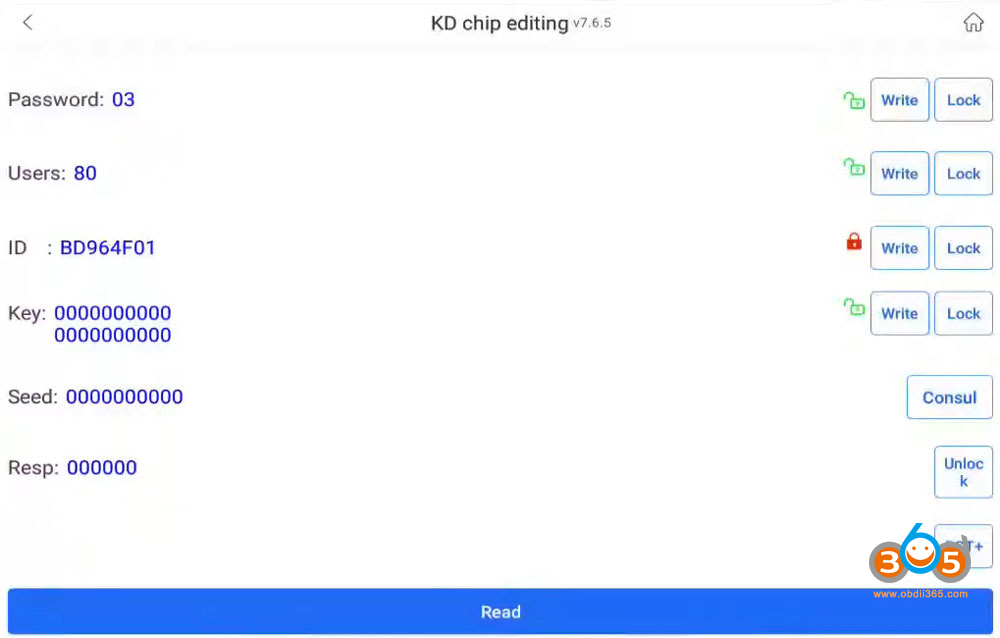
2). Select “Chip Editing”
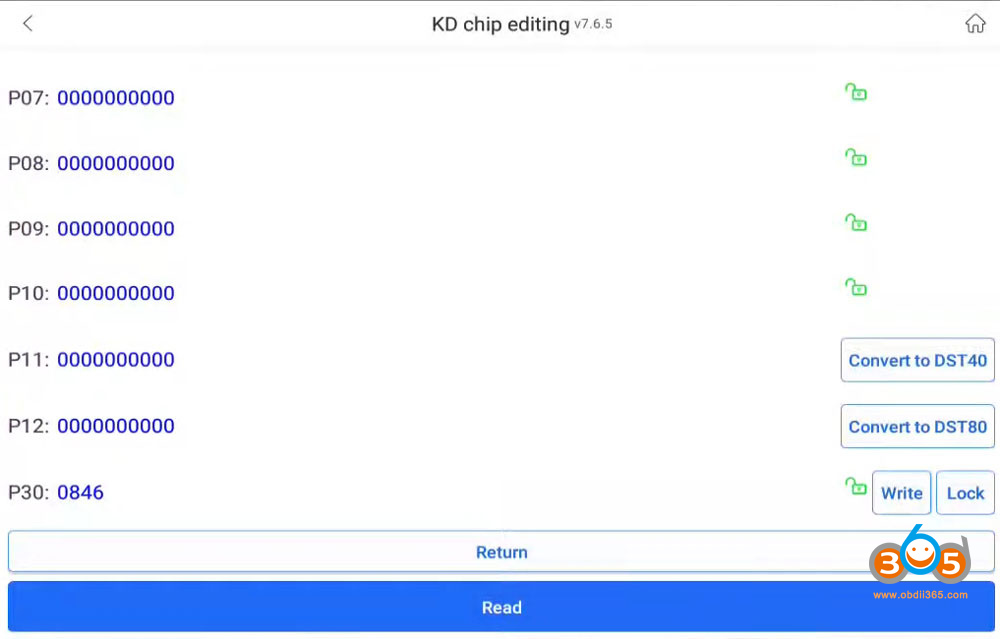
3). Select “DST+”
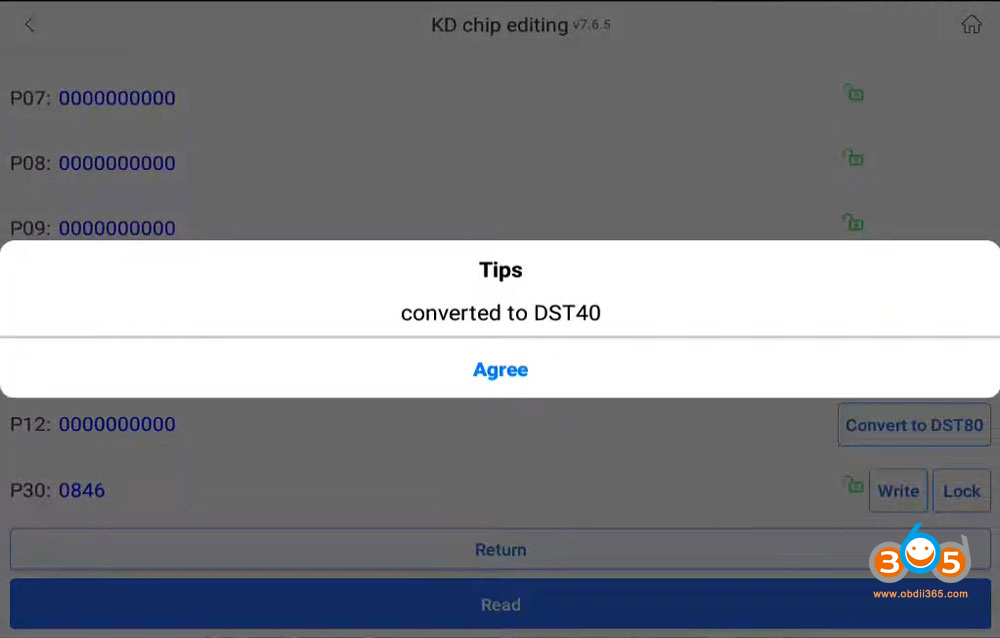
4). KD will will give you options: select “Convert to DST40” or “Convert to DST80”
5). Hit “Agree”
6). Exit and auto detect transponder again.
Keydiy tools also allow two-way conversion between these two chip types.
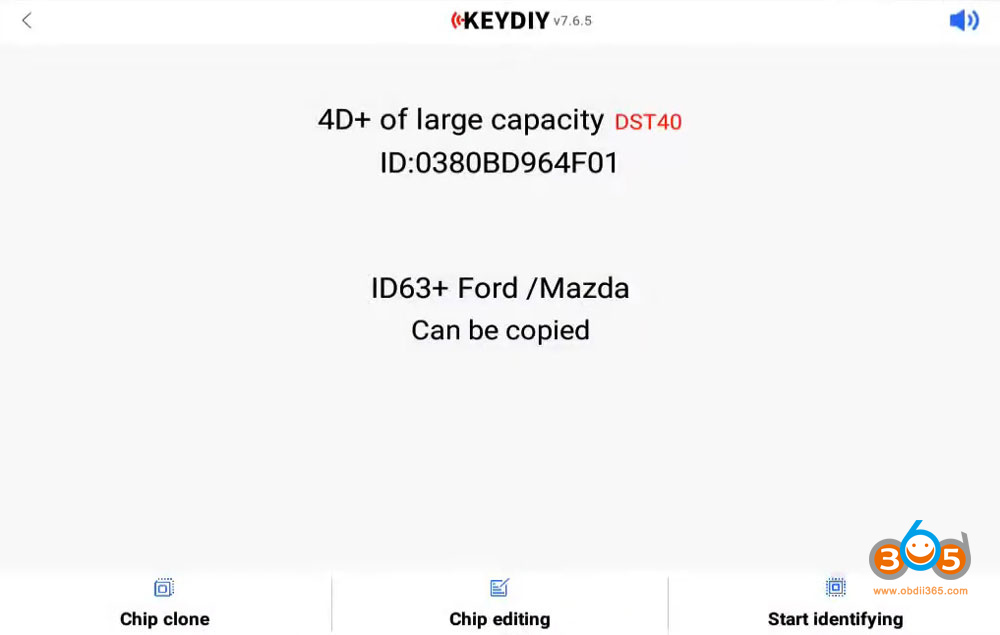
Final Verification
Return to “Clone Transponder”
Read the transponder again
Confirm that it now shows as 4D (63) or 4D (83), depending on your requirements.
Key Tip for Future Programmers
If a Ford key fails to program:
DO NOT buy a replacement just yet
Check the 40 / 80-Bit setting first.
Important Tips
Not all chips are rewritable. This method works with cloneable DST80 and DST40 chips. OEM or locked chips may not allow manual overwriting.
Write, don’t Convert. Some tools have both a “Convert” and a “Write” function. For manual editing, always use Write after changing values.
Generate as an alternative. If you don’t have a chip to convert, the Xhorse tool can also generate a brand-new DST40 or DST80 chip from scratch. Conversion is just one option.















