



Great news for Yanhua Mini ACDP2/ACDP1 users — Module 24 gets a free update! You can now disable the Jaguar Land Rover active alarm during all-keys-lost programming.
ACDP Free Upgrade
Disable the Alarm State on 2018+ JLR
(Requires Module 24 authorization).
Function
When the new JLR all keys lost, the vehicle will activate its alarm after the door is opened using a lock-opening tool. At this point, the OBD cannot communicate. Once the alarm state is disabled by using ACDP, the vehicle’s OBD can communicate normally again, allowing the RFA module or the RFA module’s chip to be replaced for key programming.
How to disable JLR AKL active alarm with Yanhua ACDP?
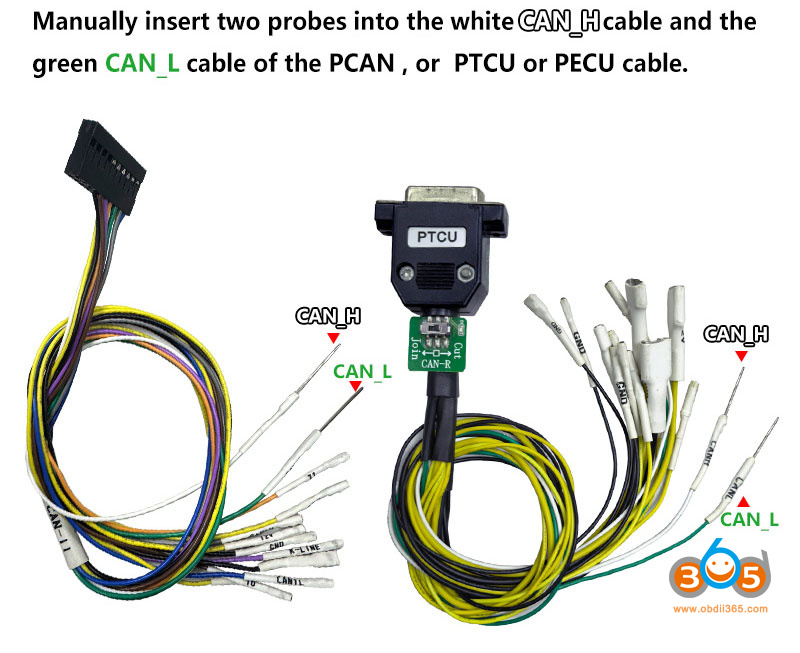
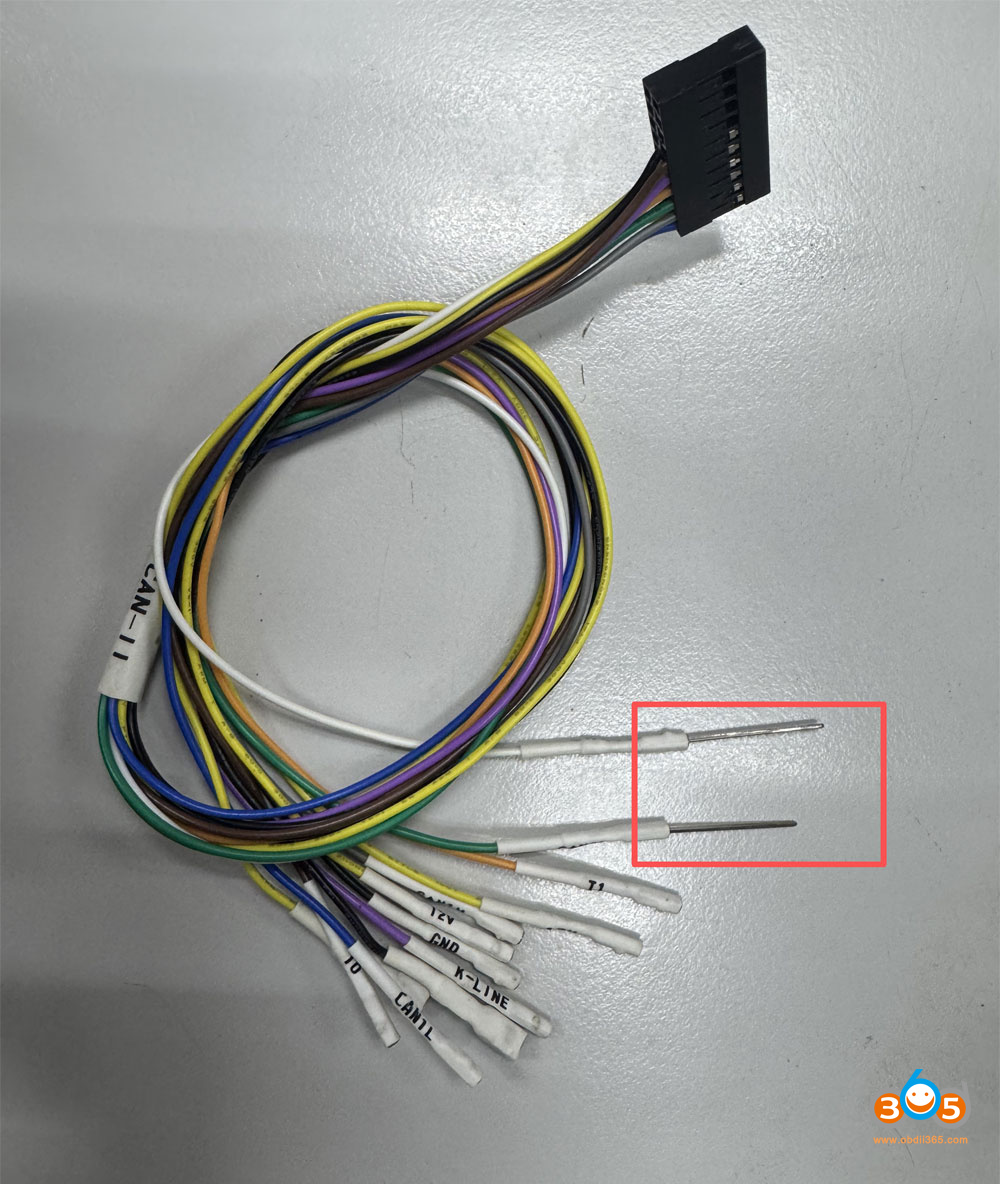
Requires ACDP Module 24 authorization, a PCAN cable, PTCU cable, or PECU cable.
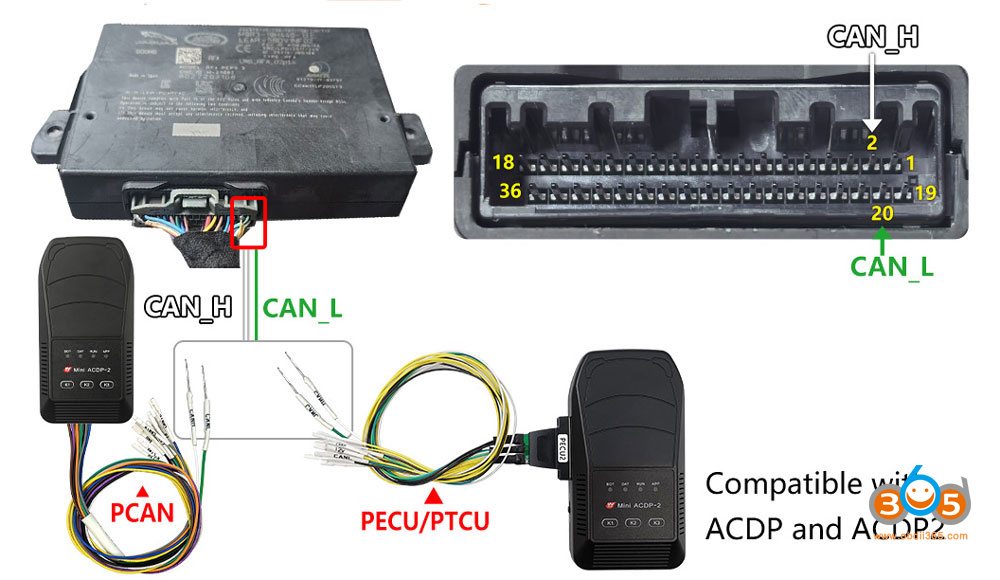
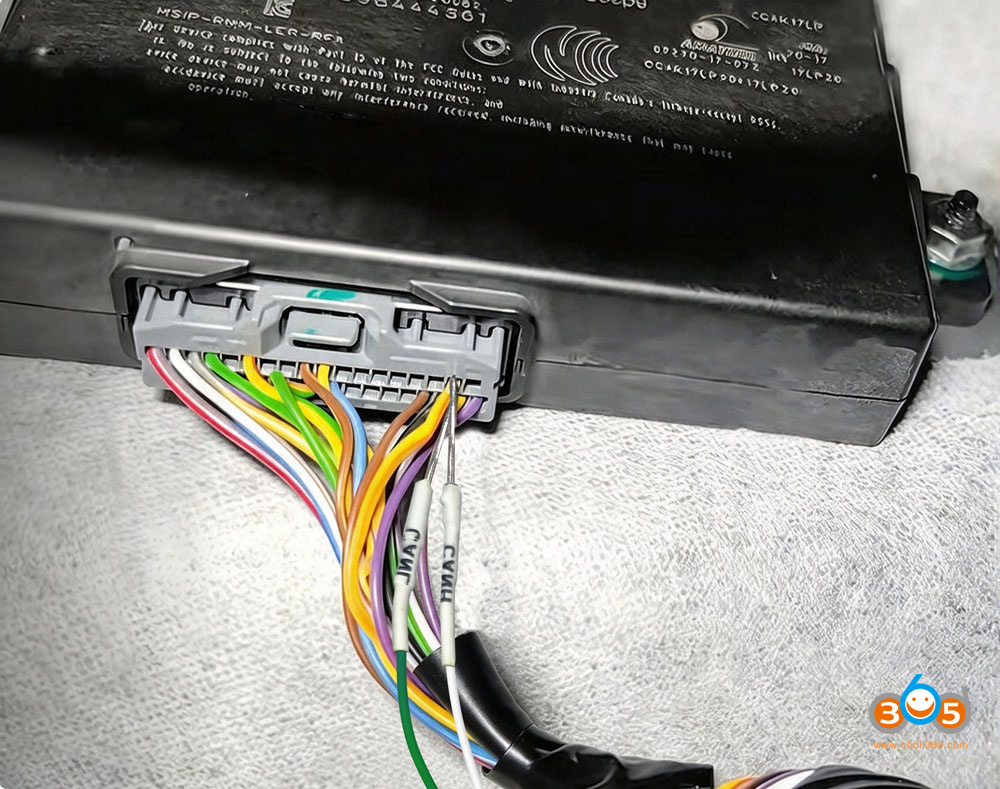
1. Locate the RFA module in the vehicle; do not disconnect the RFA connector.
2. Insert the white wire CAN_H into PIN 2 of the RFA module connector.
3. Insert the green wire (CAN_L) into PIN 20 of the RFA module connector.
Overall wiring diagram:
Menu path:
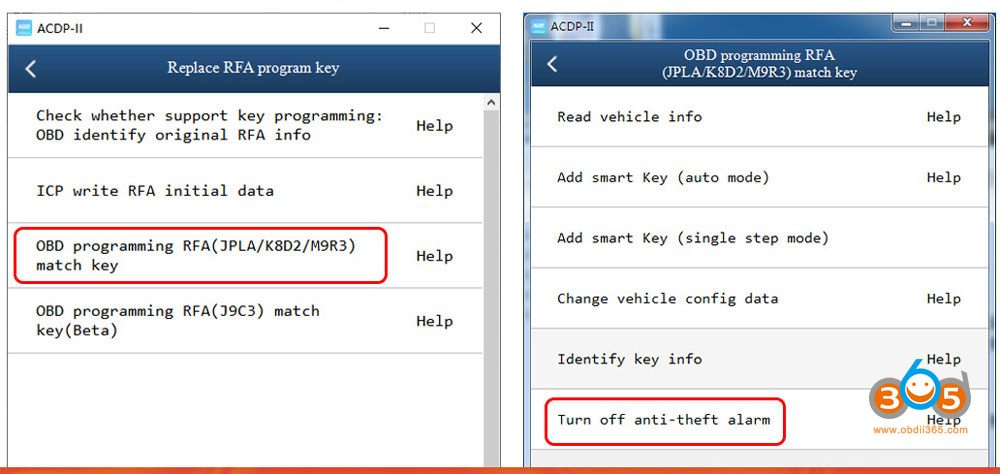
Go to JLR IMMO- Replace RFA Program key- OBD Programming RFA- Turn off anti-theft alarm.