


Tutorial: How to add VAG VW Audi Porsche MQB49 5C/5D key with Yanhua Mini ACDP step-by-step.
Tools used:
- Yanhua Mini ACDP2/ACDP1
- Module 44 for MQB49 5C/5D with interface board
- Original working key
- New original key to be programmed
Example: VW Magotan MQB49 5C
Procedure:
Step 1: Read Vehicle Information
Connect the ACDP to the vehicle OBD connector using OBD cable.
Turn on the ignition switch with the working key.
Run ACDP App or PC software.
Go to VW- VW MQB IMMO (ODO)-MQB49 IMMO (5C/5D)
Select OBD Identify info.

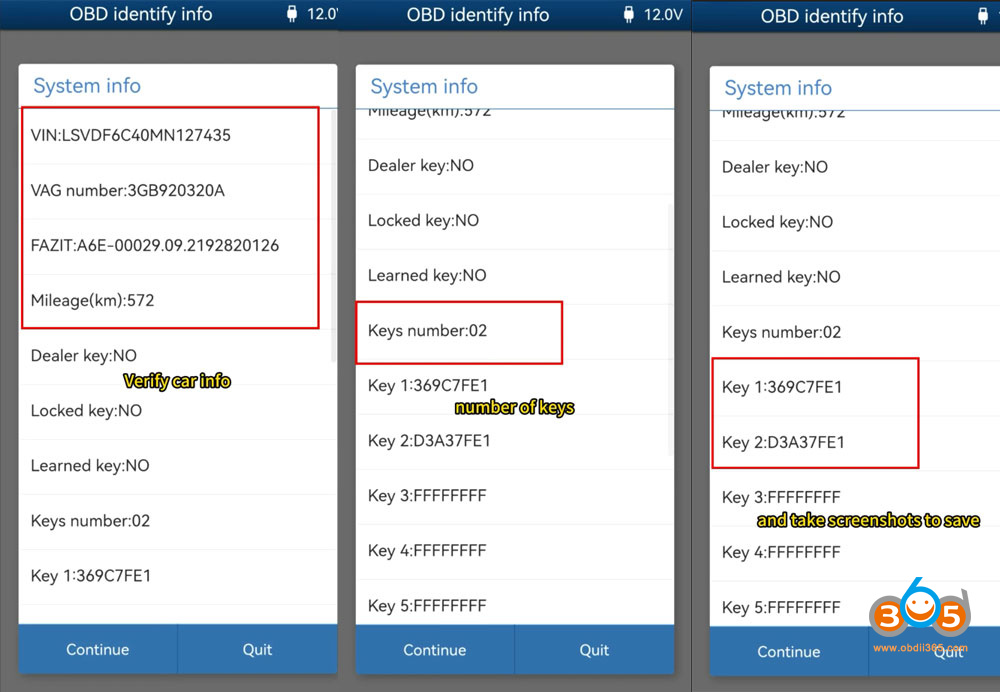
Verify car information, number of keys and key ID.
Take screenshots to save info.
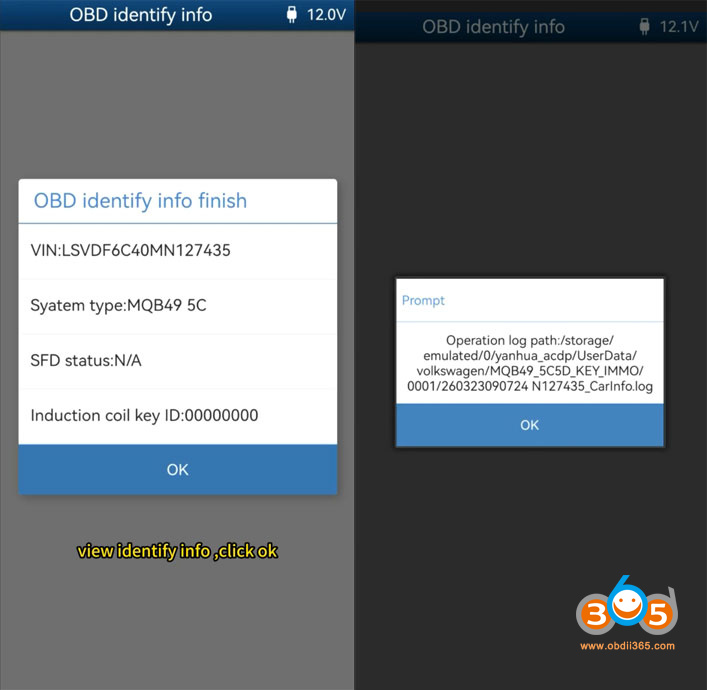
Click Continue. ACDP will detect the system type and SFD status (whether the vehicle has a security gateway or not).
Save vehicle info automatically.
Step 2: Read Original Key Data
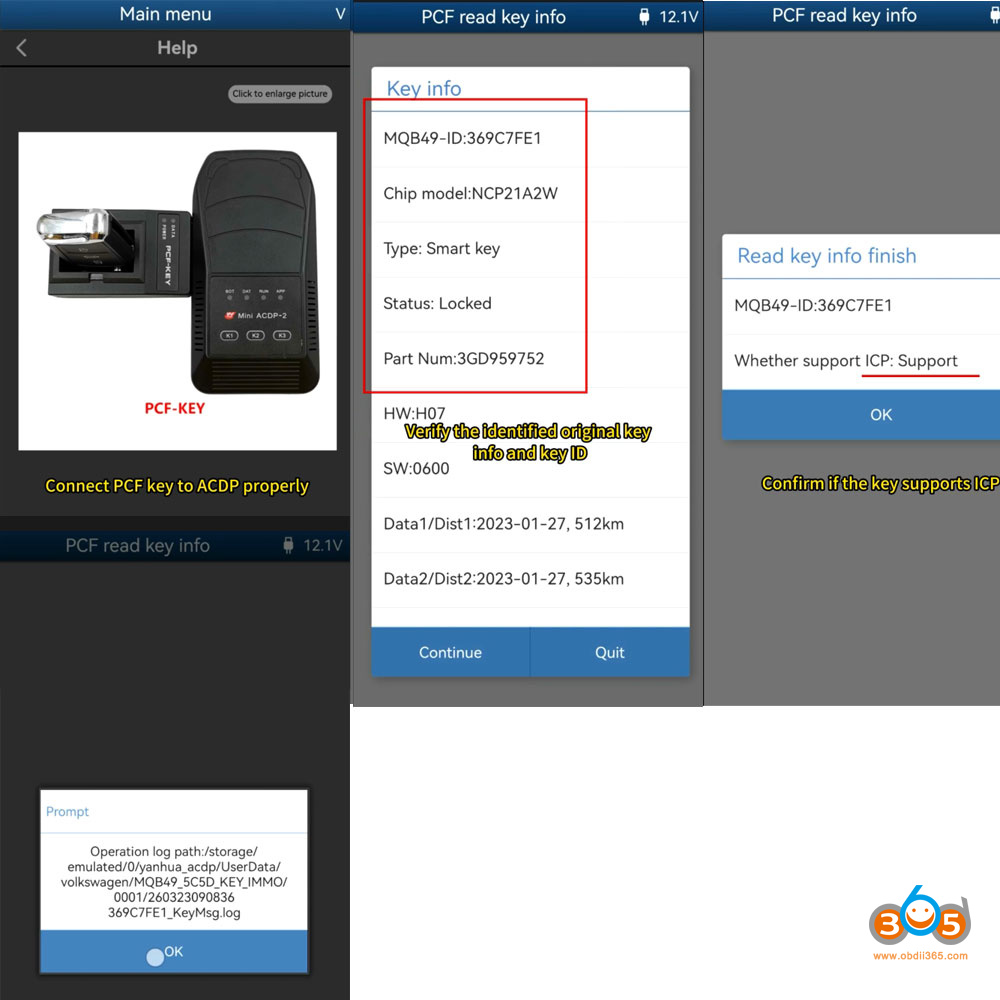
Click Help under PCF read key info menu.
Connect the PCF key to ACDP main unit properly.
Insert the original key into the PCF key adapter.
Click PCF Read key info.
If ACDP says the PCF-Key adapter version is low, update adapter firmware.
Go to Main menu, select Special Function- Adapter Upgrade to update PCF-Key adapter.
Continue reading key info.
Verify original key info and key ID
Confirm if the key supports ICP mode.
Disassemble the original key and the new key.
Click ICP+OBD add key.
Verify the keyboard type and choose the correct option.
Select ‘Step 1: ICP Read working key’.
Connect the key circuit board with the interface board.


Verify key info.
Click Continue.
Save key data.
Pay attention to the file path, date and key ID.
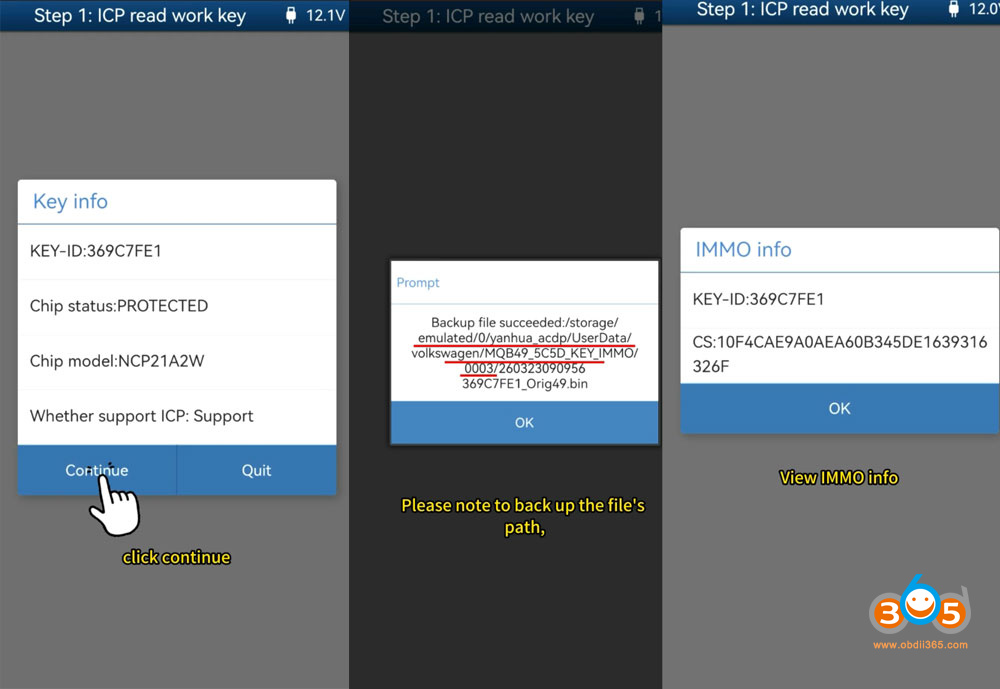
Click OK and view IMMO info.
Take a screenshot of the CS code.
Read key data finish.
Step 3: Make Dealer Key
Connect new key circuit board with ACDP interface board.
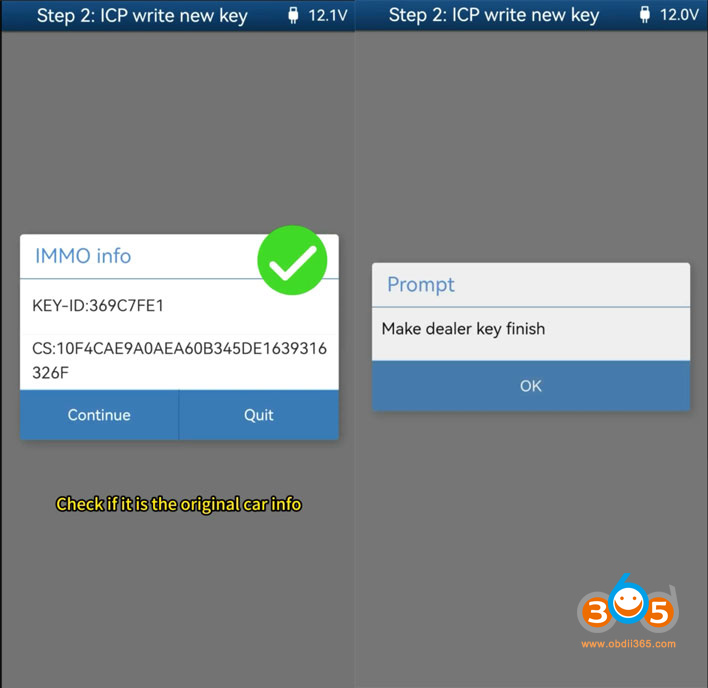
Select “Step 2 ICP Write new key”
Check the key info and confirm ICP is supported
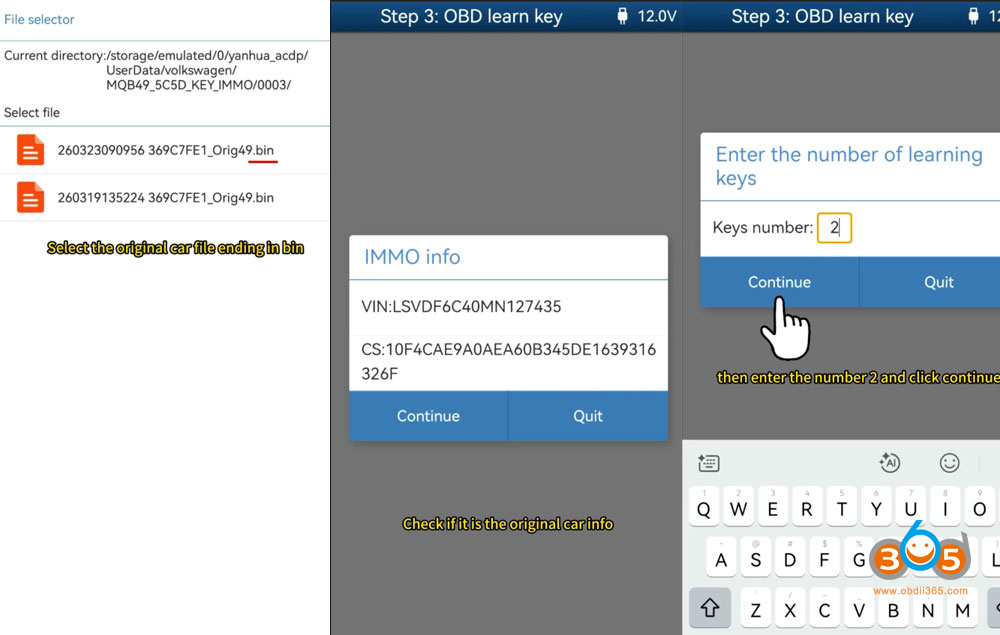
Select original key data。
Check if it is the original car ino.
Writing key data.
Make dealer key finish.

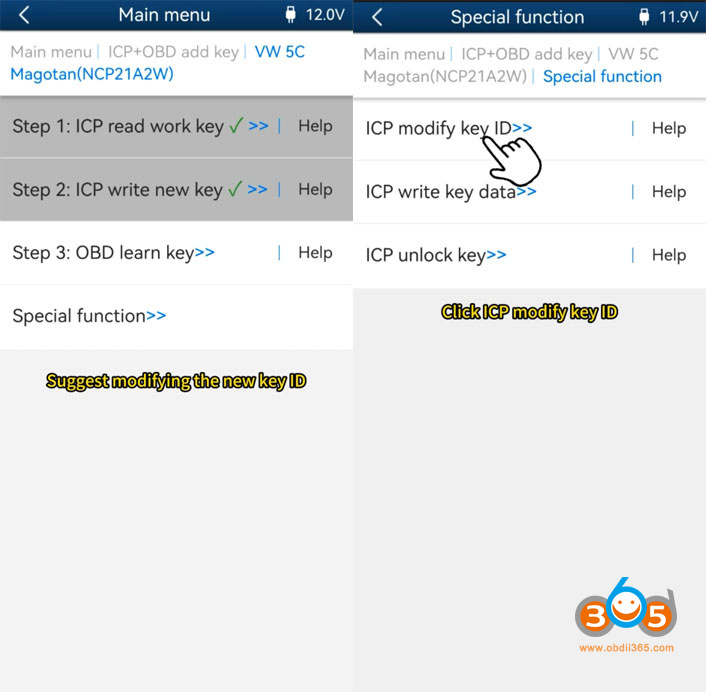
Step 4: Modify Key ID
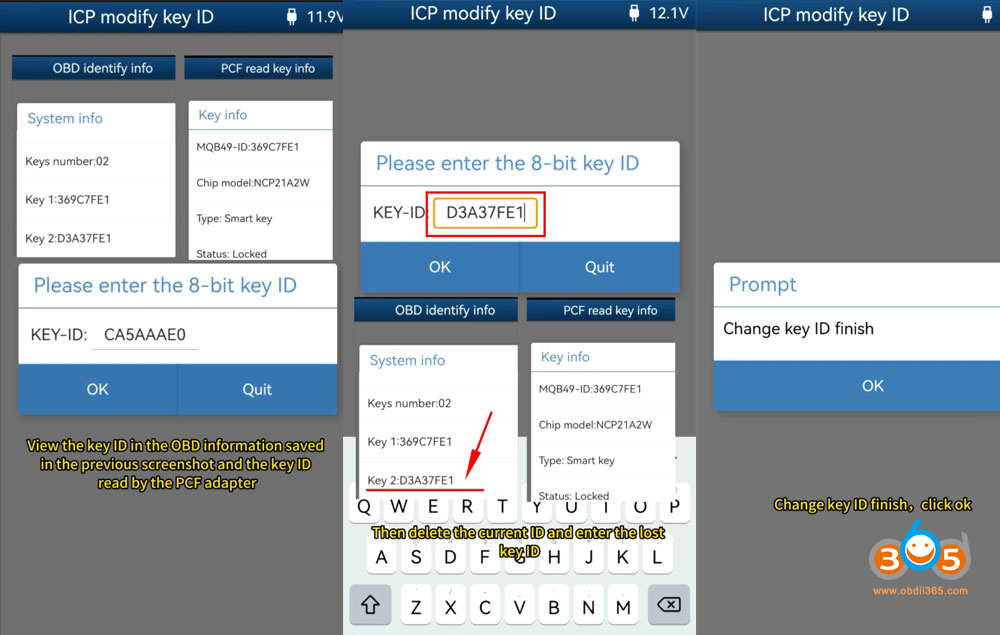
Go to Special Function- Modify key ID
Change the new key ID to the lost key ID.
Choose ICP modify the key ID.
View the key ID on the OBD information in the previous screenshot and the key ID read by PCF adapter.
Delete the current ID and enter the lost key ID.
DON’T modify the original working key ID!!!
Modify key ID successfully.
Disconnect key from the interface board.
Step 5: Learn Key via OBD
Connect ACDP with vehicle via OBD cable.
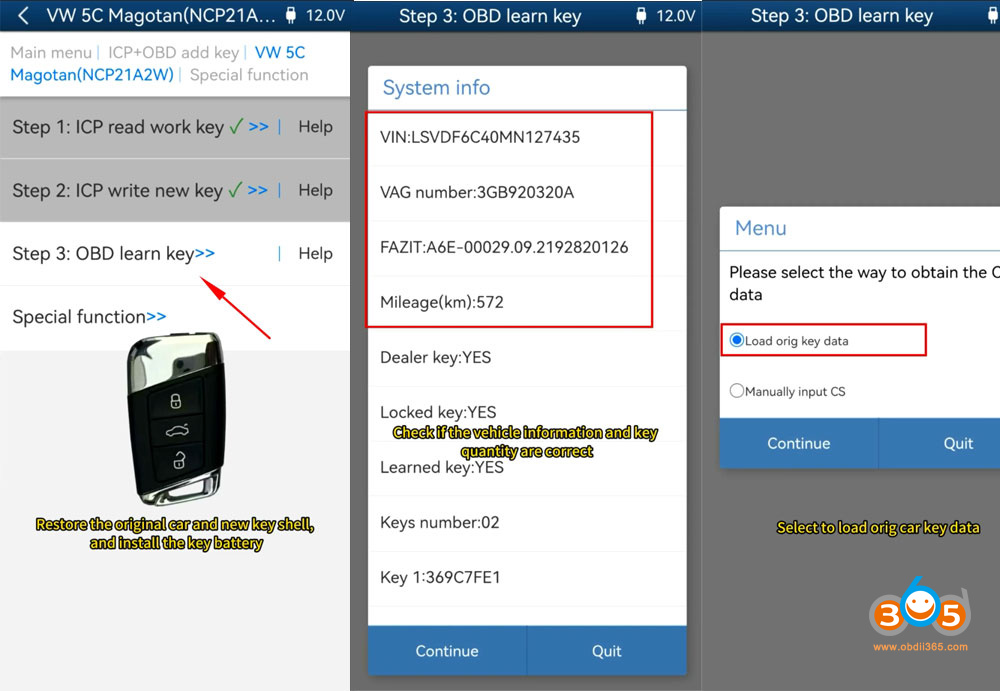
Restore the original key and new key shell, and install the key battery.
If the car has a security gateway, you need to unlock SFD gateway before learning key. This model does not have SFD, so we continue learn key.
Turn on the ignition and open the hood.
Select “Step 3 OBD learn key.”
Check if the vehicle info and key number are correct.
Select the way to obtain the CS data, select Load original key data or manually input the CS code.
Check if it is the original car info.
Enter the number of ketys to be learned: 2.
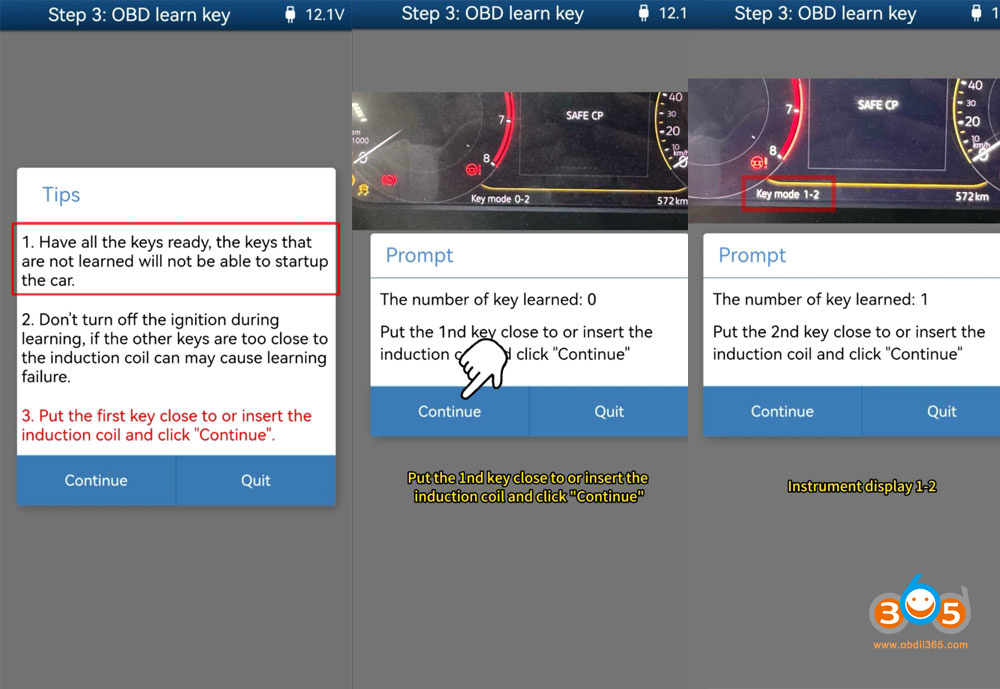
Put the first key close to the induction coil and click Continue.
Learn 1st key ok.
Put the second key close to the induction coil and click Continue.
Learn 2nd key ok.
Key learning successfully.
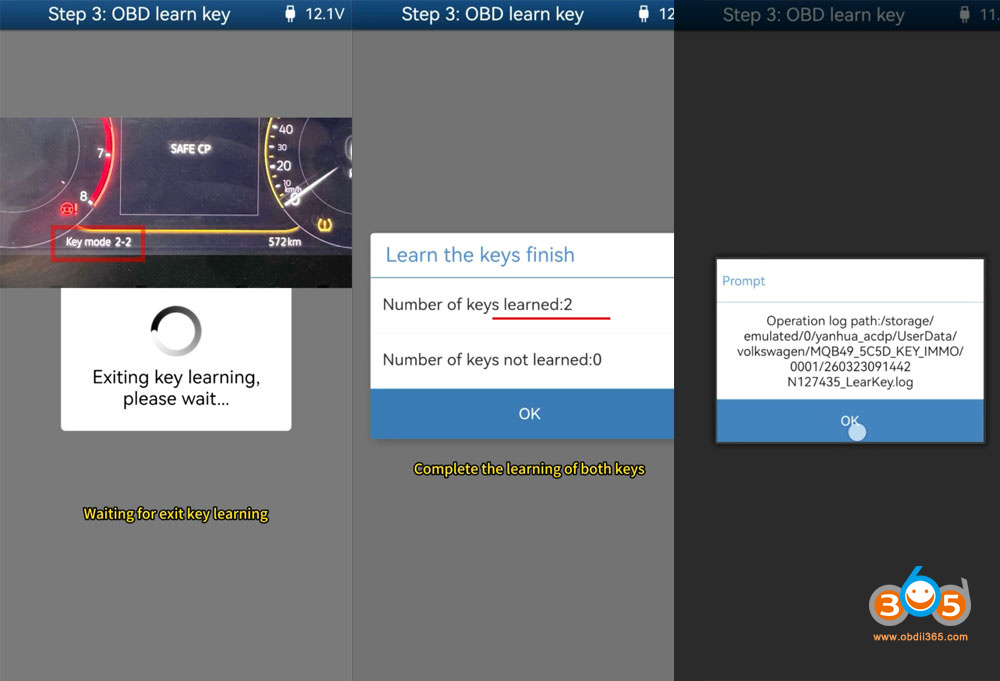
Test both keys and see if they function properly.
Video guide:















