


After a period of waiting, the CGDI MLB Tool device has finally arrived in stock. We provide a software download link and answers to some frequently asked questions.
Free Download CGDI MLB Software
Current software version V1.3.1.0
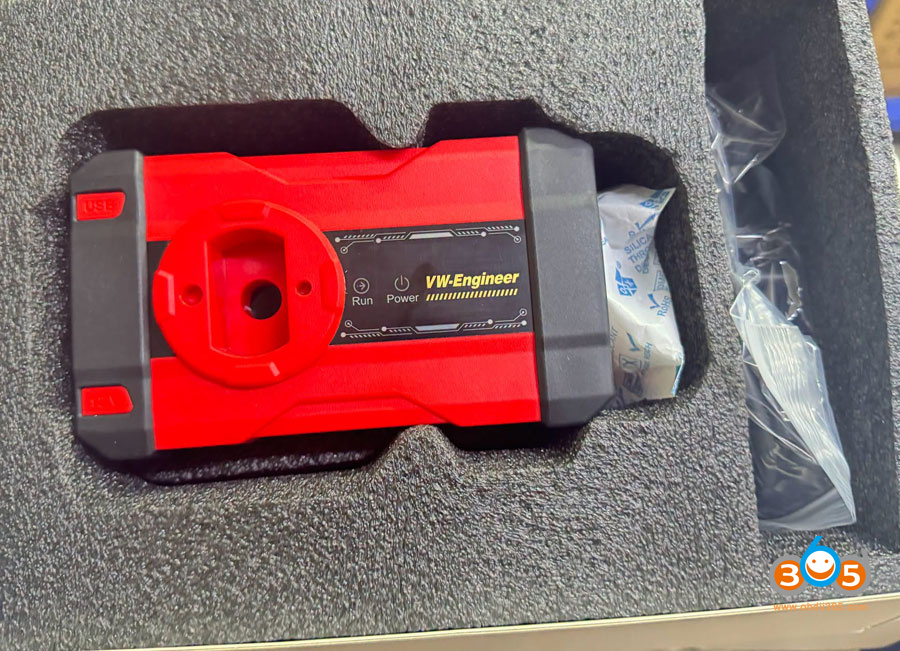
Currently, the software only supports the MLB function. Support for MQB48 function will be released in future updates.
Function List:
Supports modifying key ID

Q: What key to use?
A: Original keys or aftermarket keys that use the original factory protocol.
Q: Does it require soldering to read the original vehicle key?
A: Yes, need to solder wires to the key board and remove capacitors.
Q: Does it work offline?
A: No, it requires online calculation.
Q: Does it require credit during key data reading?
A: One free calculation per day. Also, free calculations using CGDI aftermarket remote credits are supported.
Q: Can this be connected to a laptop?
A: Yes, it can be connected to computer or CGDI K2 device.
Q: If the car owner does not have the original key, but only has a previously added CGDI aftermarket remote that can start the vehicle normally, can that CGDI key data be read directly to add an MQB48 key?
A: Yes.
Check the CG MLB Tool MLB key wiring diagrams:
















