

Problem:
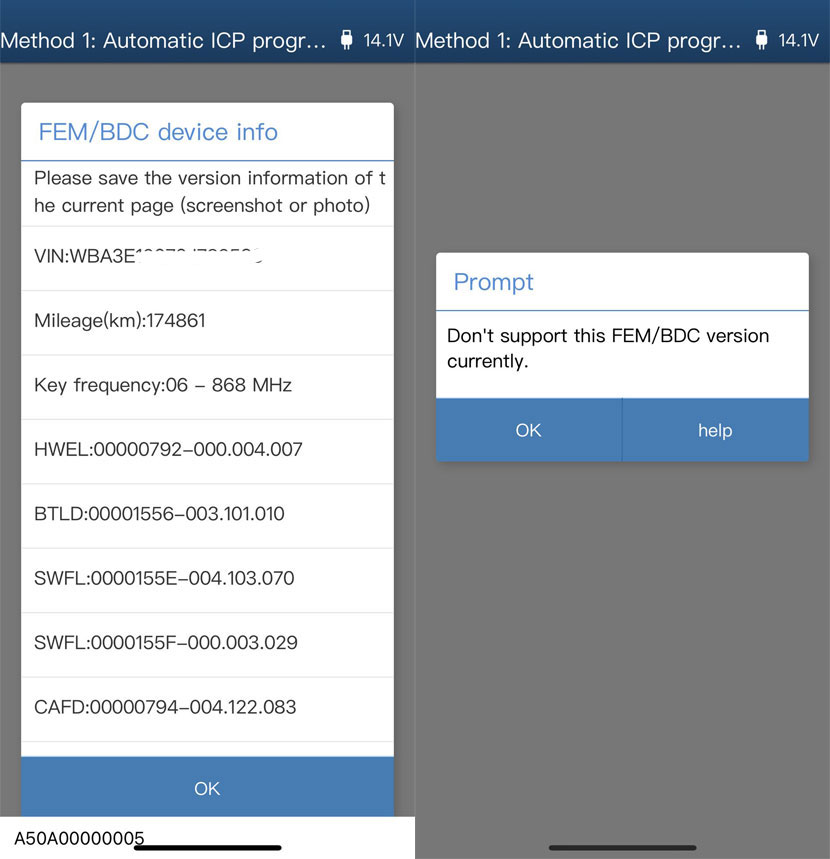
It is a BMW 3 Series 2013 all keys lost. Yanhua Mini ACDP reads the info before ‘pre-processing’ fine. When do preprocessing, it’s saying “Doesn’t support this SW version”. How to do it?
Solution:
Some versions are not supported for preprocessing, always worth checking by obd before removing.
ACDP cannot work with the firmware version on the module. You need to upgrade it to a compatible firmware.
How to update FEM software with ACDP?
You can update FEM with ACDP without other tools.
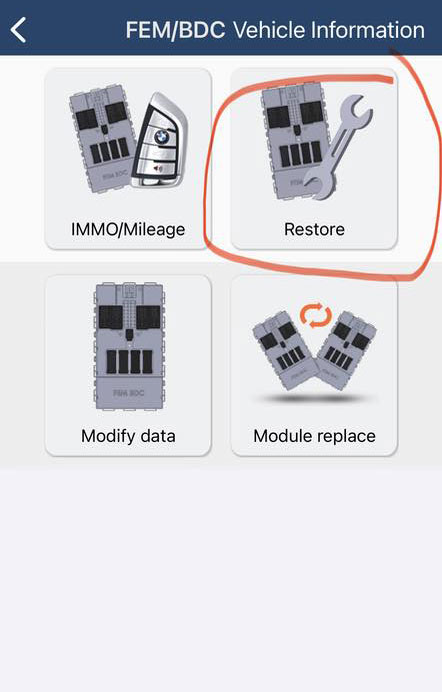
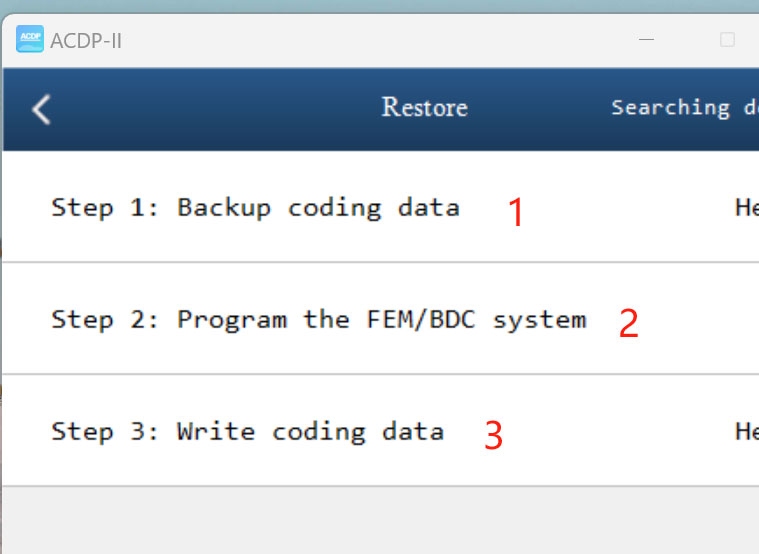
Go to the Restore function.
Perform the 3 steps.
- Step 1: Backup coding data
- Step 2: Program the FEM/BDC system
- Step 3: Write coding data
Follow the steps to upgrade and choose right SWFL version.
In Step 2 choose update firmware version to 2nd option.
NOTE: Always back all up first then proceed.
If you have Autel tools, you can update FEM with Autel IM508/IM608 as well. Make sure you do it on bench and backup coding first.
Go to BMW FEM and do version detect. It will say not supported. Then go to the programming option, ecu upgrade, it will take 10mins. Make sure you have good internet.
Then use ACDP to add key.
Autel IM608 BMW FEM/BDC SWFL ‘Version is Not Supported’ Solution
Or use Xhorse VVDI2, it covers all of versions.















