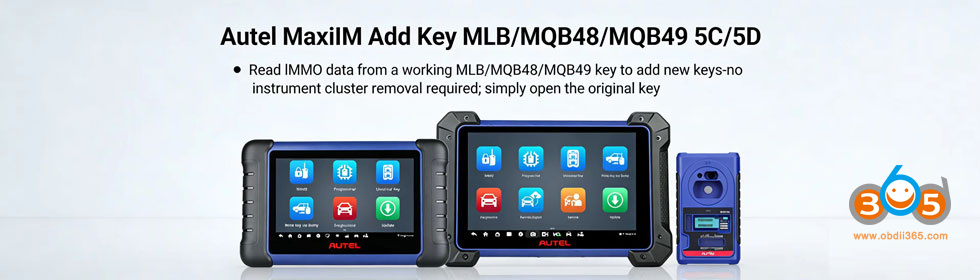
How to add VW Audi Porsche MLB smart key with Autel MaxiIM IM508/IM608 and APB300 programmer?
The MQB48 shares the same procedure.
Check vehicle list and update info here:
Autel IM508 IM608 MQB and MLB Add Key by Reading Key Function is Coming
Procedure:
Step 1: Read Vehicle Information
The procedure is straightforward and reads key data very fast.
Select Manual selection-select model and year, for example Audi A4 2016.09 onwards- Control Unit-MLB Immobilizer.

Read vehicle information.

Place a working key in the sensing area and turn on the ignition.
Read and confirm vehicle information.

Step 2: Recognize Key Info
Select Recognize key information.
Connect APB300 programmer with Autel IM508/IM608 via USB port.
Place the working key into the recognition area of the APB300 for recognition
Communicating with the key. The green light on the APB300 will turn on.
Read key data.


Step 3: Calculate IMMO Data
Select Calculate IMMO Data function.
Autel will show you key wiring diagrams.
Select one that matches your MLB key.
Disassemble original key and remove the circuit board.
Remove the capacitors following the diagram.
The supplied terminal wire should be welded when prompted by the on-screen instructions on the tablet.
Place the original circuit board into APB300 programmer.

Read and process key data.
It takes 3-5 minutes to read key data.
Calculate IMMO data, this will take about 1 min.
Key verified in APB300 programmer successfully.
Save key file successfully.


Step 4: Generate Universal Key
Remove the terminal wire from MLB key board and remove cable from APB300.
Choose Universal Key Generation.
Select a 315MHz or 433Mhz frequency.


Must select the correct frequency during the generation process. Cannot change frequency after programming.
Check that a battery has been installed in the universal key, place the ikey in the key slot of the APB300 device.
Generate universal key successfully.


Step 5: Modify Key ID
Select Modify key ID function.
For a locked key, its ID cannot be modified.
For an unlocked key with an FF ID, ID can be modified once.
Modify ID successfully.


Step 6: Make Dealer Key
Select Make Dealer Key
Upload the IMMO data file.
Place a blank key into the key slot of the APB300 programmer and press OK
Generate the dealer key successfully.


Step 7: Learn Key
Select Key learning
Open the hood and turn off the A/C.
Place the key to be learned close to the sensing coil and turn on the ignition.
If the ignition cannot be turn on, turn on the harzard wanting light.
Upload IMMO data file again.
All keys need to be learned.
Place the 1st key at the sensing coil, keep other keys away.
Place 2nd key at the sensing coil, keep other keys away.
Key learning process completed.


Video guide:















