

Here comes a similar problem:
Tried to program TPMS MX sensor with Autel MaxiPro MP900TS, the device comes message “your mx sensor(s) have been locked”. It happened on two different cars and already blocked total 3 sensors. Why did Autel stop programming universal tpms sensors?
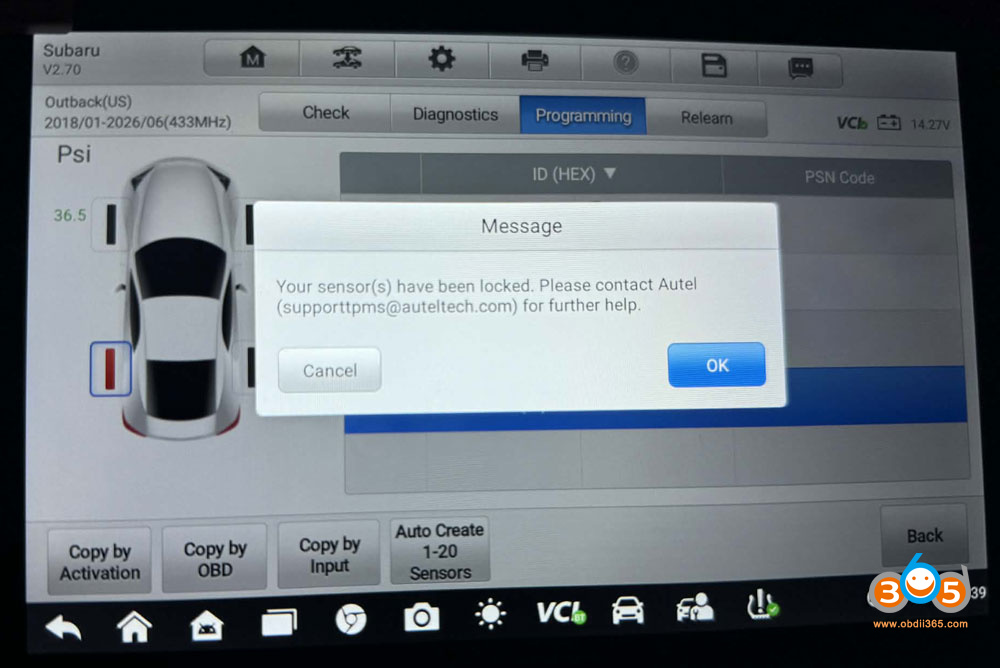
Here is the clue.
Autel pushed an update a few months ago that now locks fake MX sensors. Autel tools cannot generate other sensors that aren’t MX Sensors. That’s always been a thing. Also, they started locking out a few months ago.
Autel has locked the sensor permanently. Do not use the other sensors you have left! They will be locked. If you find an old Autel tpms tool that isn’t updated, the sensors will work. But you have to keep track of where when what car customer etc you put them in. If you forget and try to read them with an updated tool THEY WILL BE LOCKED.
If you detect these fake sensors, Autel will say “no sensor detected”.
Unlike Launch X431 and Snap-on devices, they can generate using any sensor they have listed besides their own(snap on doesn’t have one so it’s universal one for many brands except launch xtool Xhorse Autel). Autel can read program etc. But you must use mx sensors to generate them to any car. Autel keeps their mx sensor software so no one can program them but Autel.
The Autel TPMS tools can program sensors to any car listed if the sensors are already pre-programmed. But then won’t program information internally to any other sensor that isn’t MX sensors. So if someone brings you a blank Duralast Schrader etc sensor, Autel cannot write info into it to then read and write to the car. You’ll need a different tool for that.
Buy real Autel MX TPMS sensor next time instead of the fake ones. Buy them from an authorized Autel distributor.
All genuine Autel sensors have the push to remove valve stem system.















