



This article focuses on the key differences between the Xhorse and Keydiy MLB Tools. The comparison draws from hands-on testing, highlighting hardware design, usability, features, performance, and overall recommendations. Both tools ultimately perform the core functions effectively, but they differ in execution and convenience.
Hardware Design and Setup
One of the most noticeable differences lies in the hardware setup and integration.
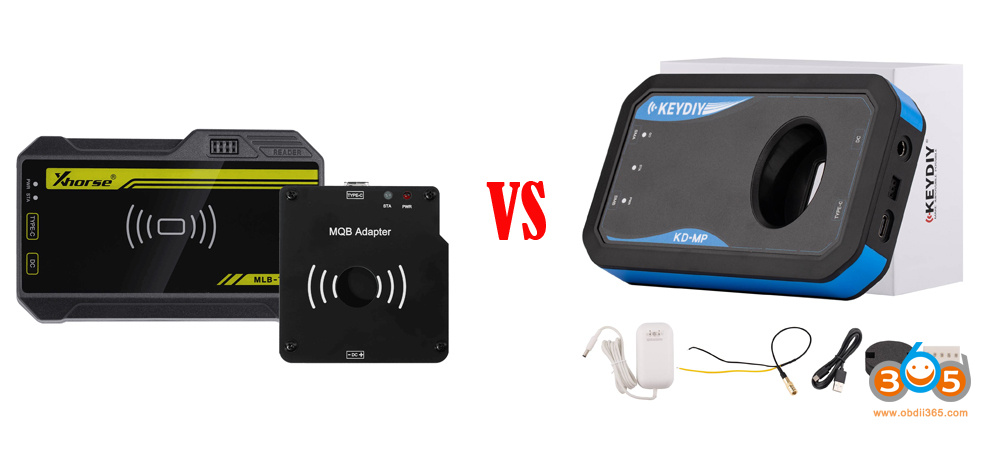
- Xhorse MLB Tool: This device requires an additional MQB adapter to handle MQB keys, which transforms it into an MLB adapter. The setup involves two separate cables: one for the adapter and another for connection.
This can feel cumbersome, as it adds extra components to manage. However, Xhorse was the pioneer in this space, and the design reflects its initial focus on MLB rather than MQB. The adapter includes a ring and microchips, which could potentially be integrated in future versions. Spare resistors are provided for desoldering tasks, and the kit includes everything needed for basic operations. - Keydiy MLB Tool: In contrast, the Keydiy is more streamlined and integrated. It uses a single wired USB connection to a computer, without the need for separate adapters for MQB tasks. Many users appreciate this simplicity, noting that it avoids the “lot of everything” feel of the Xhorse. The kit comes with a “whistle” (a small OBD connector device) that allows key programming via a phone app, which was successfully used for a Porsche. It also includes three keys and the main device. While a 12V power supply is included (and sometimes required for MLB tasks), it wasn’t necessary in this MQB test, adding flexibility.
Overall, Keydiy edges out in hardware convenience due to its all-in-one approach, while Xhorse’s modular design might appeal to users who value upgradability but requires more setup time.

Usability and Workflow
Usability is a critical factor, especially for time-sensitive jobs like key programming.
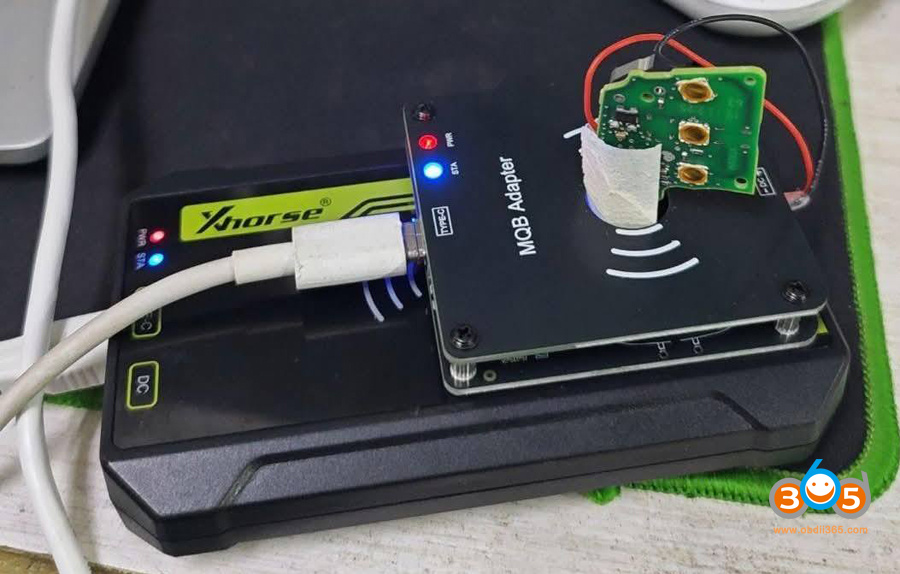
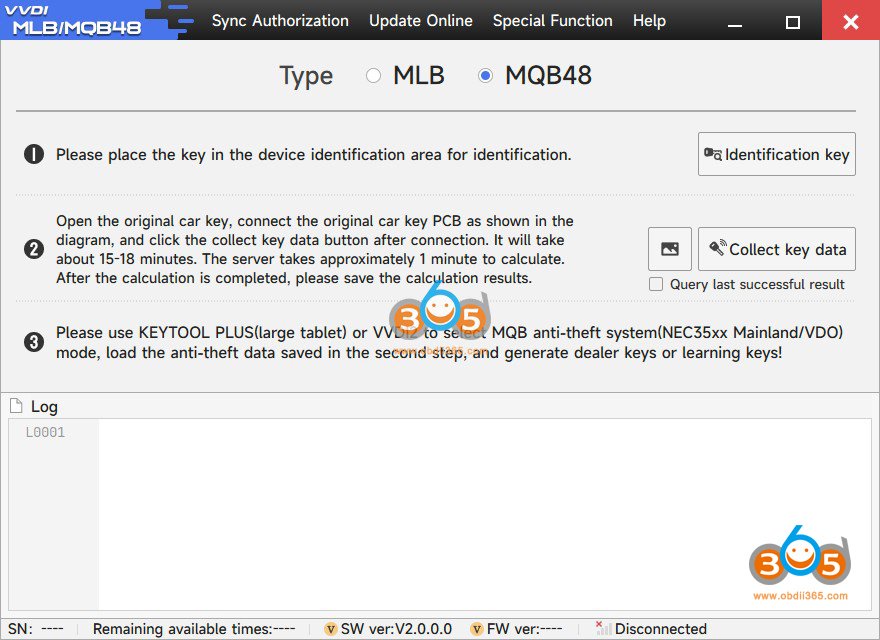
- Xhorse MLB Tool: The workflow involves desoldering a resistor from the key, connecting the adapter, and running the software. Data collection takes time (around 8-10 minutes), and immo data can be saved locally on a computer for reuse. This is a plus for offline work. However, the practitioner encountered issues with the latest firmware (V1.1.8), which failed multiple times until downgrading to V1.1.7 resolved it. Cloud loading of previous data is also possible by key. The interface is straightforward but requires managing multiple components, which can lead to lost cables or frustration.
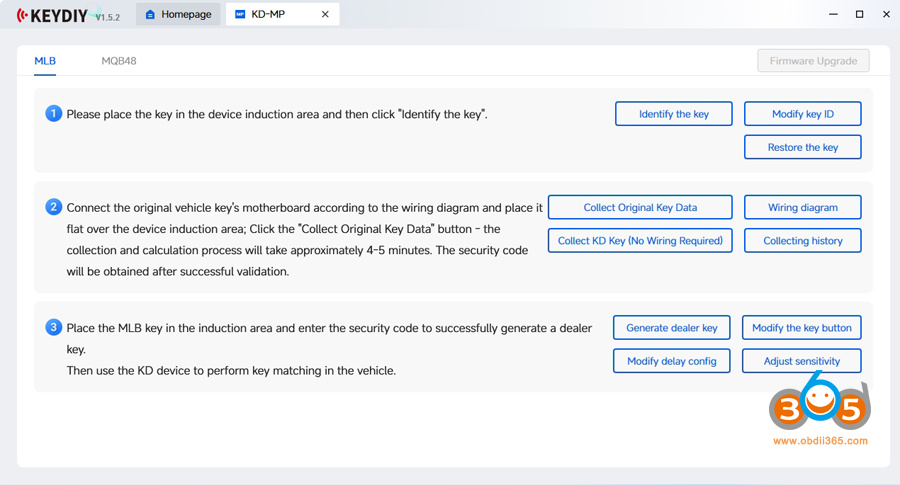
- Keydiy MLB Tool: Similar workflow for desoldering and data collection, but it’s more intuitive with a single connection. Data is primarily stored in the cloud, allowing easy reloading for repeat clients without recalculating. Local saving is possible but less emphasized; the practitioner noted that dealer key generation might require a specific Keydiy device with a screen (not the software alone), which feels less client-oriented due to the tangled navigation. It costs 200 “point coins” per operation, adding a micro-transaction element. Self-checking features provide reassurance, and the 8-minute calculation time matches Xhorse’s.
Keydiy feels more modern and user-friendly for quick setups, but Xhorse offers better local data control. Both support third-party devices for VIN modification if needed.
Features and Additional Capabilities
Beyond core MLB/MQB functions, the tools offer extras that set them apart.
- Xhorse MLB Tool: Strong in data management, with easy local file saving and cloud backups. It’s reliable for reading locked keys once firmware issues are addressed. No mention of extra power needs for MQB, which is a convenience. We speculate future iterations might integrate everything into one unit.
- Keydiy MLB Tool: Includes the OBD whistle for mobile programming, expanding usability (e.g., phone-based key programming). However, some features like dealer key generation are split across devices/software, and cloud reliance could be a risk if servers fail. It also supports viewing and modifying immo files in the cloud.
Both tools allow skipping recalculations for returning clients via cloud or local files, but Keydiy’s mobile integration gives it an edge for on-the-go work.
Performance and Reliability
In testing, both tools successfully read immo data and prepared dealer keys after troubleshooting.
- Xhorse VVDI MLB Tool: Initial failures were firmware-related, but downgrading fixed it, suggesting software stability issues in newer versions. Once working, performance is solid, with no hangs during data collection.
- Keydiy KD-MP Tool: More consistent out of the box, with no firmware issues reported. It handled the task in about 8 minutes, matching Xhorse. The self-checking step adds reliability.
Both are effective, but Xhorse requires more vigilance with updates, while Keydiy feels more plug-and-play.
Recommendations
We recommend owning both for redundancy—servers might fail on one, or hardware on the other—emphasizing backups in all tools (e.g., two soldering irons).
For beginners, Keydiy’s simplicity might be preferable; for advanced users, Xhorse’s modularity and local storage could shine.
Neither tool is definitively “better” in terms of raw capability—both got the job done once the Xhorse firmware issue was sidestepped. The choice boils down to personal preference for workflow and philosophy.
- Choose Keydiy if: You prefer a simpler, more integrated hardware setup with fewer cables. You are comfortable with a cloud-centric data approach.
- Choose Xhorse if: You value the ability to keep local backup files of your immobilizer data and don’t mind a slightly more complex physical setup with an extra adapter.
Conclusion
The Xhorse and Keydiy MLB Tools are comparable in core functionality, both enabling efficient key programming for MLB/MQB systems. Keydiy stands out for its integrated design, mobile features, and ease of use, making it ideal for streamlined workflows. Xhorse, as the original, offers robust data handling and potential for upgrades but suffers from setup complexity and occasional software glitches. Ultimately, the choice depends on user preferences: opt for Keydiy for convenience or Xhorse for flexibility. Having both ensures reliability in a competitive field where quality and reputation drive success.
Read also:















