We will share how to correctly clone the engine control units for Volkswagen and Audi Simos 18.x/ Simos 12.x/ Simos 8.5/ Simos 8.6. Cloning is a familiar process—reading data from the original vehicle module and writing it into a new one. However, Volkswagen and Audi models are different! You may have encountered situations where error codes appear in the control unit after cloning. For example, Volkswagen and Audi ECU models such as MED17, EDC17, SIMOS18.x, and SIMOS8.x cannot be directly cloned by reading and writing. Cloning is only possible with Immo data transfer. The data needs to be converted before it can be written into the new module. In summary, this is due to the high level of anti-theft protection (OTP).
We’ll take the Audi SIMOS8.6 engine control unit as an example and walk you through the process. The similar steps go to Simos 18/Simos 12/Simos 8.5 ECUs.
Device used:
- Update FC200 software to latest version (Since version 1.3.3.1, CG FC200 update VAG Simos 8.5, Simos 18.x, Simos 12.x ECU cloning. )
- This function requires network connection.
- FC200 must be within its subscription.
ECU Information:
ECU type: Simos 8.6
Vehicle: Audi A6 2014 TFSI
Procedure:
Step 1.Back up original ECU data
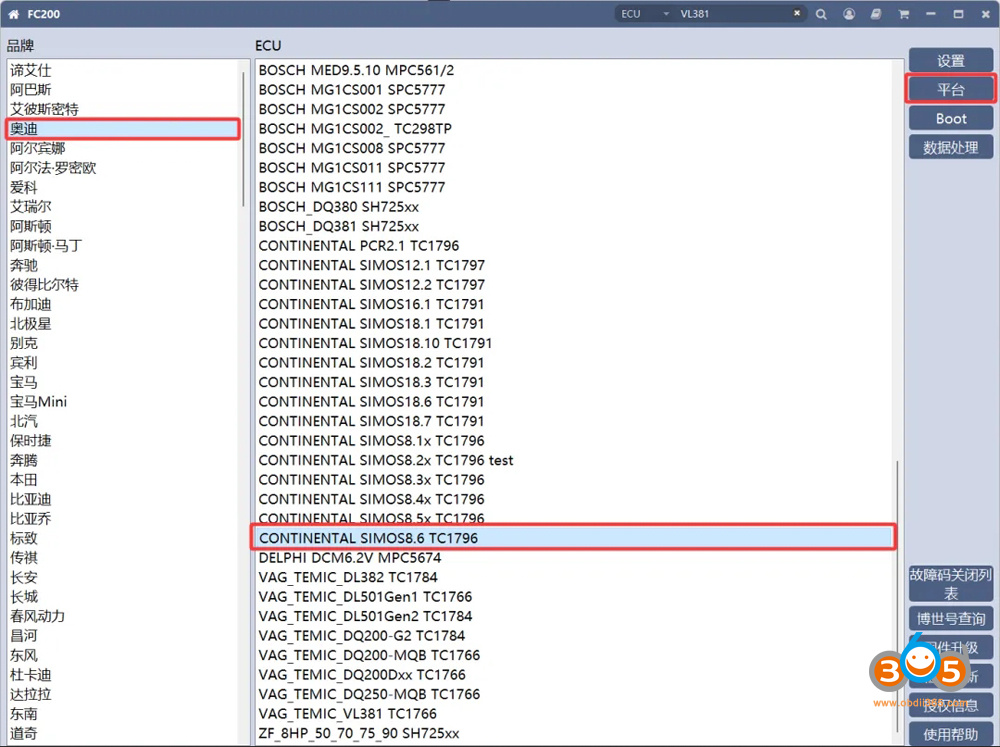
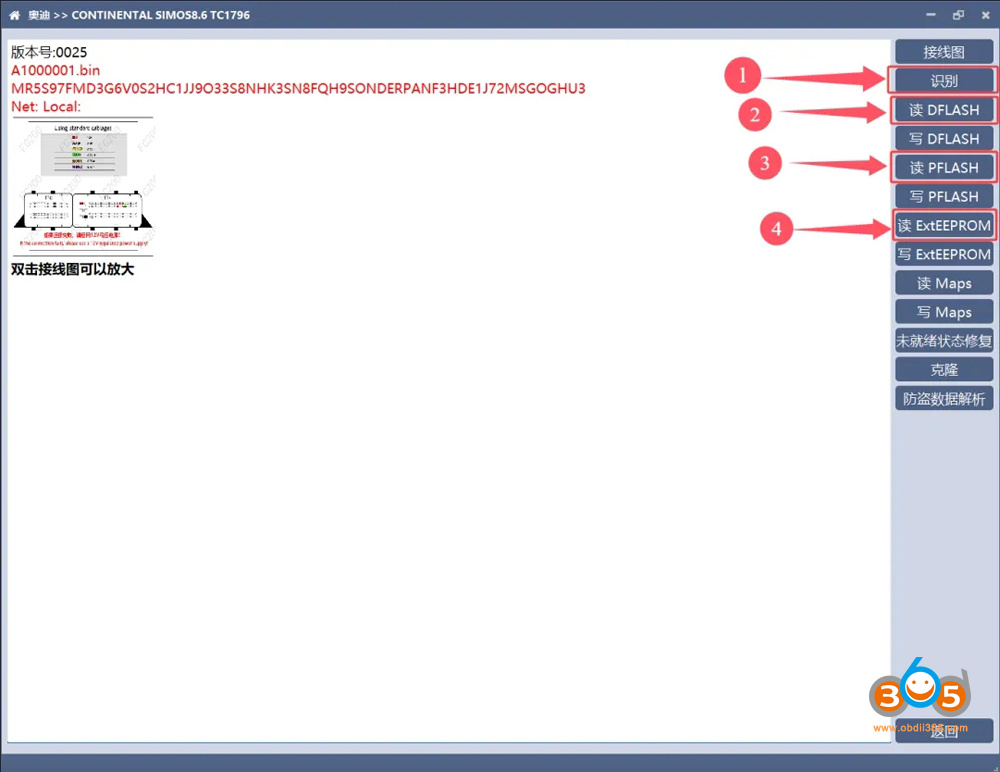
Select Audi- Continental Simos8.6 TC1796- Platform mode (bench mode).
Check wiring diagram. No need to open ECU or soldering.
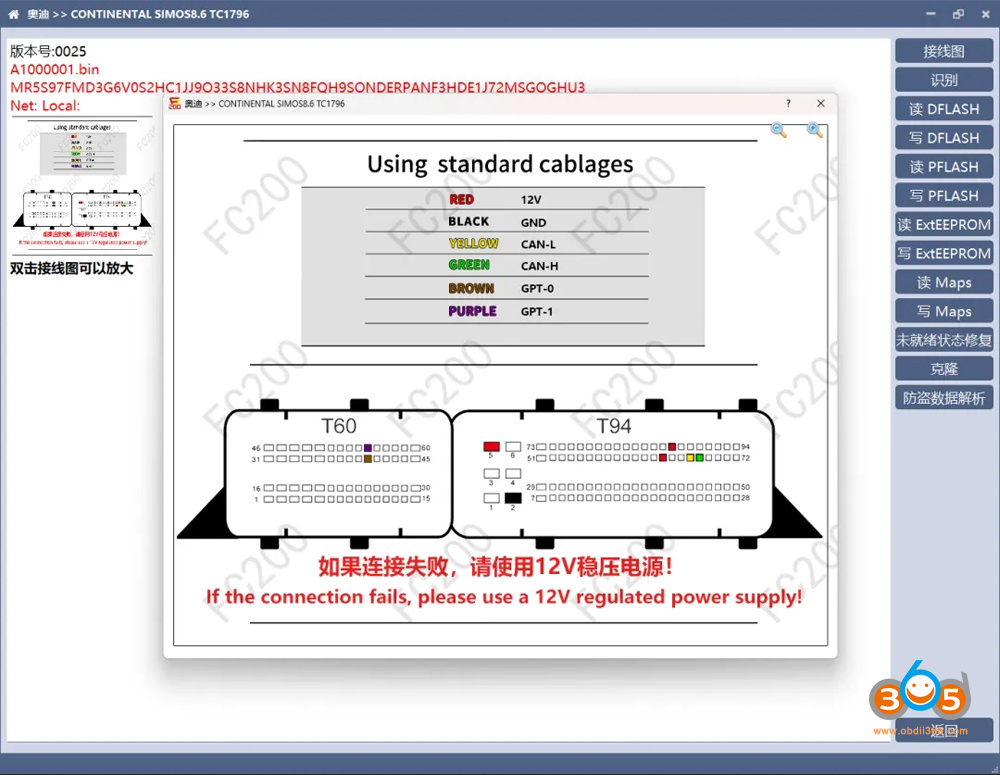
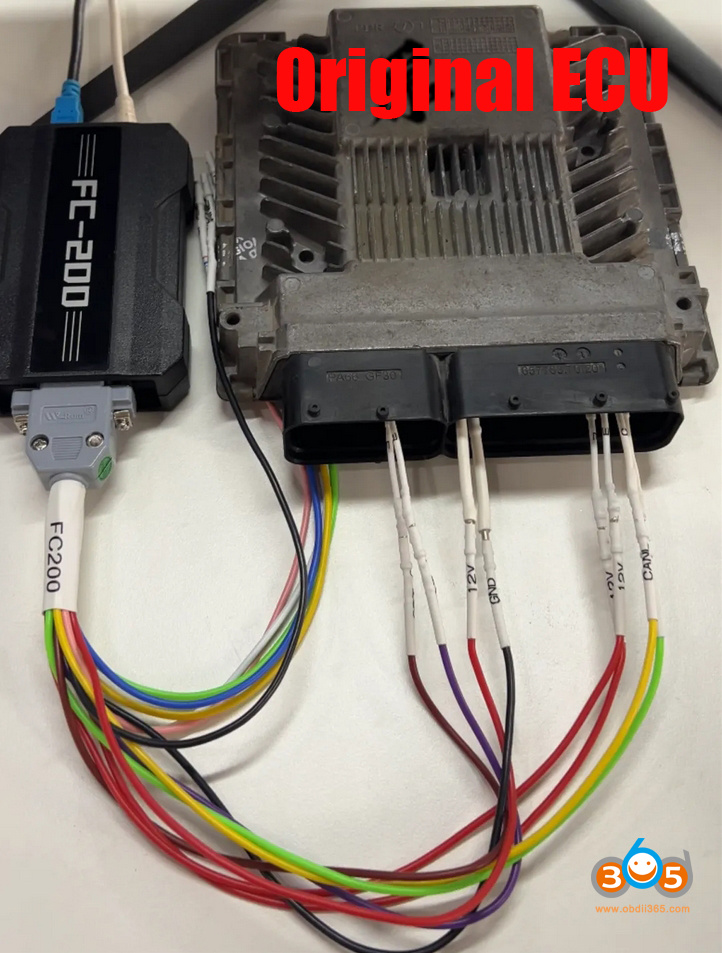
Connect ECU with FC200 via DB15 jumper cable. If the connection fails, add a 12V regulated power supply.
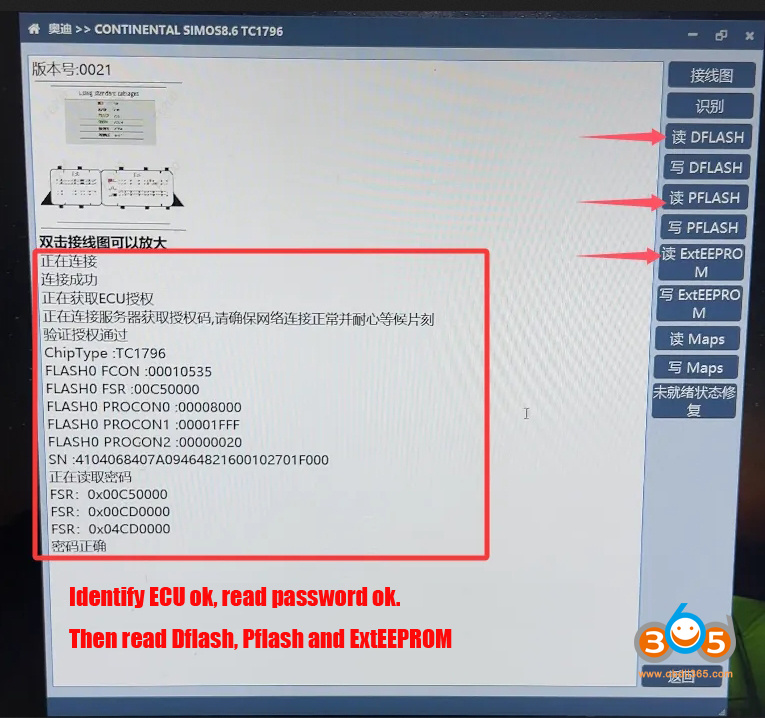
Identify ECU.
Then read Dflash, Pflash and ExtEEPROM one by one.
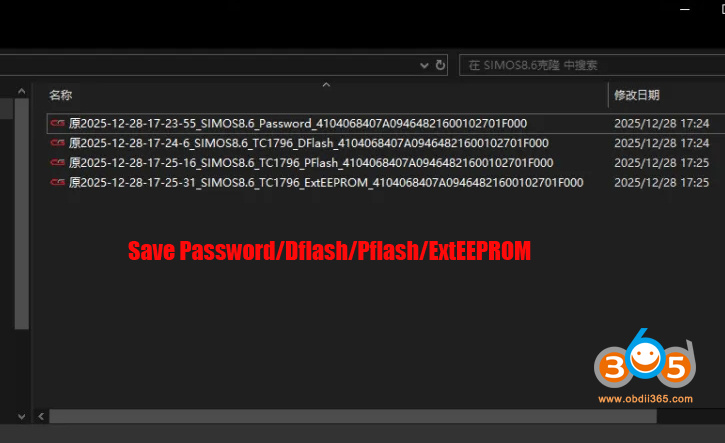
Save data.
Step 2: Back up donor ECU data
Disconnect original ECU.
Connect the donor ECU (here we use second-hand ECU from another Audi A6) with FC200 programmer via DB15 cable.
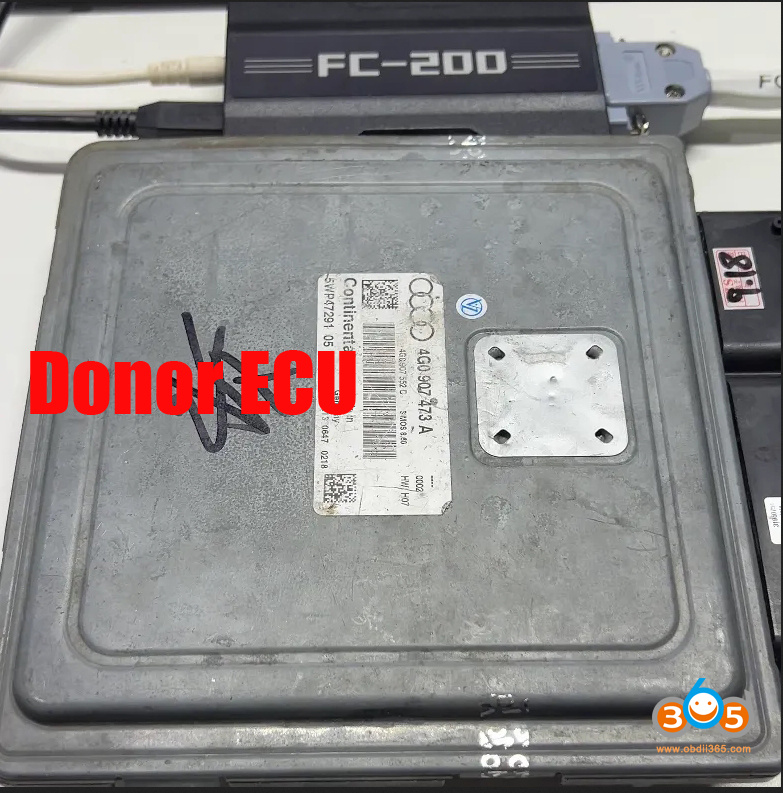
Identify ECU.
Then read and save Dflash, Pflash and ExtEEPROM for the donor ECU.
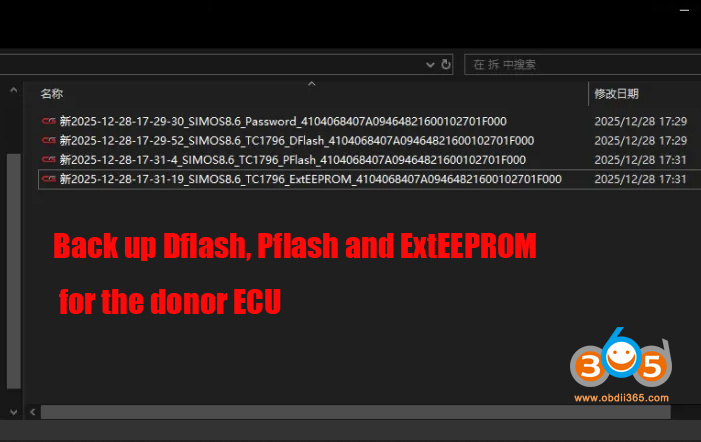
Step 3: Transfer data (Calculate EXTeeprom data)
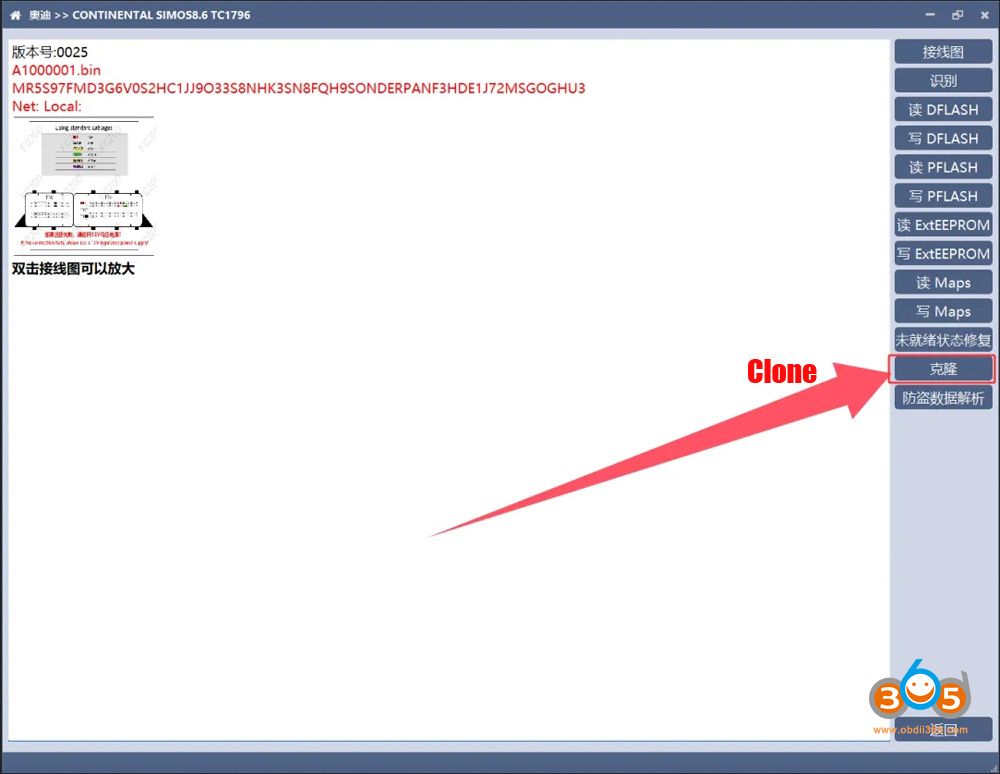
Select the Clone function.
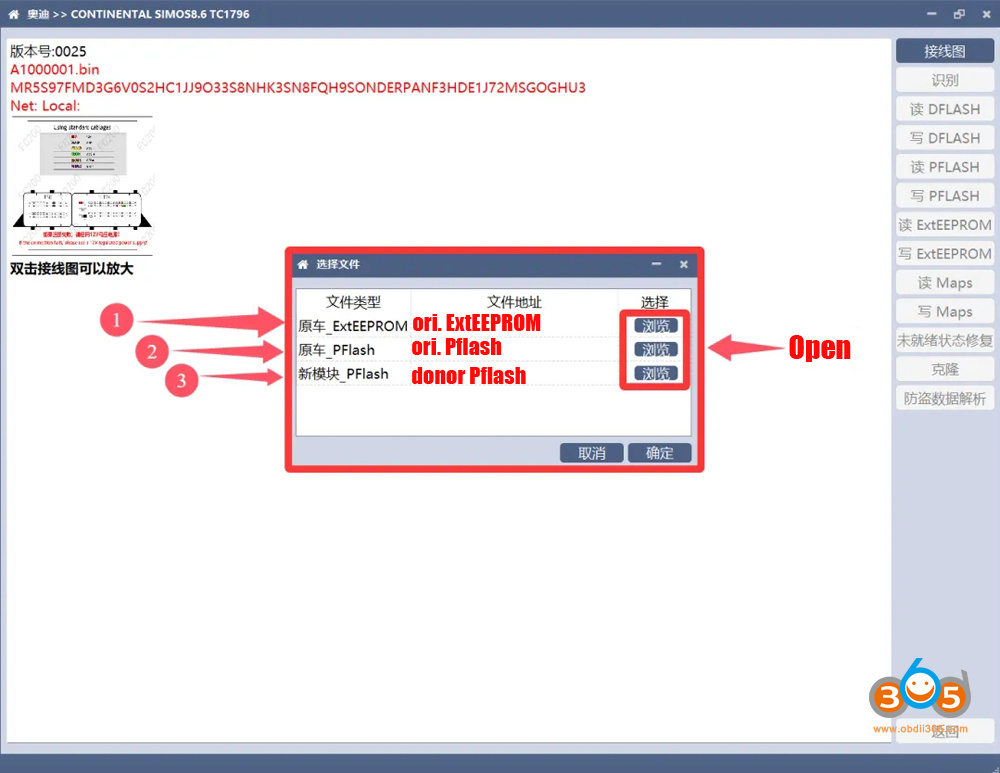
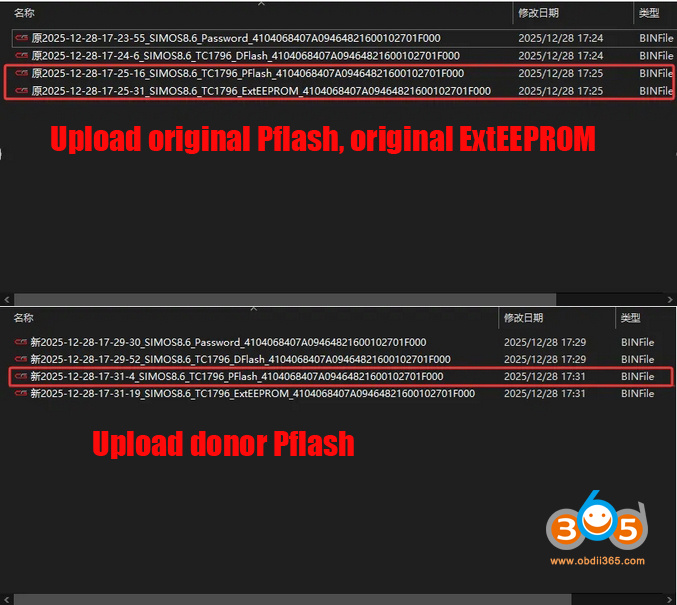
Open and upload original ExtEEPROM data.
Open and upload original Pflash data.
Open and upload donor Pflash data.
Click Yes.
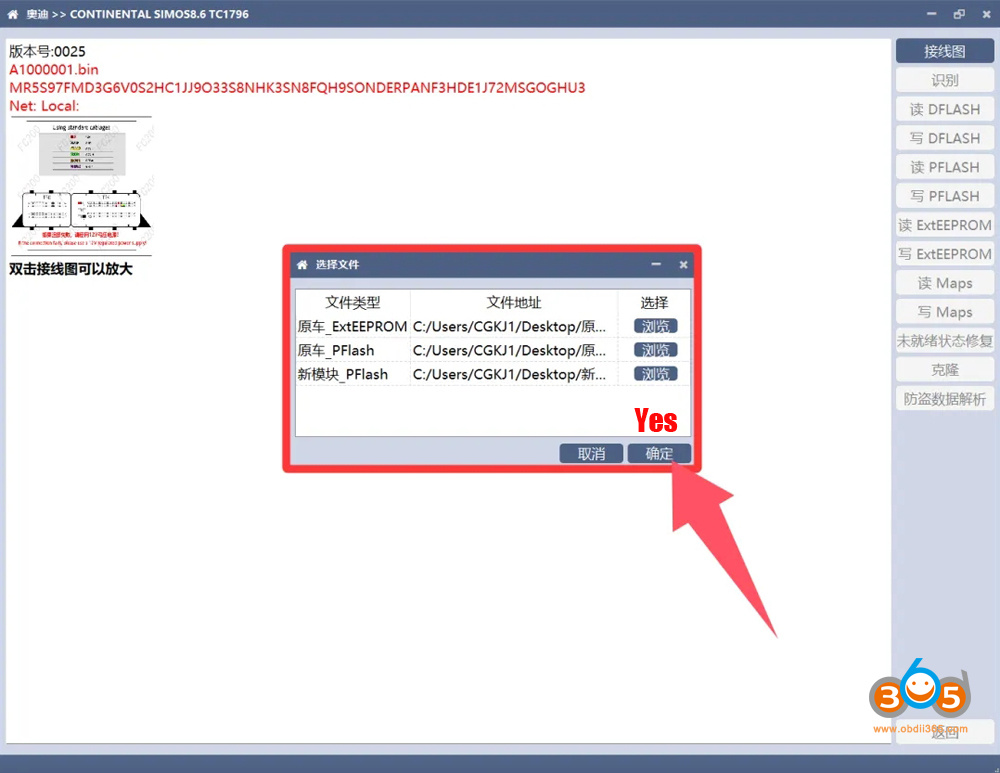
The software is currently calculating, and the right-hand panel will turn gray.
After waiting a few seconds, the software will automatically calculate and generate a processed data file.
Save the calculated data (clone_ExtEEPROM) to desktop.
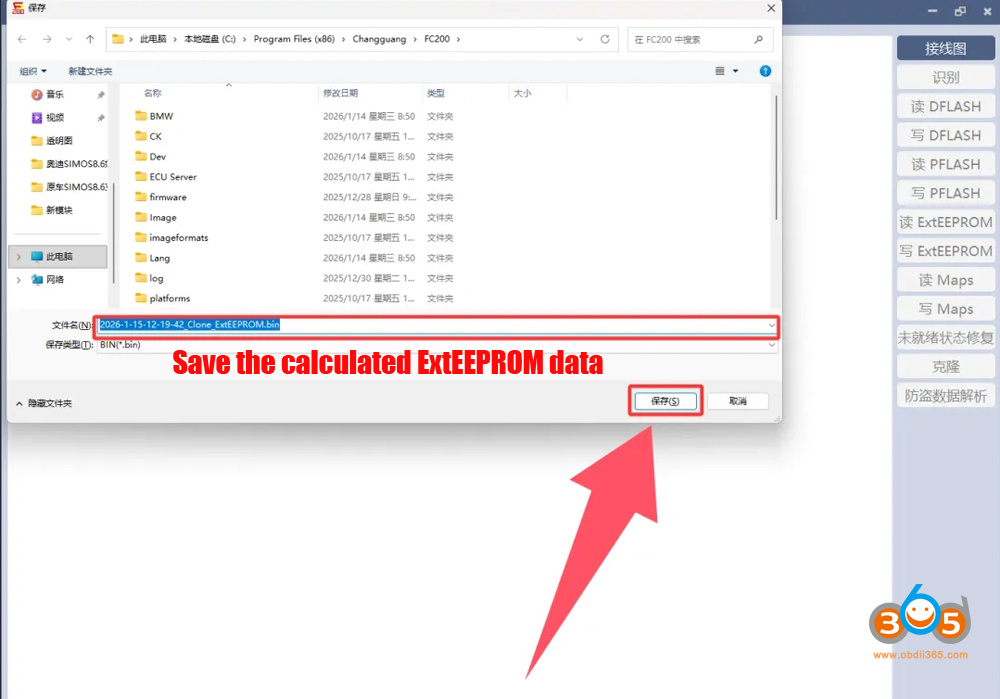
Step 4: Write ECU
Connect the donor ECU with CG FC200.
Identify ECU.
Write original Dflash, original Pflash and the calculated clone_ExtEEPROM data to the donor ECU.
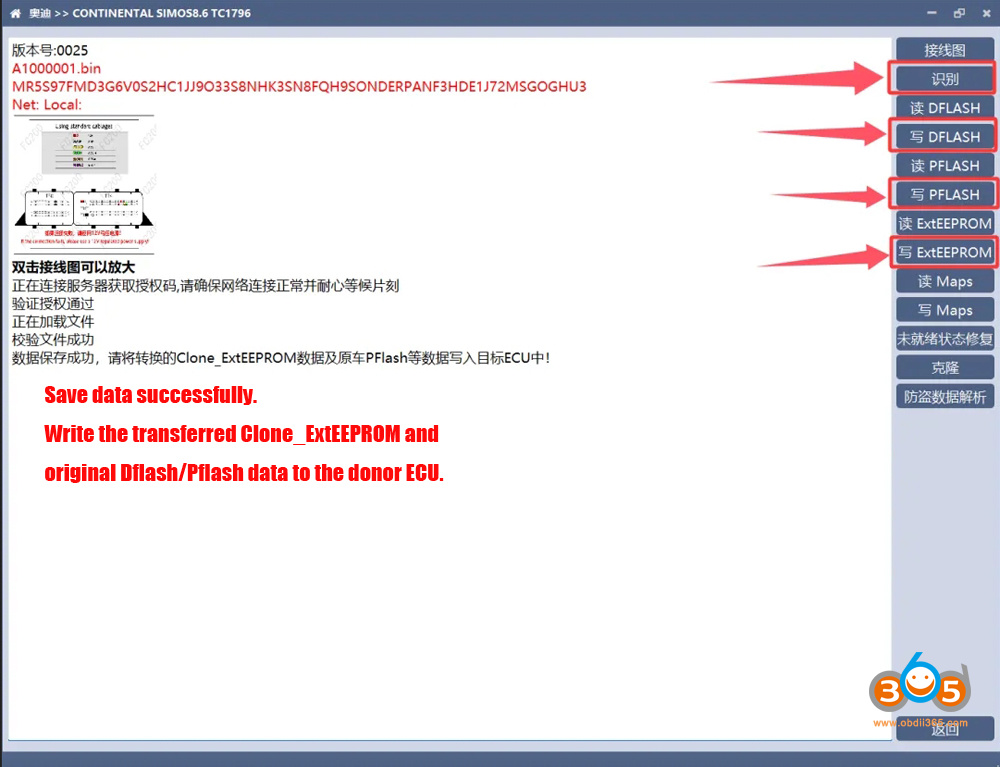
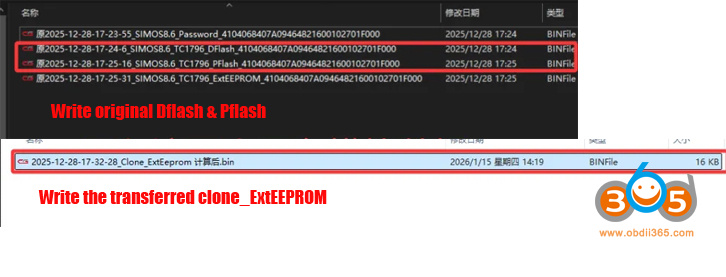
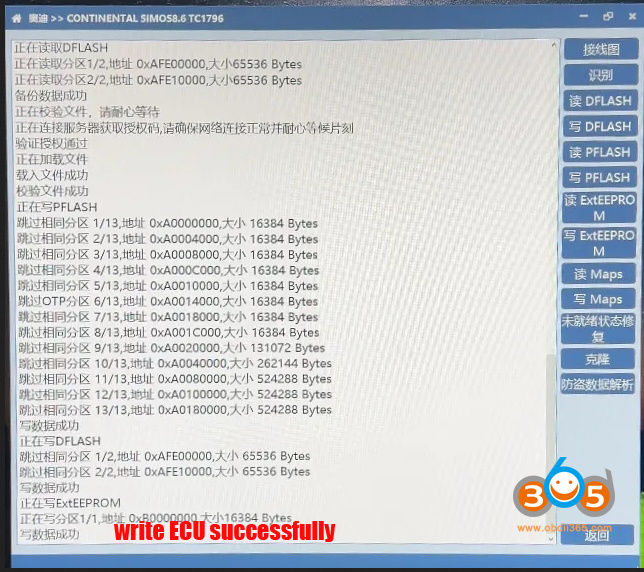
After writing all three data files, install the ECU back to car. No fault error codes appeared. The cloning is done perfectly.
Read also:
CG FC200 Update Simos 18.1 Simos 12 Simos 8.5 SDI7 Cloning Function















