


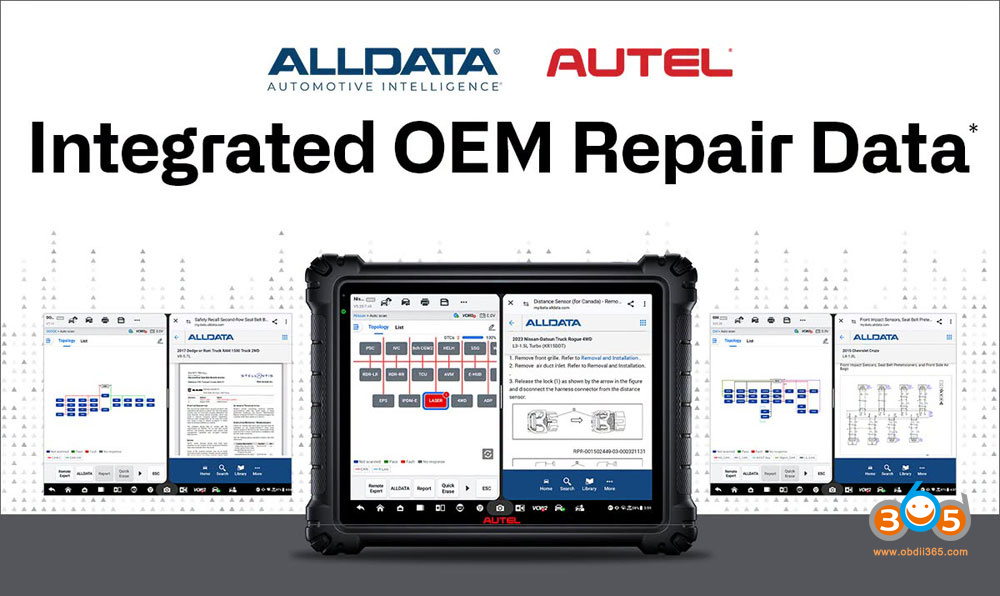
Starting in November, Autel and ALLDATA are bringing factory repair information directly into your diagnostic workflow through an industry-first integration on supported MaxiSYS tablets.
With an active Autel software subscription and ALLDATA subscription, technicians can move seamlessly from fault codes to vehicle-specific OEM repair procedures, wiring diagrams, and diagnostic information—all on one screen, right at the vehicle—helping streamline troubleshooting and accelerate repairs.
Supported models include the
- MaxiSYS Ultra S2,
- MS919 S2,
- MS909 S2,
- MaxiSYS Ultra,
- MS919,
- MS909,
- Ultra ADAS,
- Ultra EV.
Limited Time Offer: Save 15% on ALLDATA
Use promo code AUTEL15 during checkout. New customers only.
Excludes National Accounts. Offer valid November 1–21, 2026.
*Active Autel software subscription and separate ALLDATA subscription required for integration.
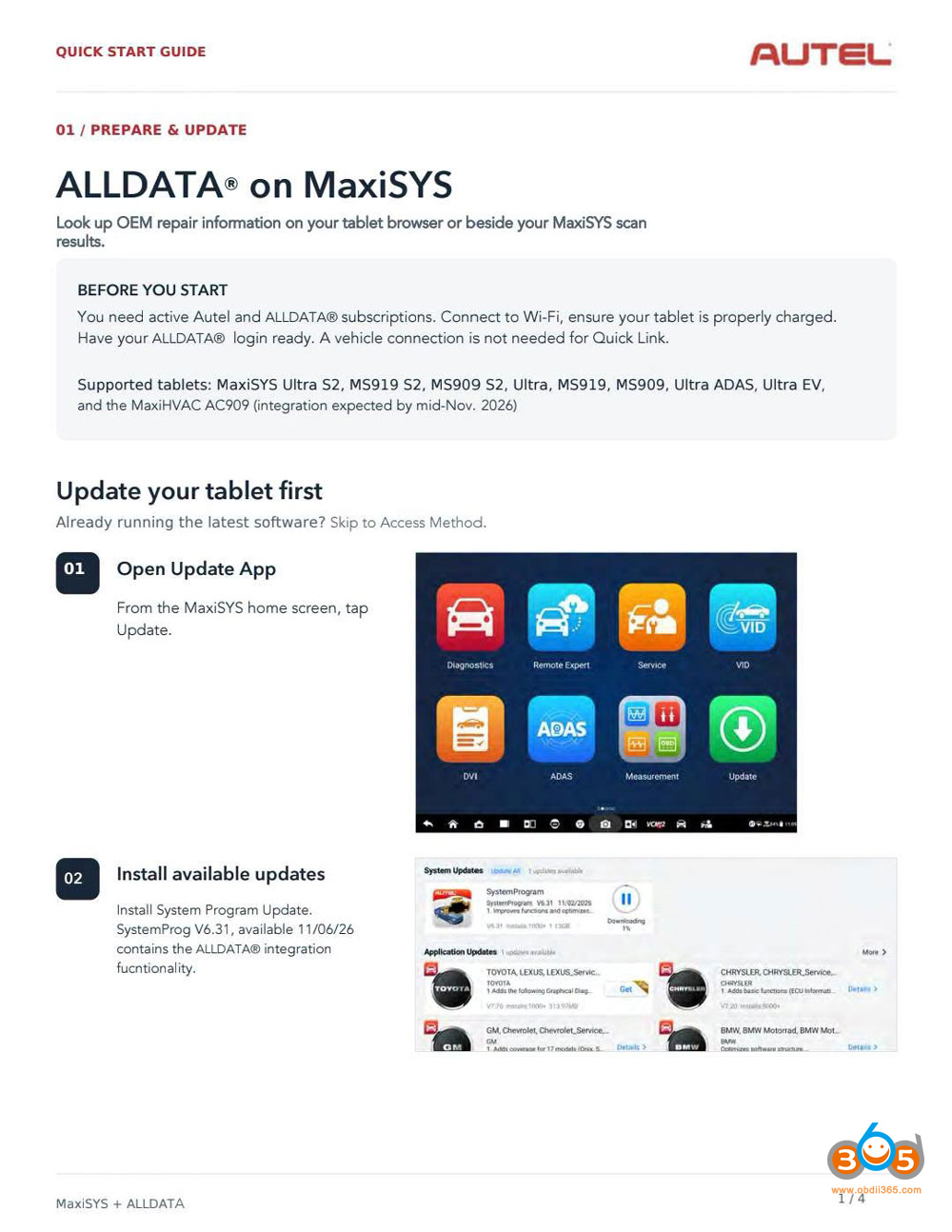
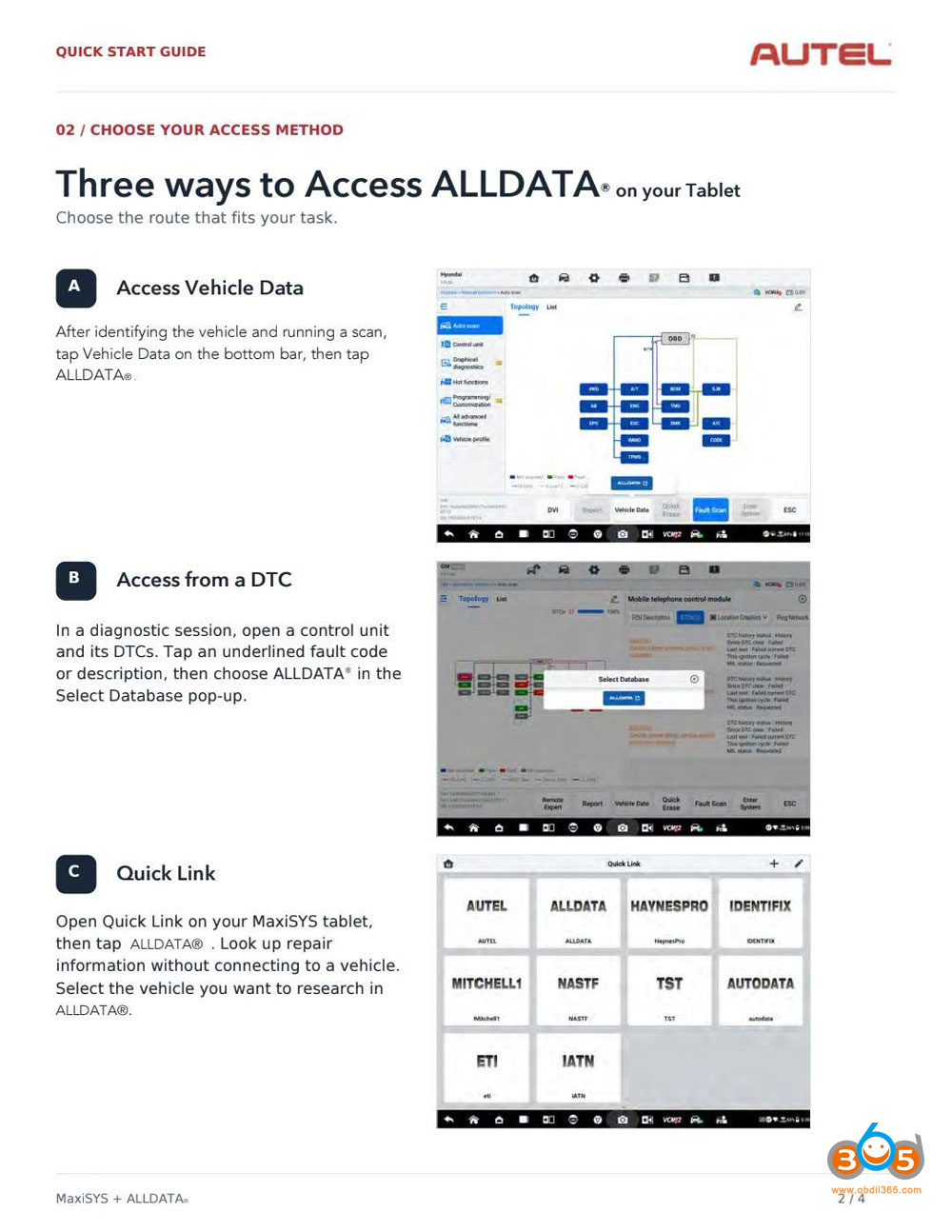
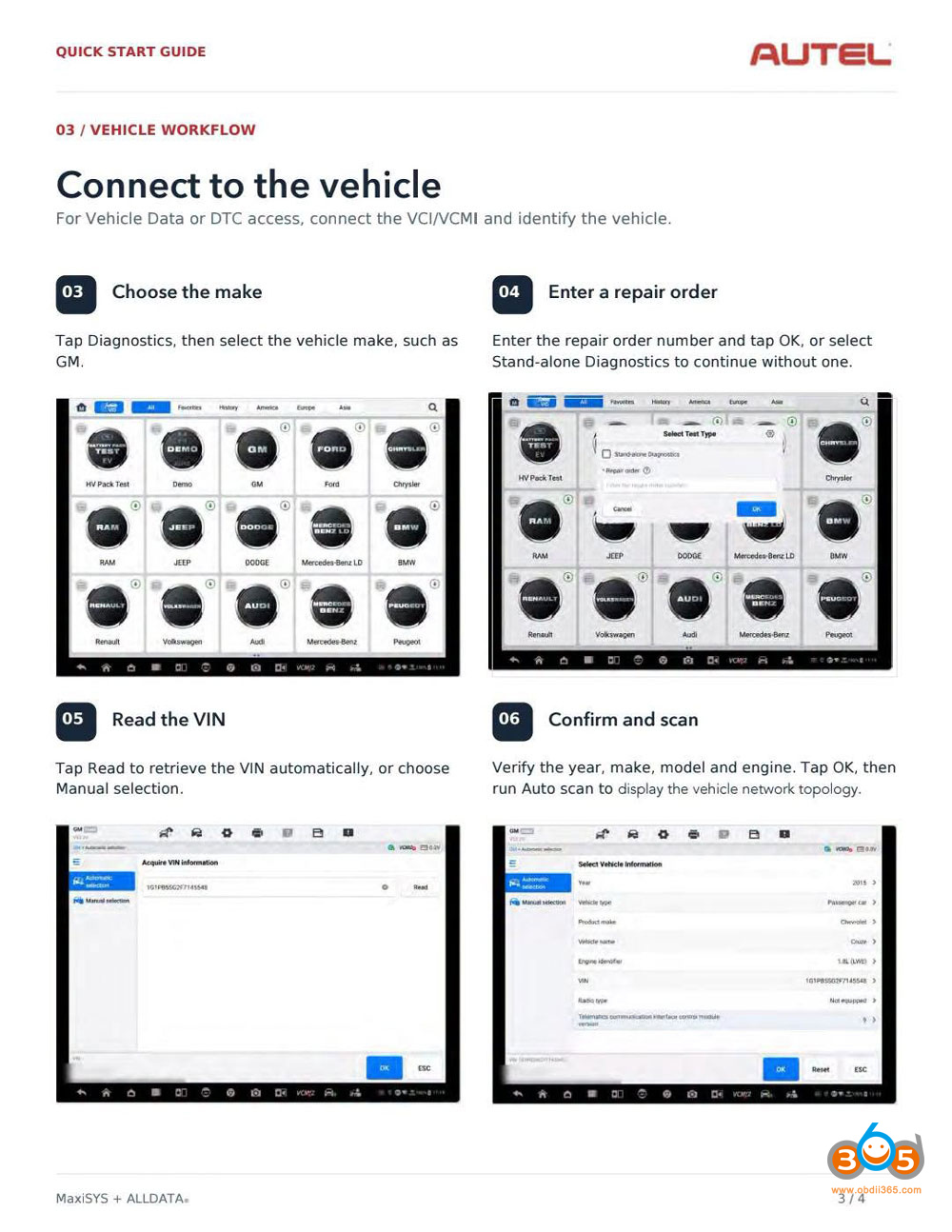
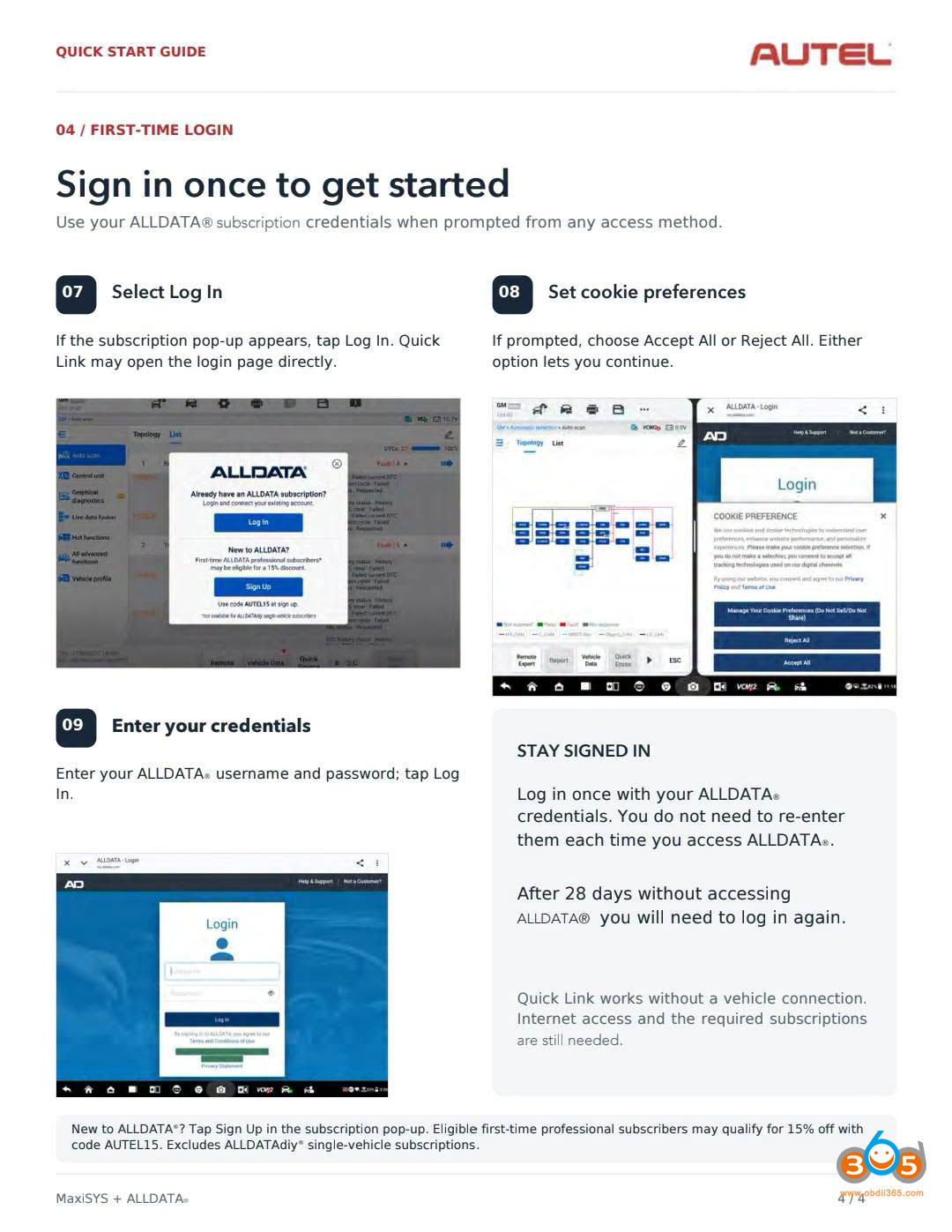
How to set up Autel with Alldata?
Follow 4 steps below to use Autel Maxsys with Alldata: